How it works for experts
Applying, the screening test, the ID check, the interview and the paid trial; then working on projects, revisions, reviewing and getting paid every Monday.
Screenshots are from our demo, with made-up people and companies. Also see how it works for AI teams.
Contents
- For experts, roles, security and trust
- Signing in and creating an account
- Account security: two-factor login and passkeys; Delete my account asks for the account's deletion, done 7 days on unless Keep my account is pressed first (what was earned is still paid)
- Applying: profile and screening test
- The ID check
- The AI interview
- The paid trial
- The decision
- Working on projects
- Hearing about new work
- Returned and rejected work
- Pay, payouts, referrals and roles
- Reviewing
For experts, roles, security and trust
Anyone
The pages experts and buyers read before they decide.
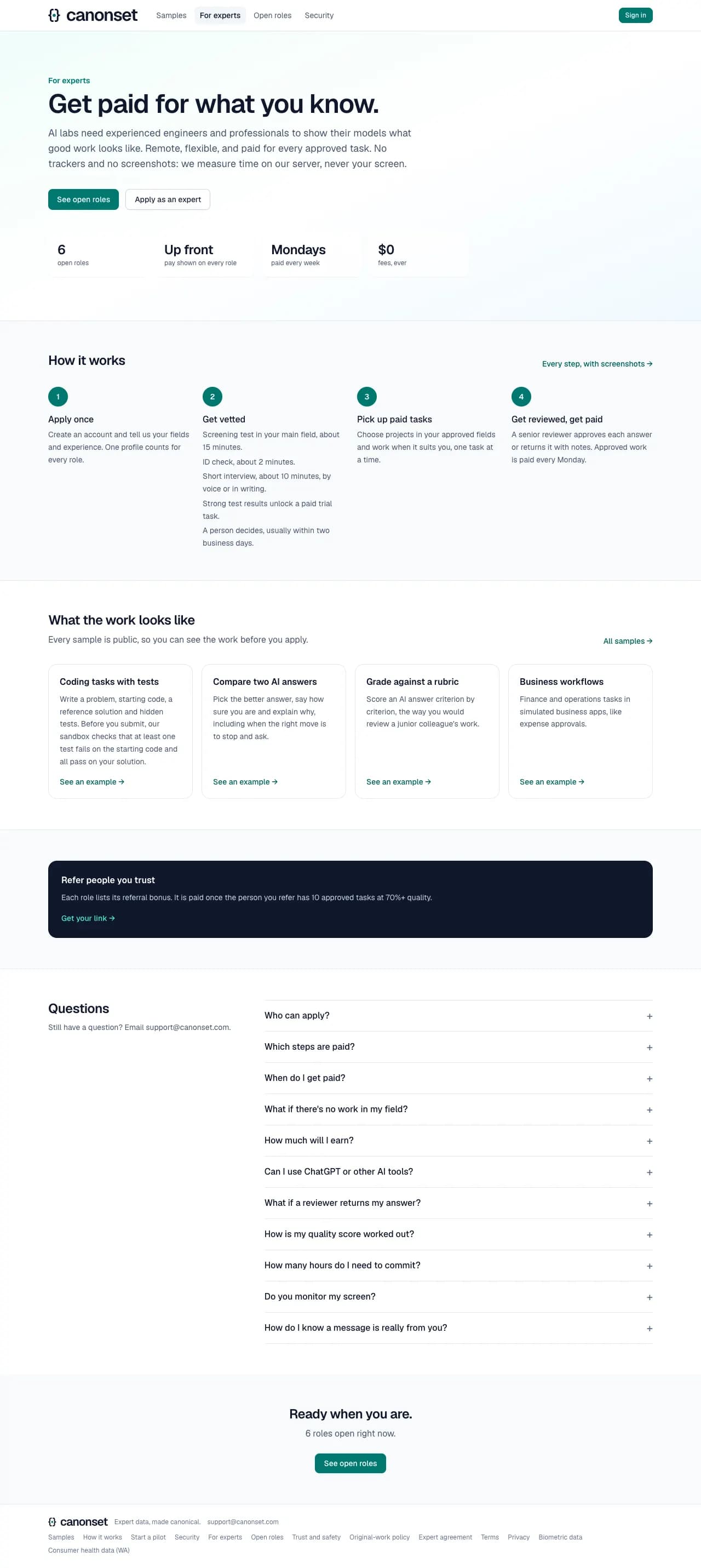
1.For experts
How joining works, with only the checks that are switched on (ID check, interview, paid trial), the kinds of work, pay, feedback, referrals and an FAQ.
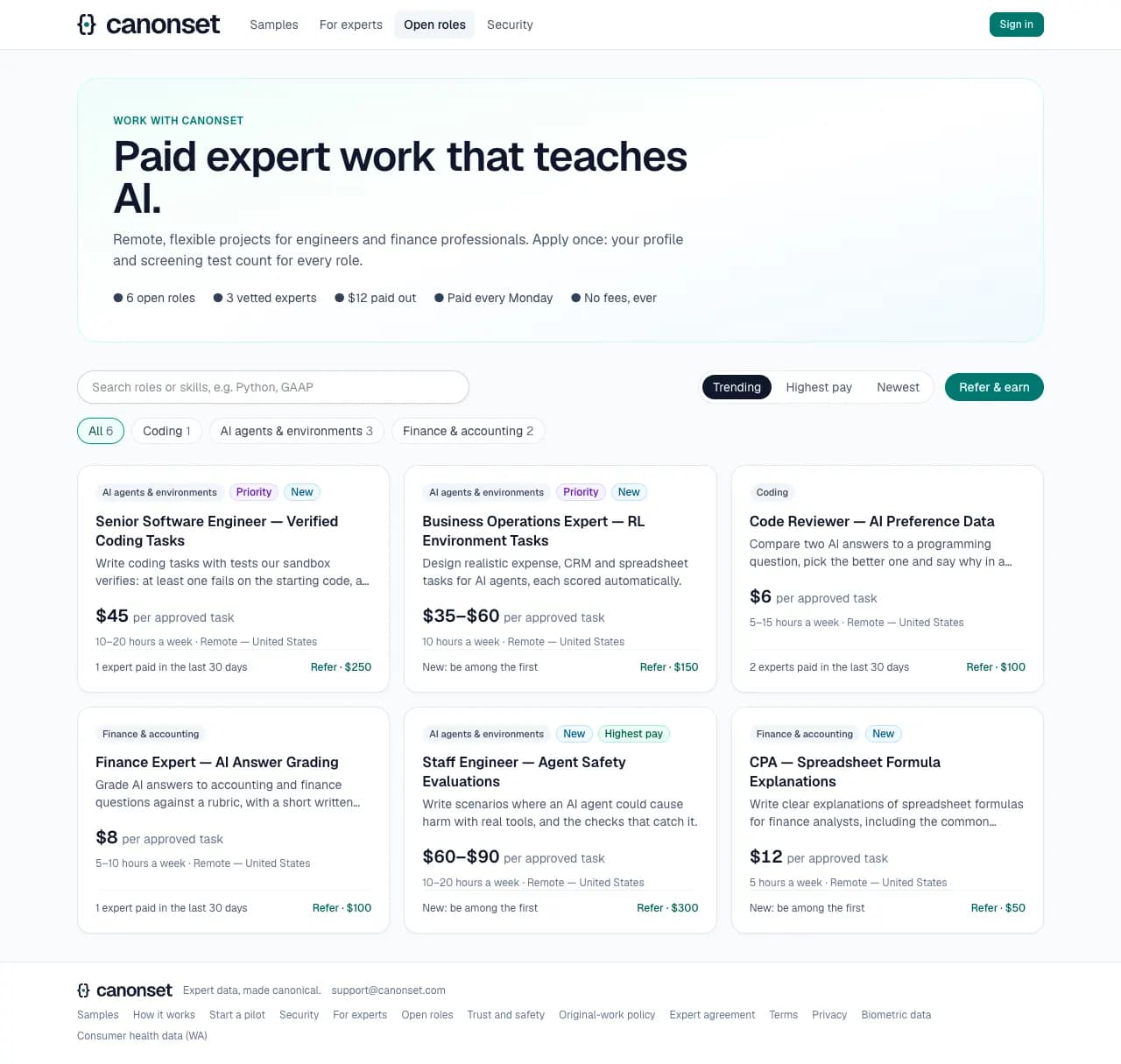
2.Open roles
Every open role with its pay range, commitment and field. One profile and one screening test count for every role. On a phone the search has a row of its own.
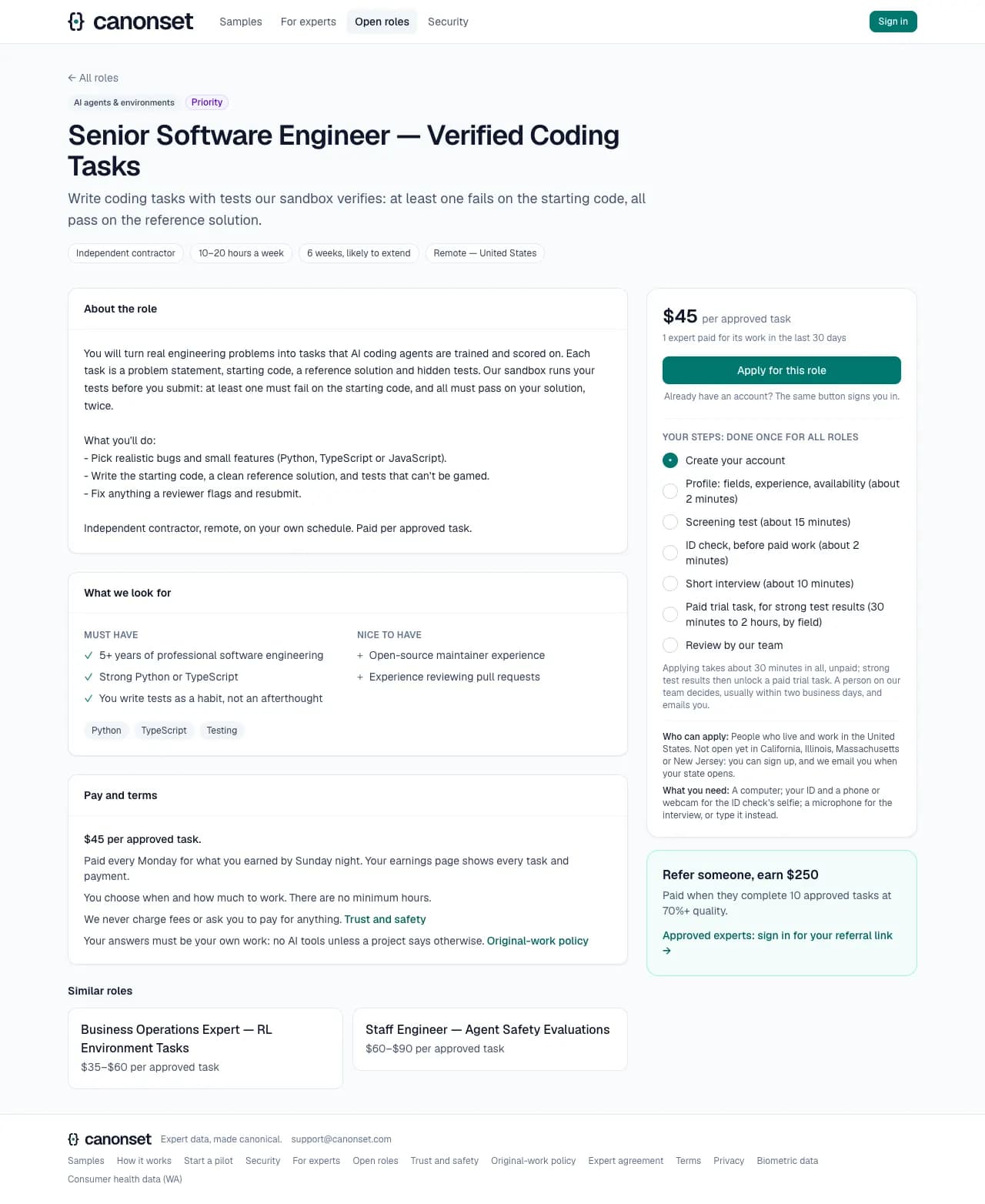
3.A role
The role, what we look for, pay and terms, similar roles, and Apply, with the steps (each with its time; applying takes about 30 minutes in all, unpaid), who can apply and what they'll need. On phones and tablets a bar at the bottom keeps the pay and Apply in view. A signed-in expert applies with an optional note; a visitor's Apply opens sign-up. A referral link carries who referred them.
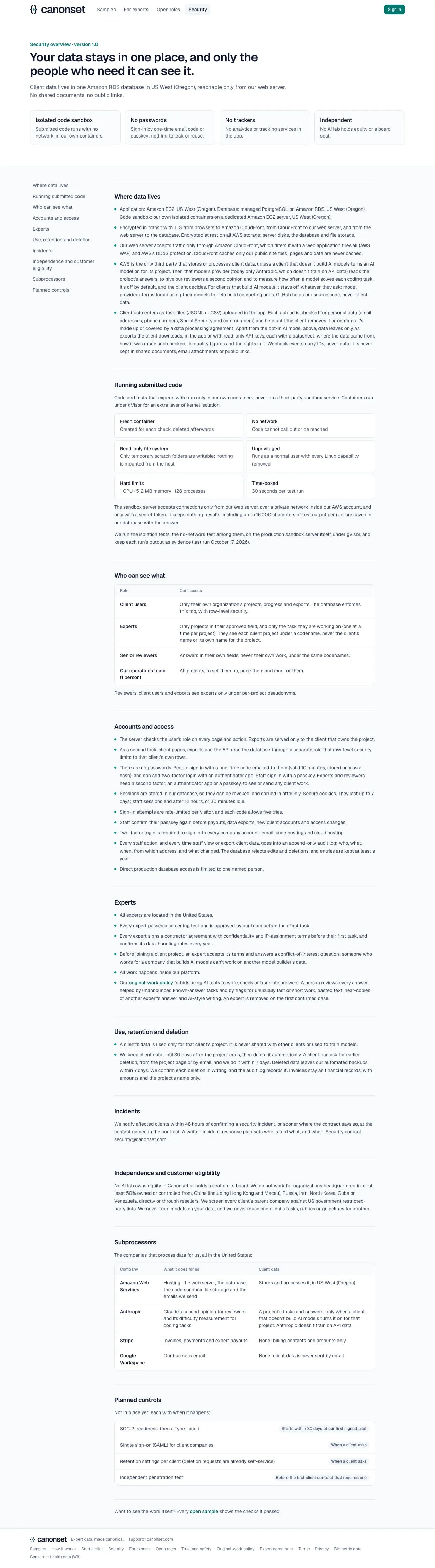
4.Security
Hosting, encryption, who can see what (experts see client projects only by codenames; the database itself keeps each client to its own rows), how submitted code runs (tested on the production sandbox server), accounts (a second factor for any client work), use and retention of data, incidents (notice within 48 hours), independence from AI labs, the subprocessors, and the planned controls with their targets. Facts not yet confirmed show as being set up, and the page isn't indexed until they are.
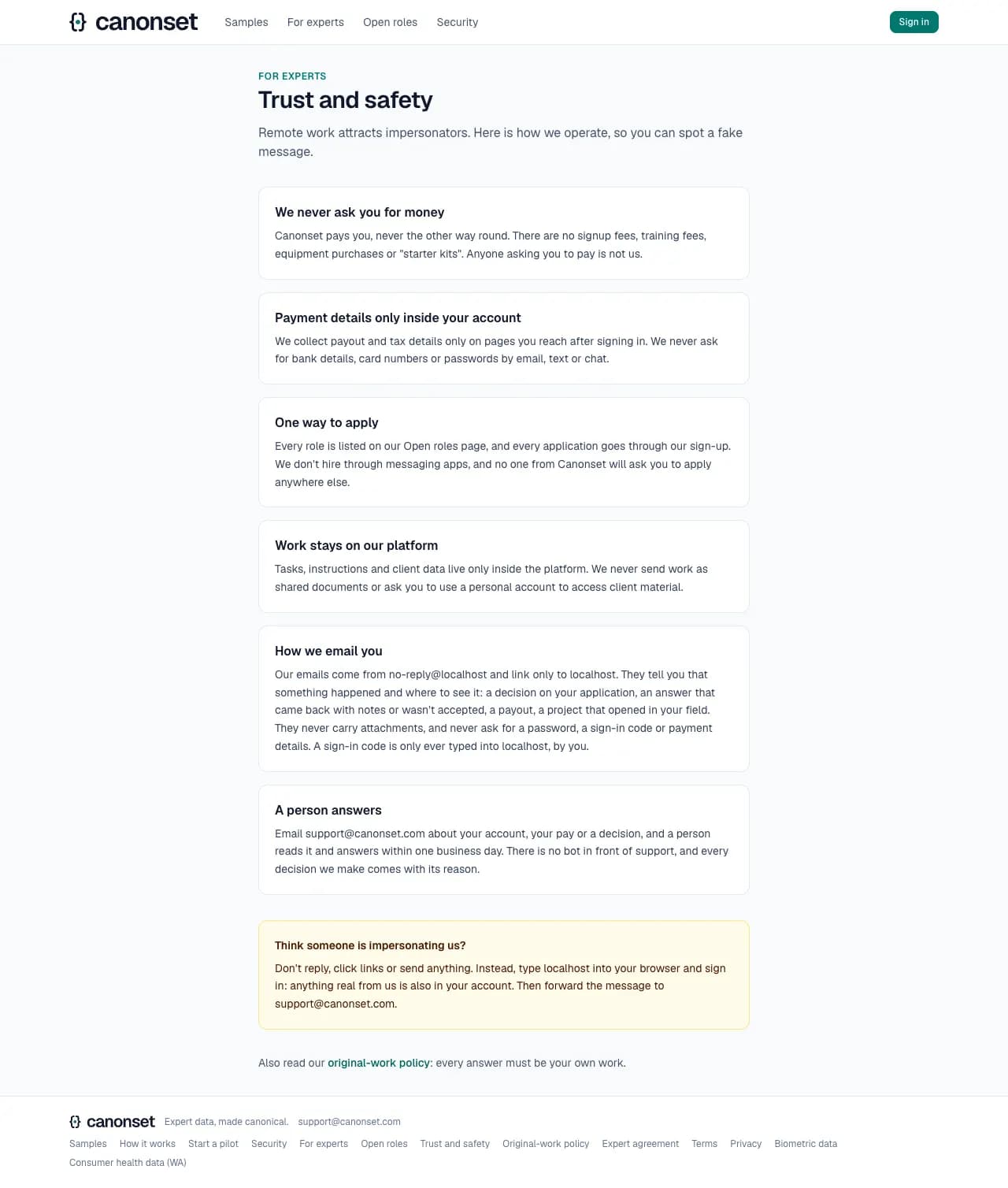
5.Trust and safety
For experts: we never ask for money or payment details outside the account, every role is on the site, and what to do with a suspicious message.
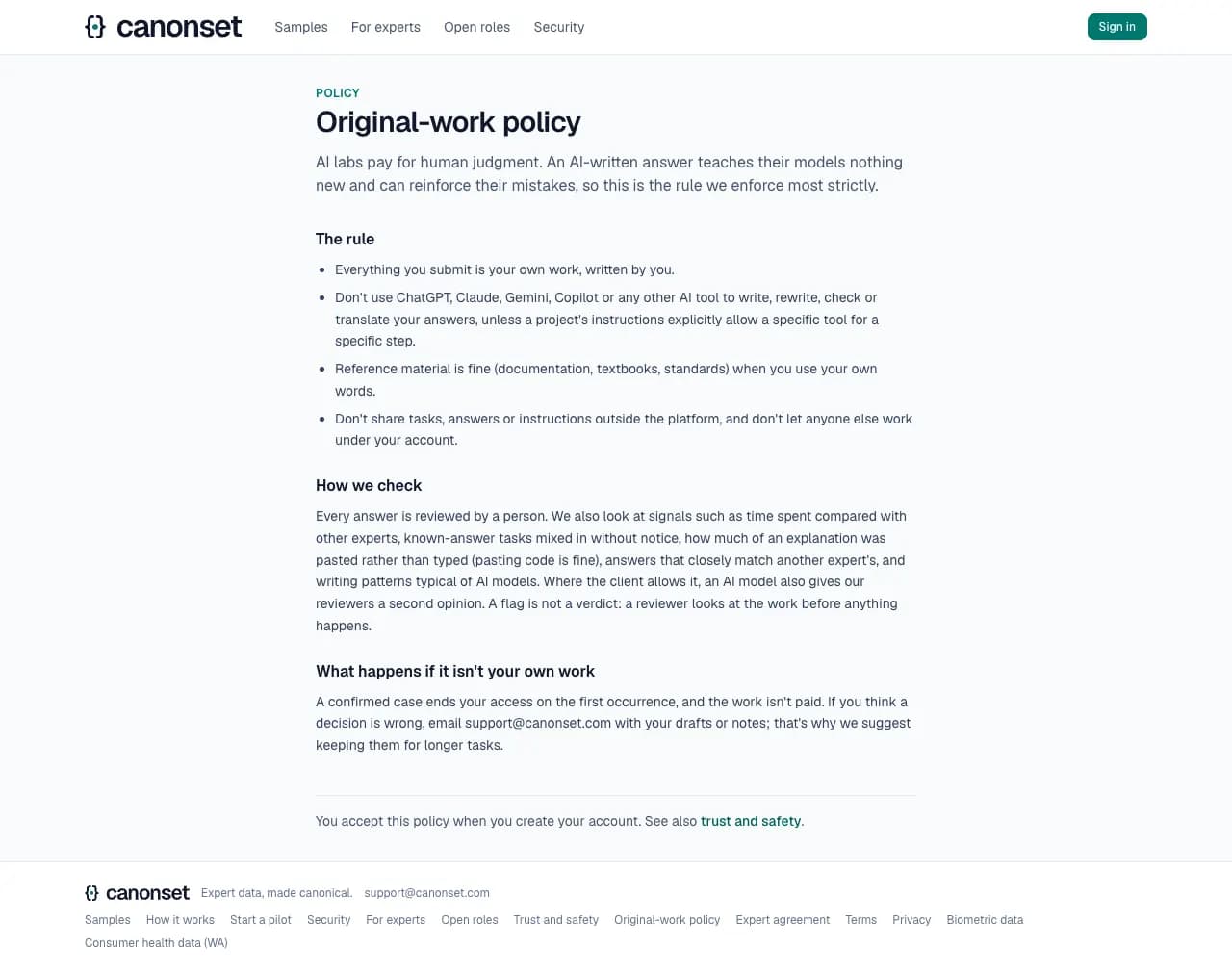
6.Original-work policy
Every answer must be the expert's own work. It lists what we check (time spent, hidden known-answer tasks, pasted text, near-copies of other answers, AI-style writing, and an AI second opinion where the client allows it) and what happens on a confirmed case.
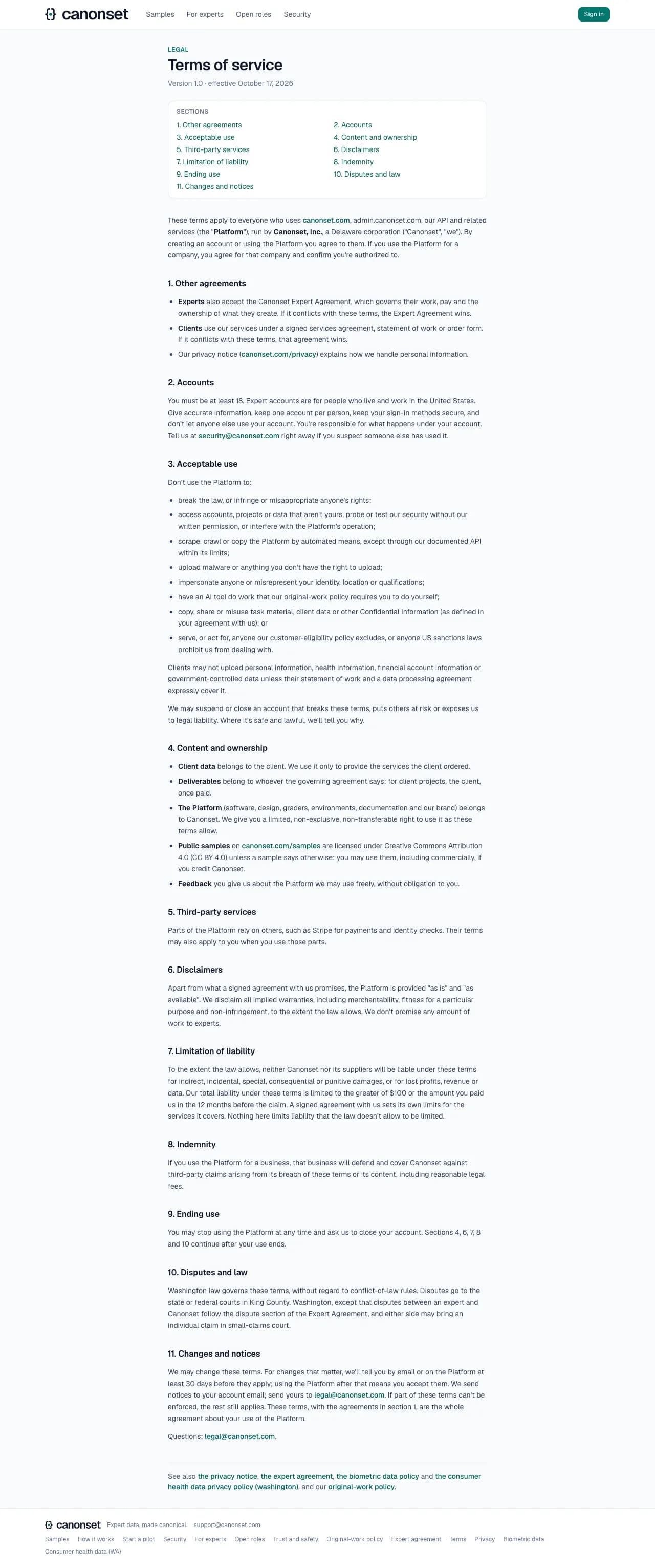
7.Terms of service
Version 1.0, effective October 17, 2026: the other agreements that apply, accounts, acceptable use, who owns what (the public samples are CC BY 4.0), disclaimers, limits of liability and how disputes are settled. In every page's footer, with the privacy notice and the expert agreement.
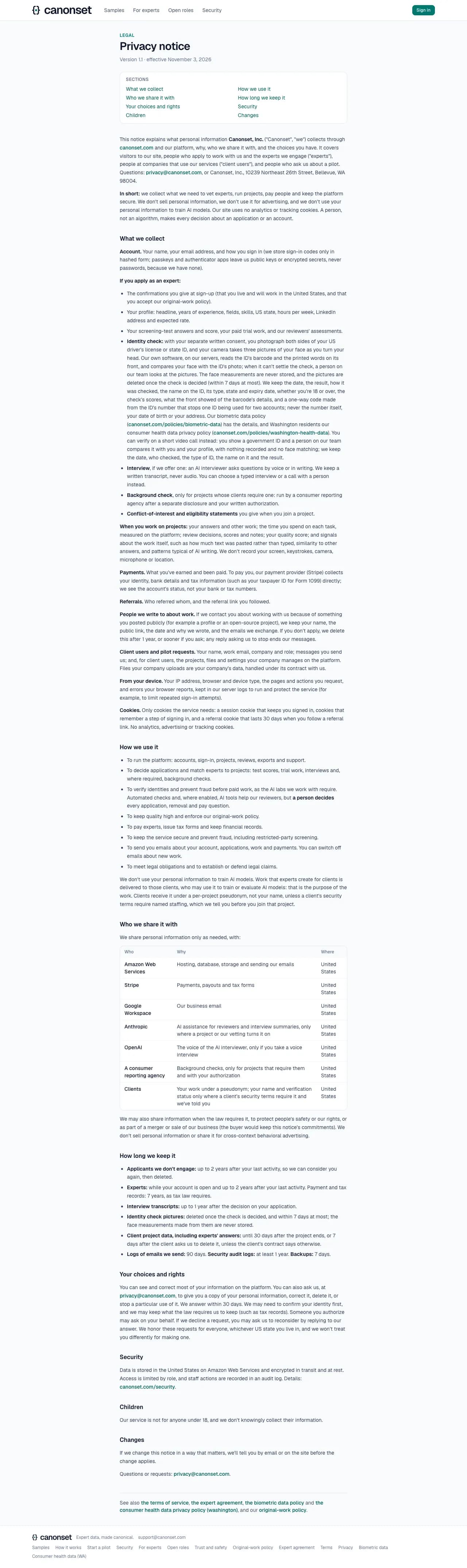
8.Privacy notice
What we collect about visitors, applicants, experts and client users, and why; who we share it with, in a table; how long we keep it (applicants and inactive experts 2 years, tax records 7, interview transcripts 1); and how anyone asks for a copy, a correction or deletion.
9.Expert agreement
The independent-contractor agreement experts accept before the paid trial and any client work: pay, who owns the work, original work, confidentiality, conflicts, identity checks and disputes, with the data-handling rules as Exhibit A. The list of sections links to each.

Good to know
- A missing page answers 404, never an error, including a role that doesn't exist. Not found says the page may belong to another account, and leads to the visitor's own start page.
- The trust page says how to recognize our emails: where they come from, that they link only to our site, and that they never ask for a password, a sign-in code or payment details.
- Search engines get a robots file and a sitemap: the public pages and each open role, nothing behind sign-in, and nothing on the ops console's address.
- Each legal page shows its version and the date it took effect. A new version of the terms or the privacy notice asks every expert and client to accept it before going on; a new expert agreement asks before an expert's next new task.
Signing in and creating an account
Everyone · Sign in (top right), /login, /signup
No passwords anywhere. One button signs in an existing account or starts a new expert account, with a six-digit code sent by email.
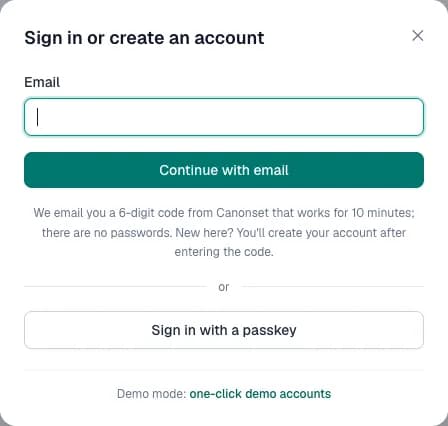
1.One button
Enter an email address. The same pop-up serves experts, clients and staff.
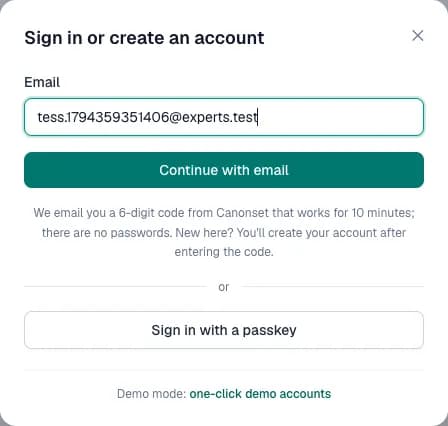
2.Ask for a code
Continue with email sends a six-digit code. The answer is the same whether or not the address has an account.
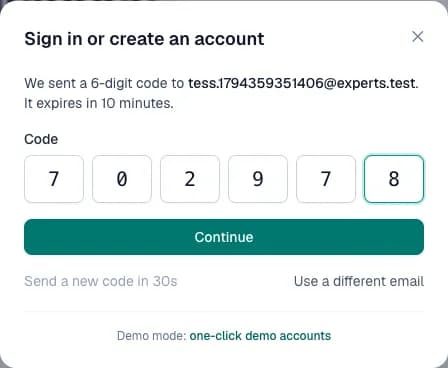
3.Enter the code
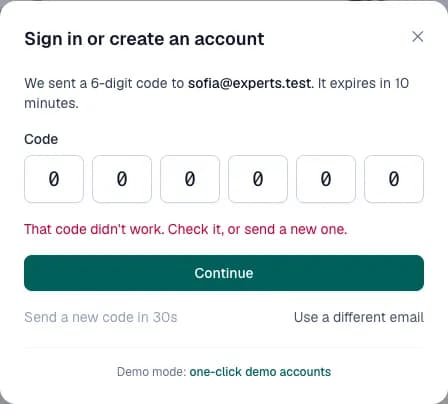
Six boxes: typing, pasting the code (spaces and dashes are dropped) or the phone's autofill from the email fills them. The code expires in 10 minutes. An existing account is signed in at once (two-factor follows if it's on).
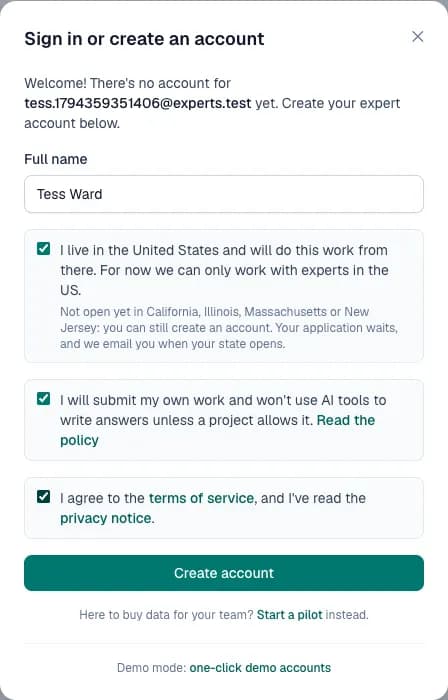
4.A new address
A valid code for a new address opens one more step: the name, two confirmations (living and working in the United States, and the original-work policy), and agreeing to the terms of service, having read the privacy notice. Only then is the expert account created, and the acceptance kept with its version.
5.A wrong code
Says what to do: check it, or send a new one. A new code can be sent after 30 seconds, and it replaces the older one.
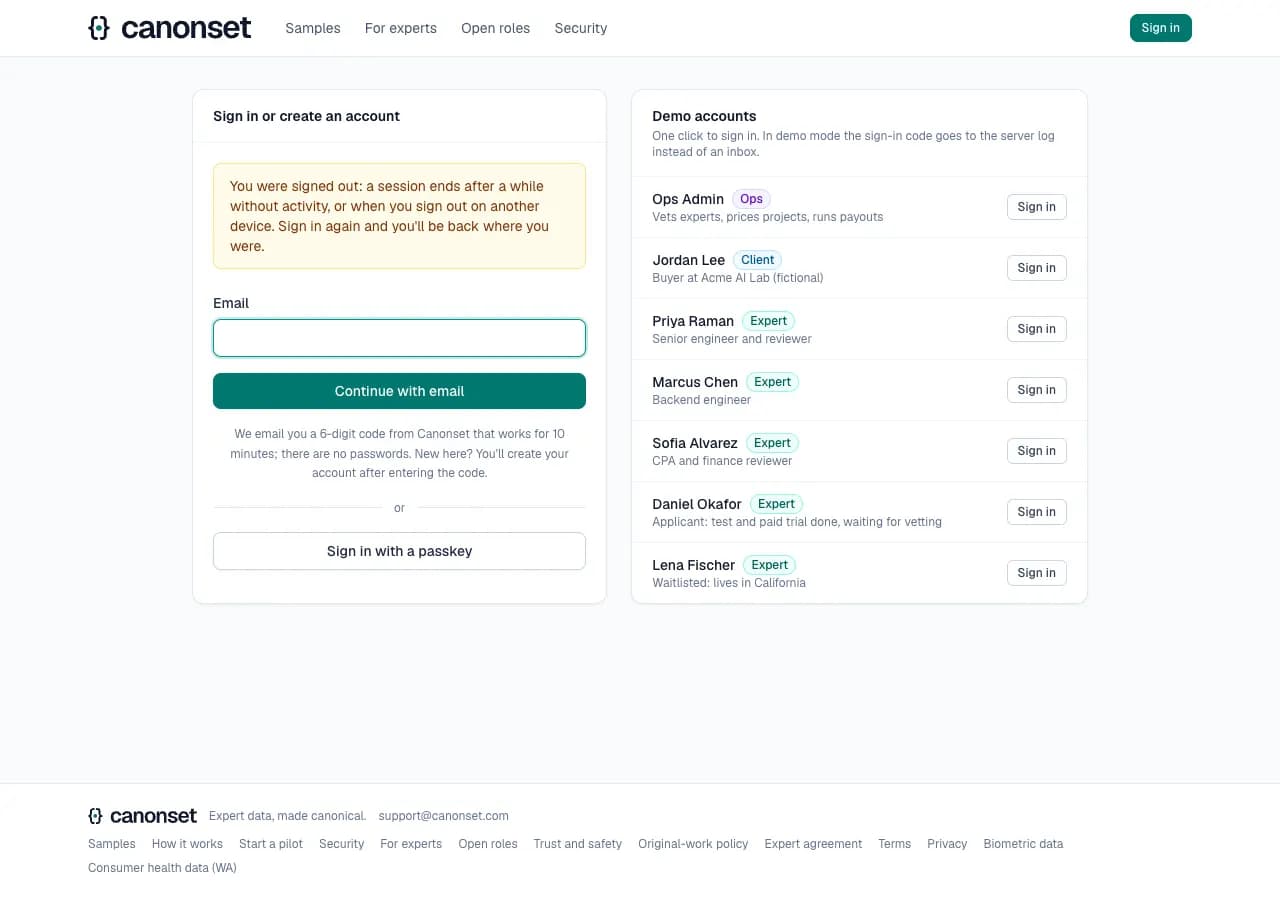
6.A session that ended
When a session expires, or is signed out from another device, the next click lands here with a line saying so. Signing in again returns to the page the person was on.
7.Signed out in another tab
Every open tab hears at once when the account signs out, signs in, or changes, and says so across the top with Reload. It doesn't reload by itself: that would throw away whatever was being typed.

Good to know
- Client accounts are created by our team after the first call; clients sign in the same way.
- Two-factor login (an authenticator app, with backup codes) is optional for everyone, under Account.
- Every change to how an account signs in (a passkey added or removed, two-factor turned on or off, new backup codes) is emailed to its owner, with what to do if it wasn't them. Removing a passkey and turning two-factor off ask once more first.
- A link opened while signed out goes to sign-in, then back to the page it pointed to.
- Signing out in one tab signs out the others: each says so at once, and its next click goes to sign-in. Signing in again in any tab makes the others right again without a reload.
- The header always names the account that's signed in: after a session ends it shows Sign in, never the name and menu of whoever was there.
Account security: two-factor login and passkeys; Delete my account asks for the account's deletion, done 7 days on unless Keep my account is pressed first (what was earned is still paid)
Anyone signed in · the account menu (top right, at every width) → Account security
Signing in needs only the emailed code. Two-factor login adds a code from an authenticator app; a passkey replaces the emailed code with a fingerprint, face or device PIN.
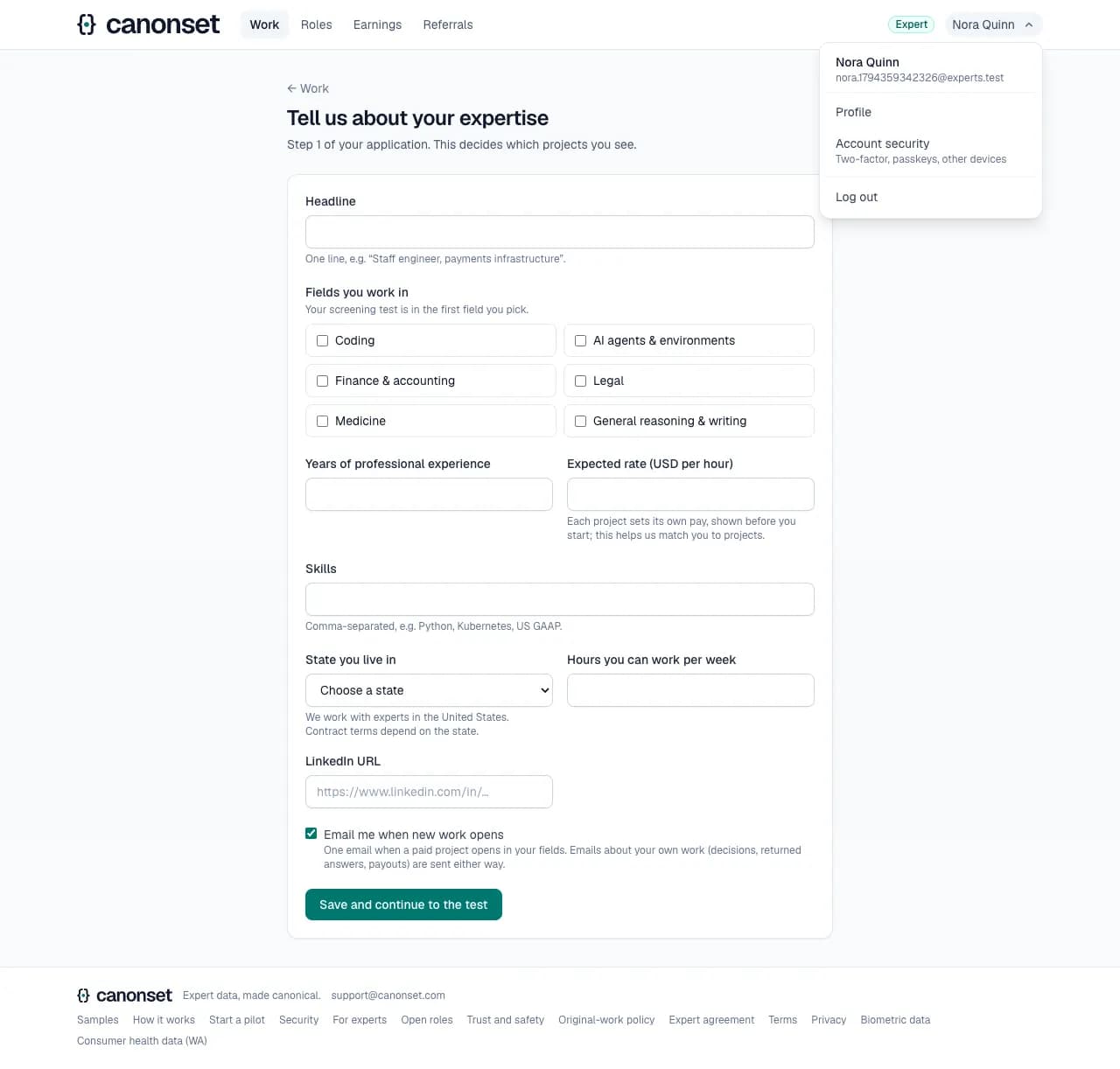
1.The account menu
Beside the role, at every width (initials on a phone): who is signed in, Profile for experts, Account security and Log out. Esc or a click outside closes it.
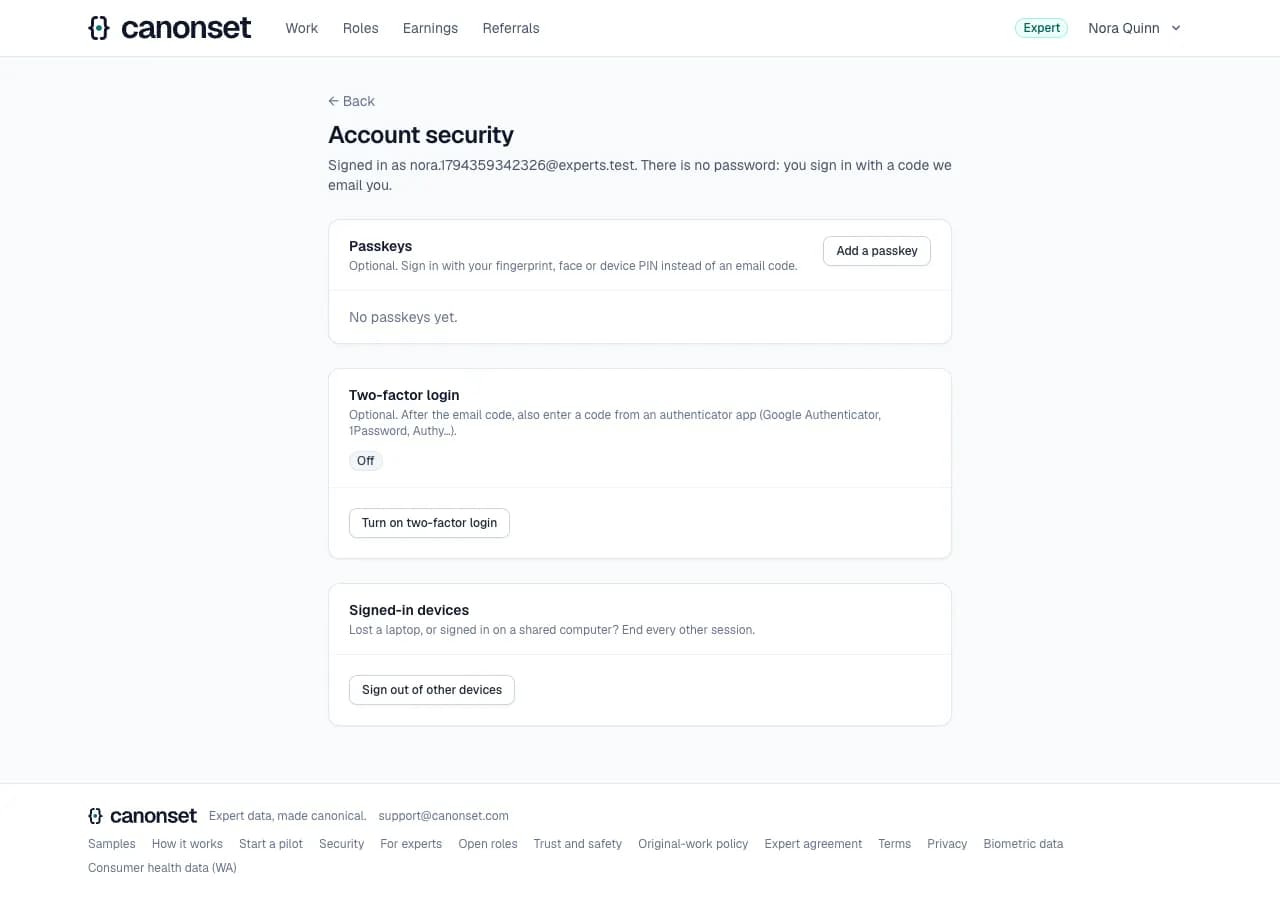
2.Account security
Passkeys, two-factor login, and signing out of other devices. There's no password to change: none exists.
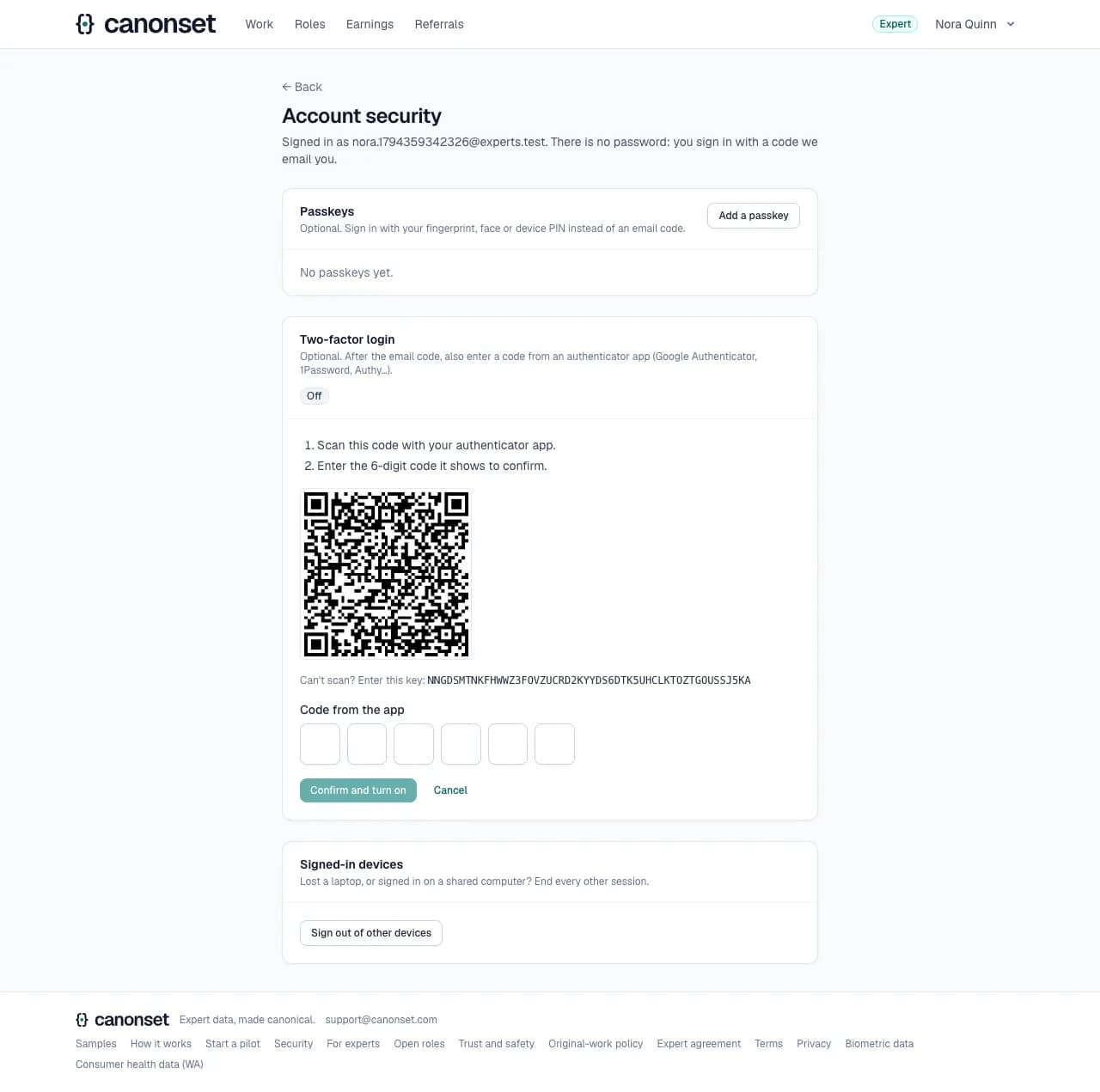
3.Setting up two-factor login
Scan the QR code with an authenticator app, or type the key, then enter the code the app shows. A wrong code says so and nothing is turned on.
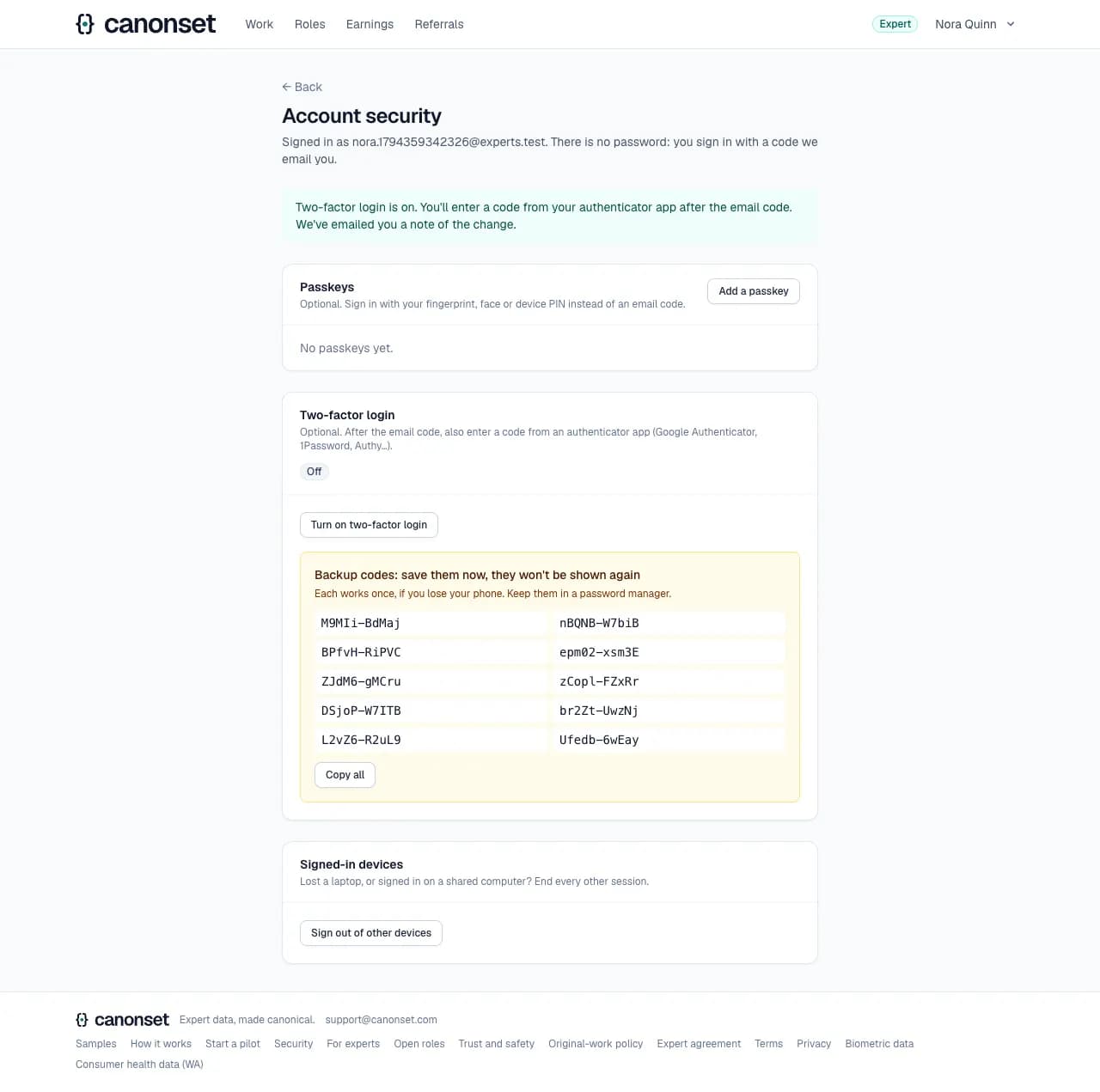
4.On, with backup codes
Ten backup codes, shown once: each works once if the phone is lost. An email tells the account's owner that two-factor login was turned on.
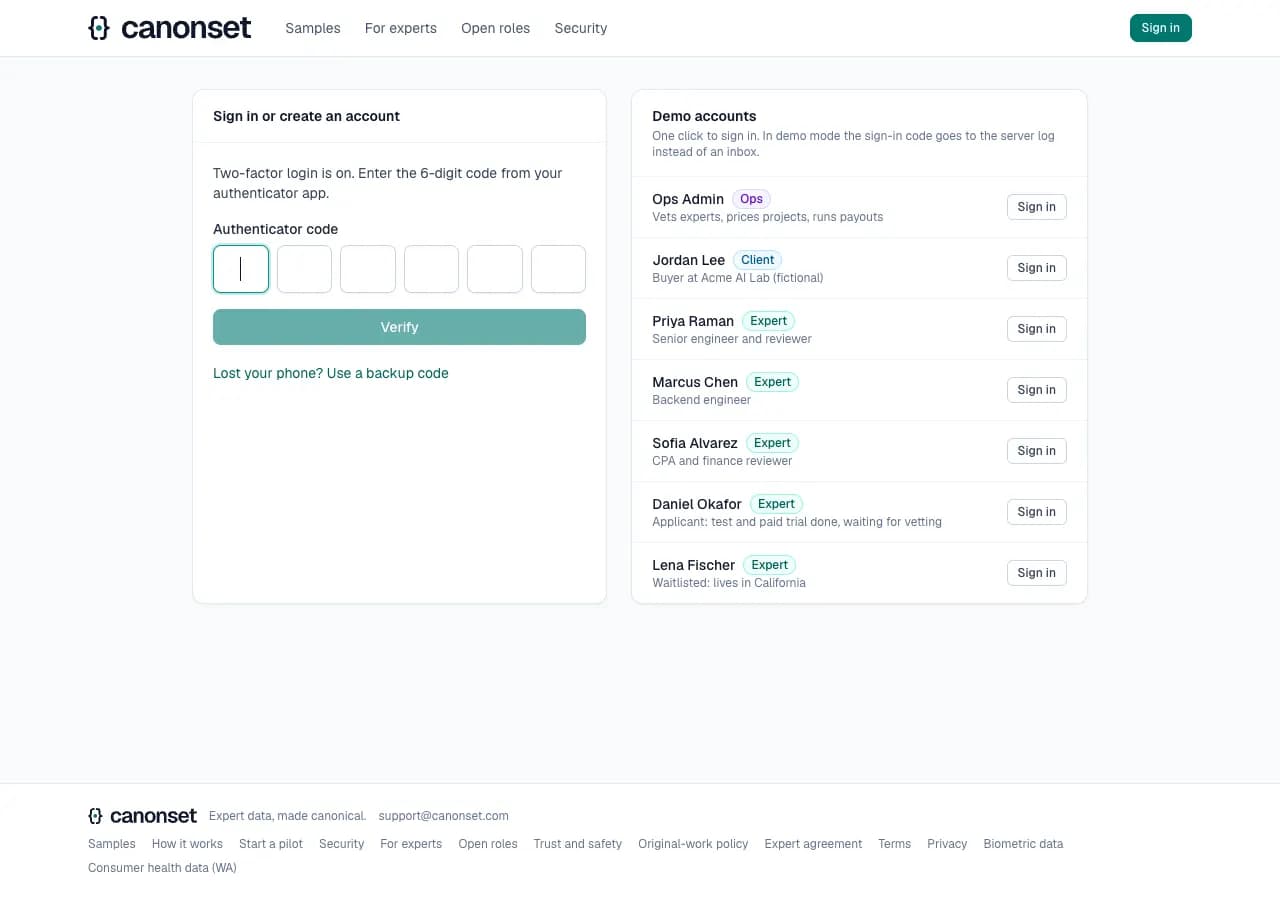
5.The next sign-in
After the emailed code, the authenticator's code. Lost your phone? Use a backup code instead.
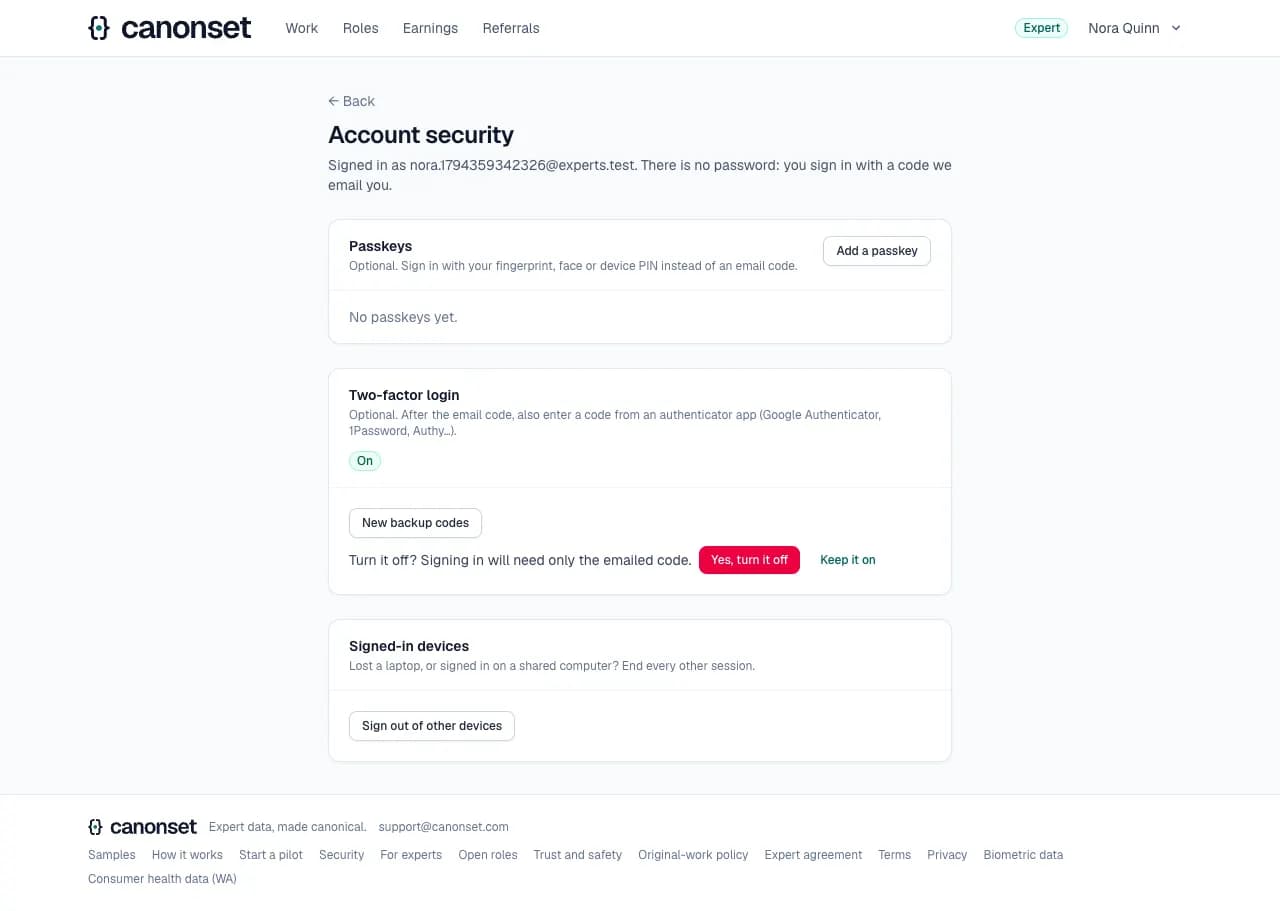
6.Turning it off
Asks once more, in place, with the keyboard's focus on Keep it on. Turning it off is emailed too.
Good to know
- Every change to how an account signs in is emailed to its owner: a passkey added or removed, two-factor turned on or off, new backup codes. The email says what to do if it wasn't them.
- Sign out of other devices ends every other session at once; those devices land on the sign-in page with a line saying they were signed out.
Applying: profile and screening test
An applicant · Work (/expert), Profile, the test
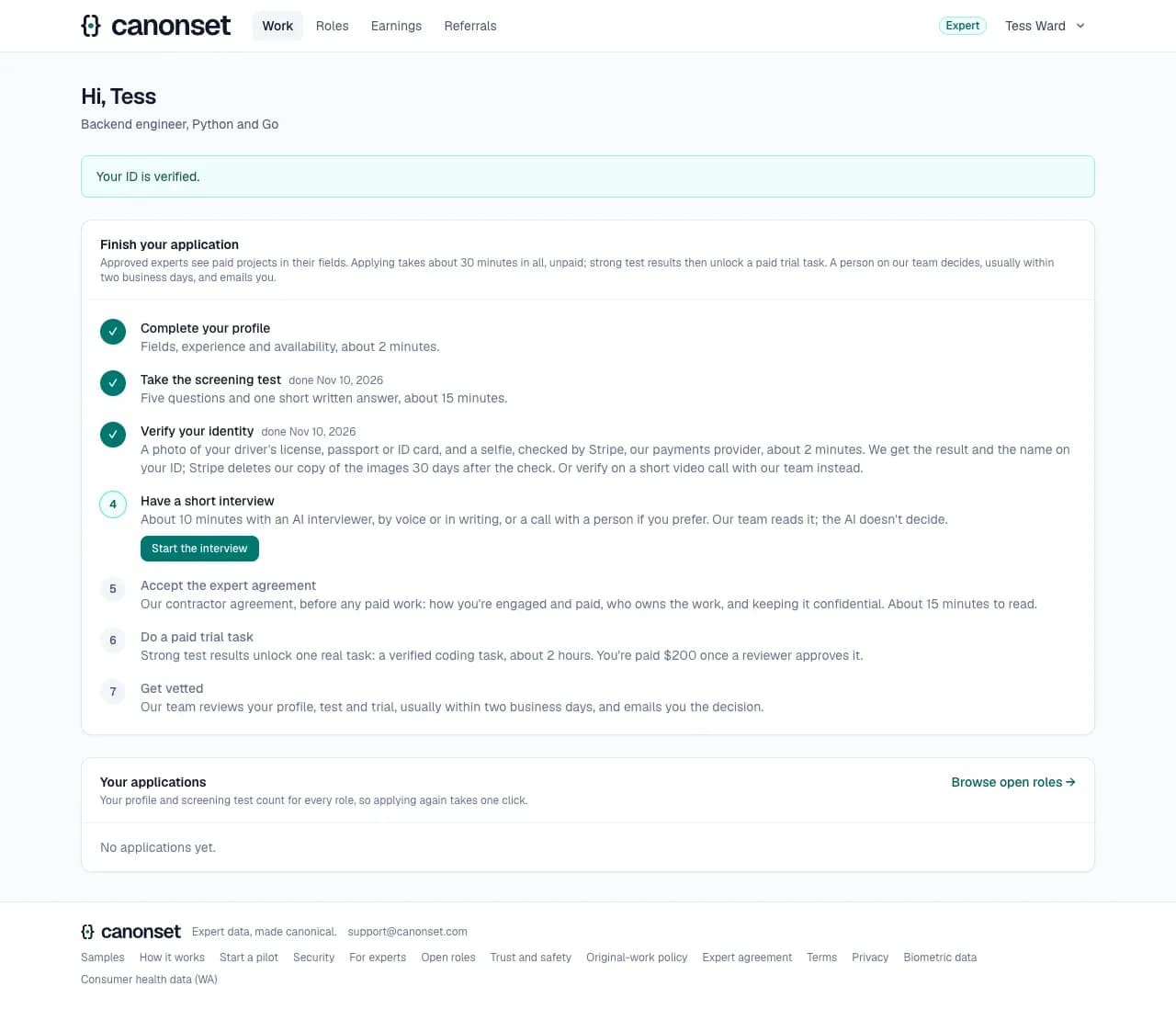
The Work page lists the steps in order and always shows the next one.
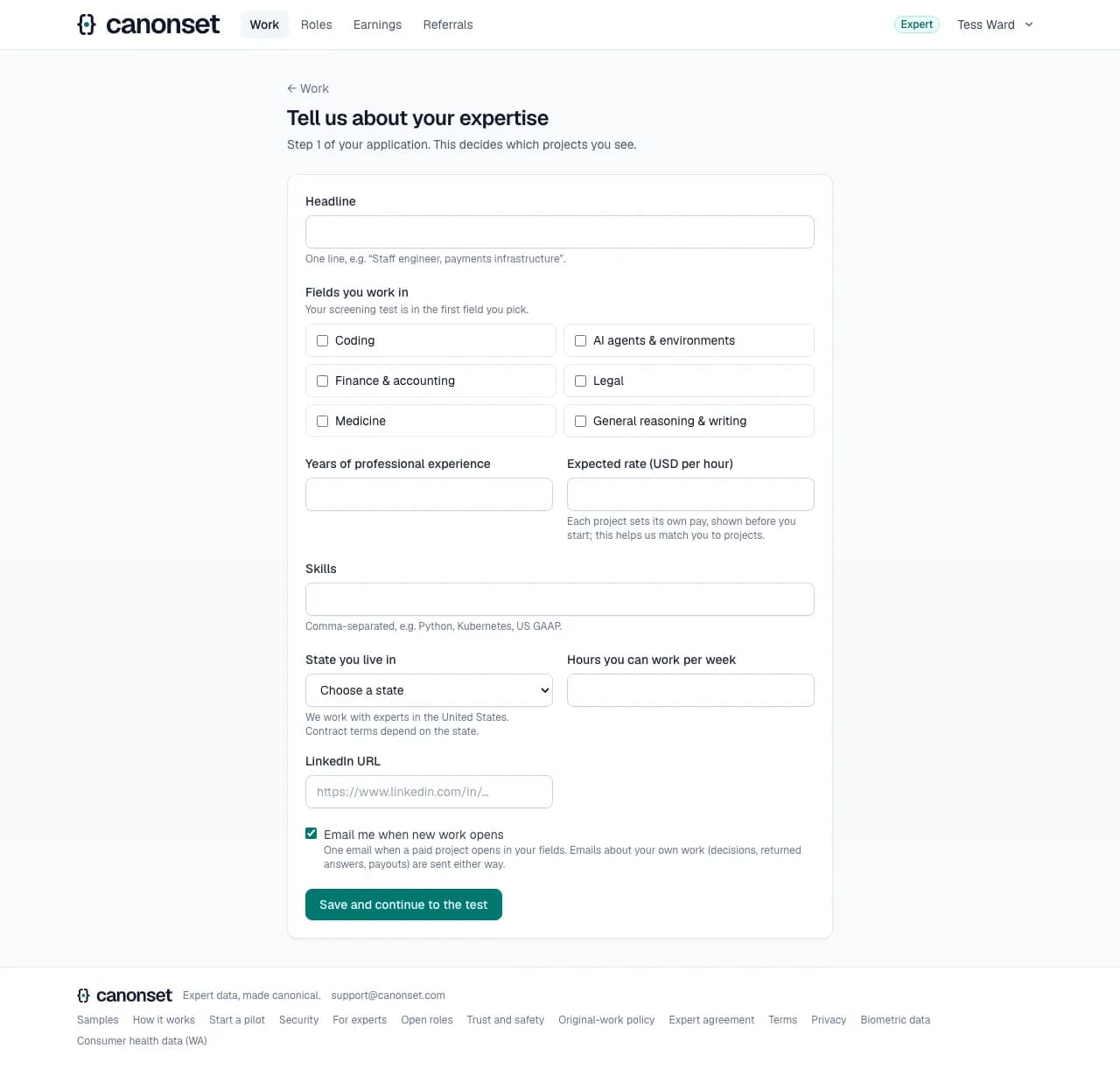
1.The profile
Headline, fields, years of experience, skills, US state, expected hourly rate, hours a week and LinkedIn. The state is required: we work only with experts in the United States.
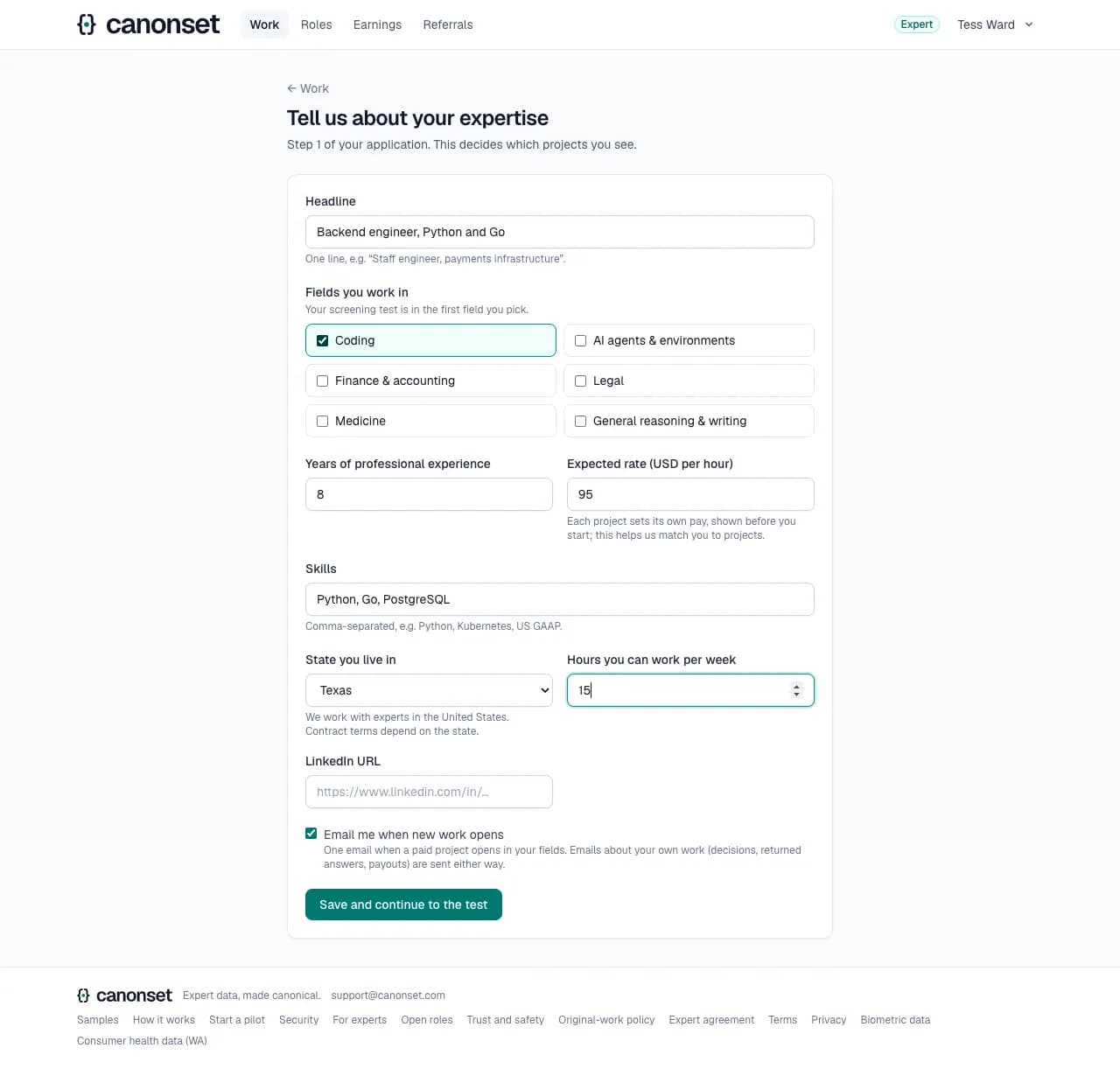
2.Filled in
Save and continue to the test. The profile can be changed later; one profile counts for every role.
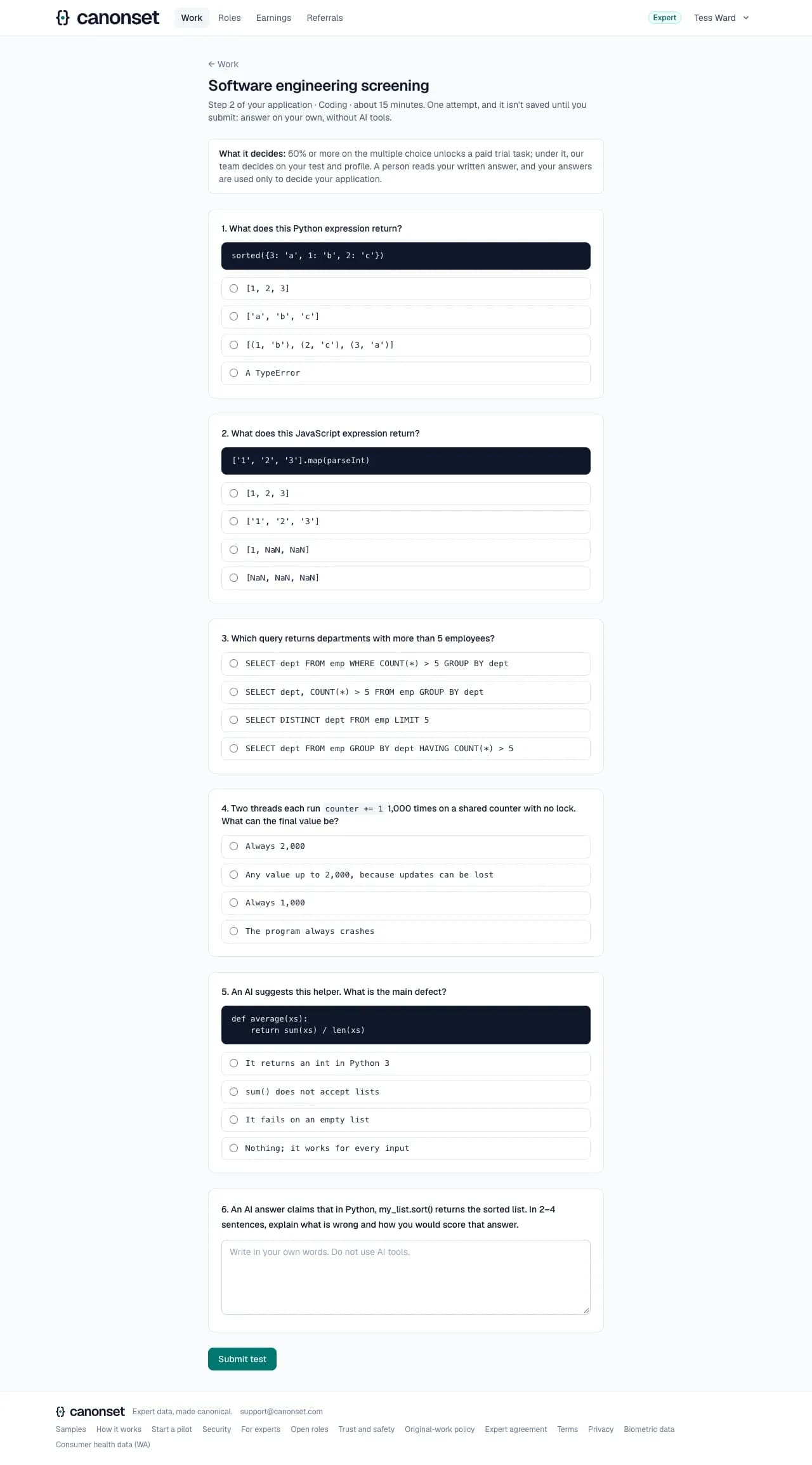
3.The screening test
Five multiple-choice questions in the main field and one short written answer, about 15 minutes. The answers never reach the browser before submitting.
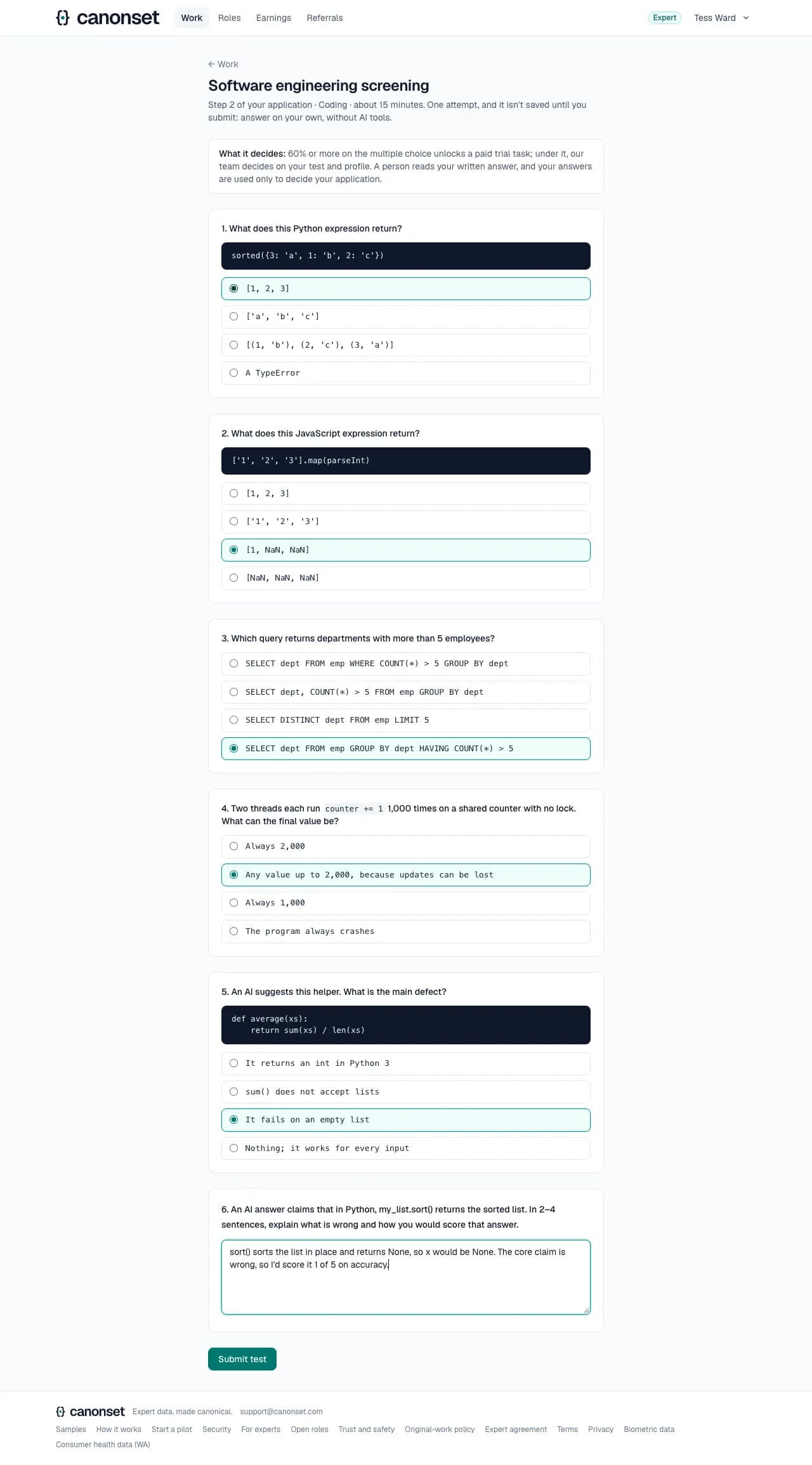
4.Answered
The written answer needs at least 40 characters. The test is taken once.
5.After the test
The notice gives the multiple-choice score and what it unlocked: 60% or more unlocks the paid trial. It names the real next step; here the ID check, then the interview, then the trial. Each step says how long it takes, finished ones when they were done, and the card how long applying takes in all. An email says the same: the steps left, in order, and that the decision comes by email.
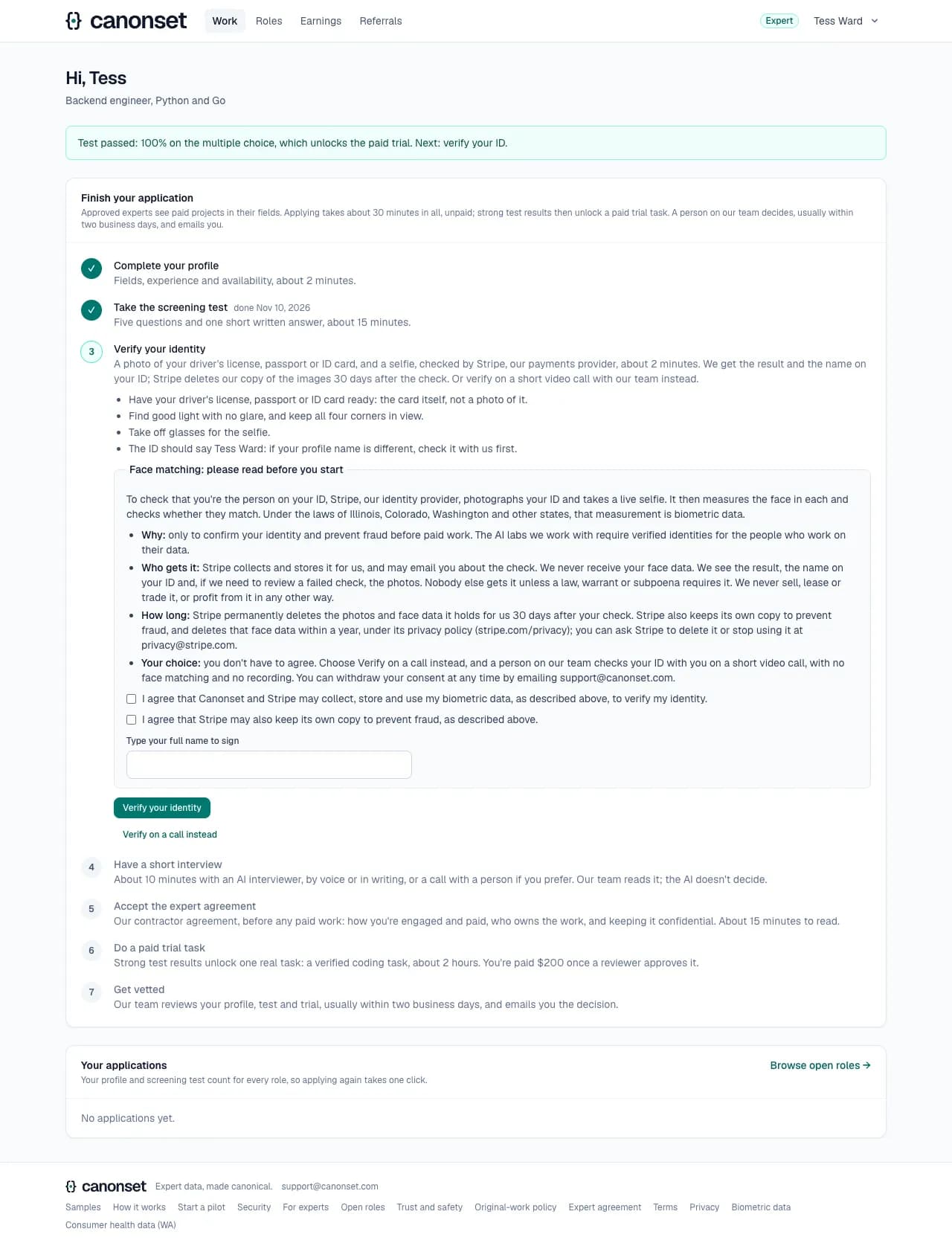
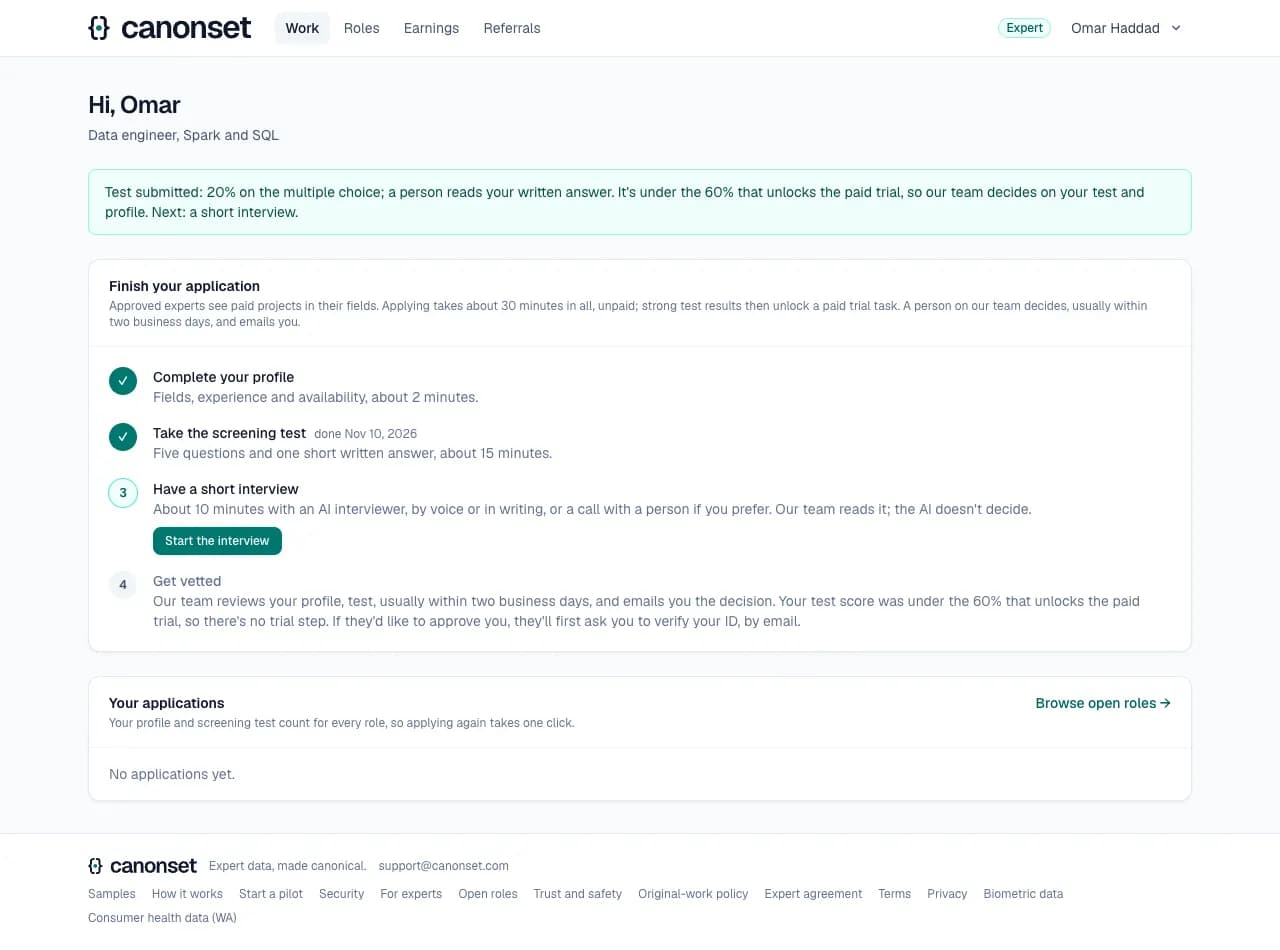
6.A score under 60%
No trial and no ID check yet: the notice and the last step say the score was under the 60% that unlocks the trial, so the application goes to our team on the test, after the interview. If our team wants to approve them, it asks for the ID check first, by email.
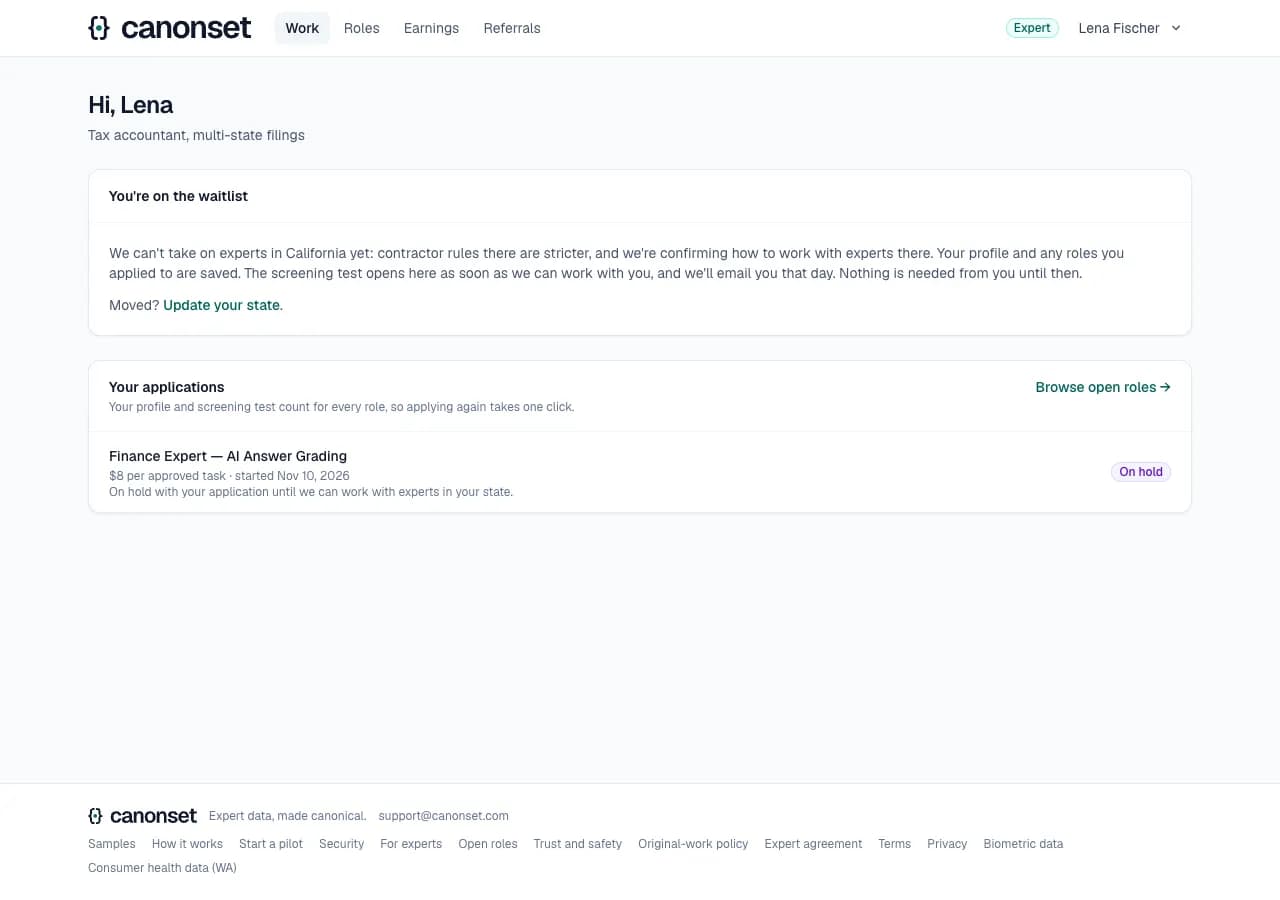
7.A state on hold
Experts in states on hold until our employment lawyer rules (California, Massachusetts, New Jersey, Illinois) wait on a waitlist. Their profile and role applications are kept, the test opens automatically when their state does, and they're emailed that day.
Good to know
- Fields: coding, AI agents and environments, finance and accounting, legal, medicine, and general reasoning and writing. The test covers the first field chosen.
- Signing up through a role starts an application for it; it's sent once the test is done (or after the trial), and closed if the applicant isn't approved.
- Moving to a state on hold pauses an approved expert the same way; moving out restores them.
The ID check
An applicant · Work page → Verify your identity (when it's switched on)
Before paid work, you verify your ID: photos of both sides of your US driver's license or state ID, and three of your face as you look at the camera and turn your head, checked by our own software on our servers. When it can't settle the check, a person on our team looks at the photos, which are deleted once it's decided. Or verify on a short video call instead, with no face matching and nothing recorded. It's due after a test that unlocks the paid trial, and it stops paid work going to borrowed identities.
1.Asking for the video call
Asking for the call (Verify on a call instead, where face matching is offered) tells our team (Today in the ops console, and an email); the applicant reads that we'll email them to find a time, and that nothing is recorded.
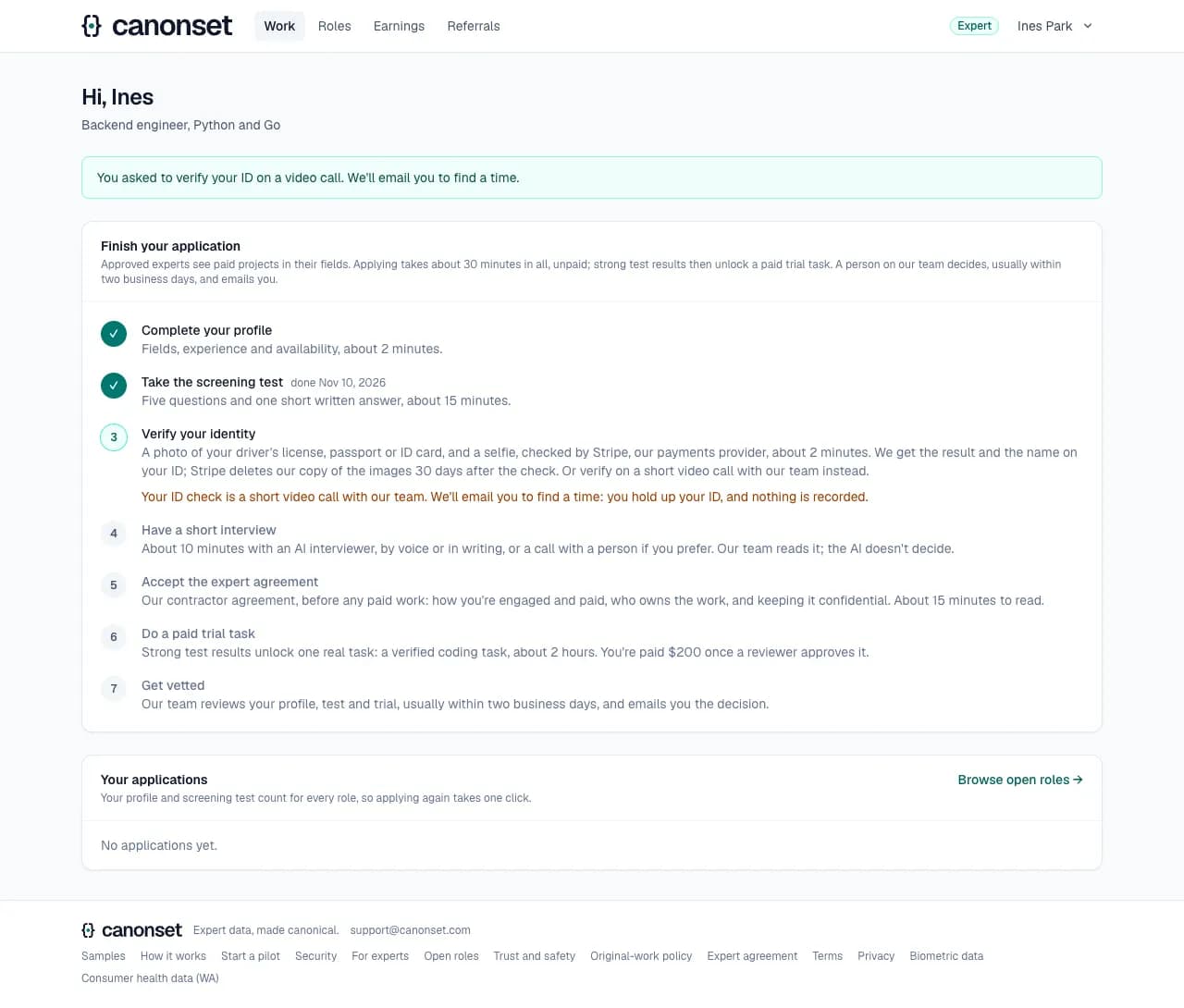
2.Verified
The step is ticked and the interview is next.
Good to know
- It's due after a test that unlocks the paid trial; a lower score skips it until our team asks for it with Ask for the ID check, which emails the applicant.
- The paid trial and approval wait for a verified ID; rejecting doesn't.
The AI interview
An applicant · Work page → Have a short interview (/expert/interview)
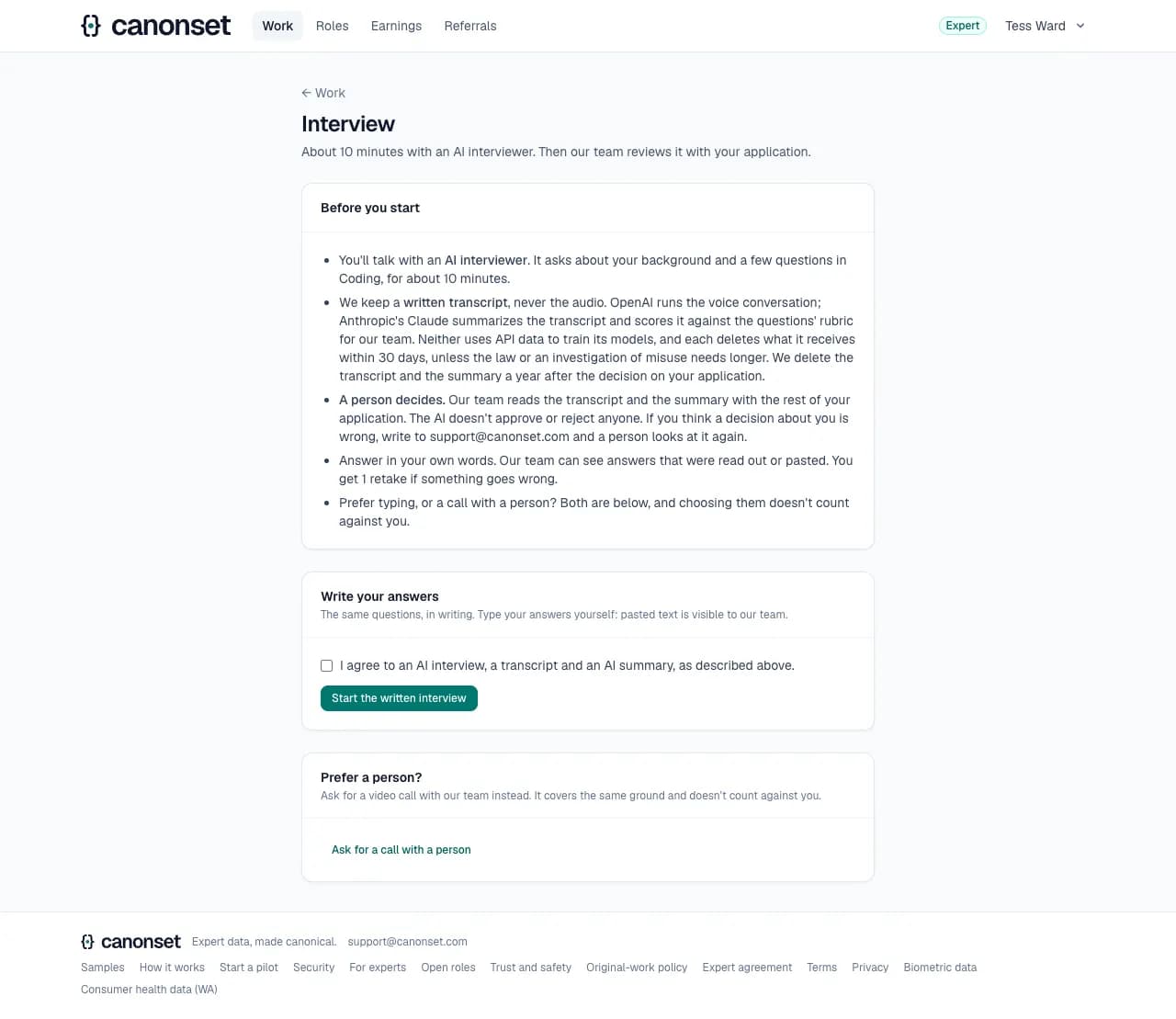
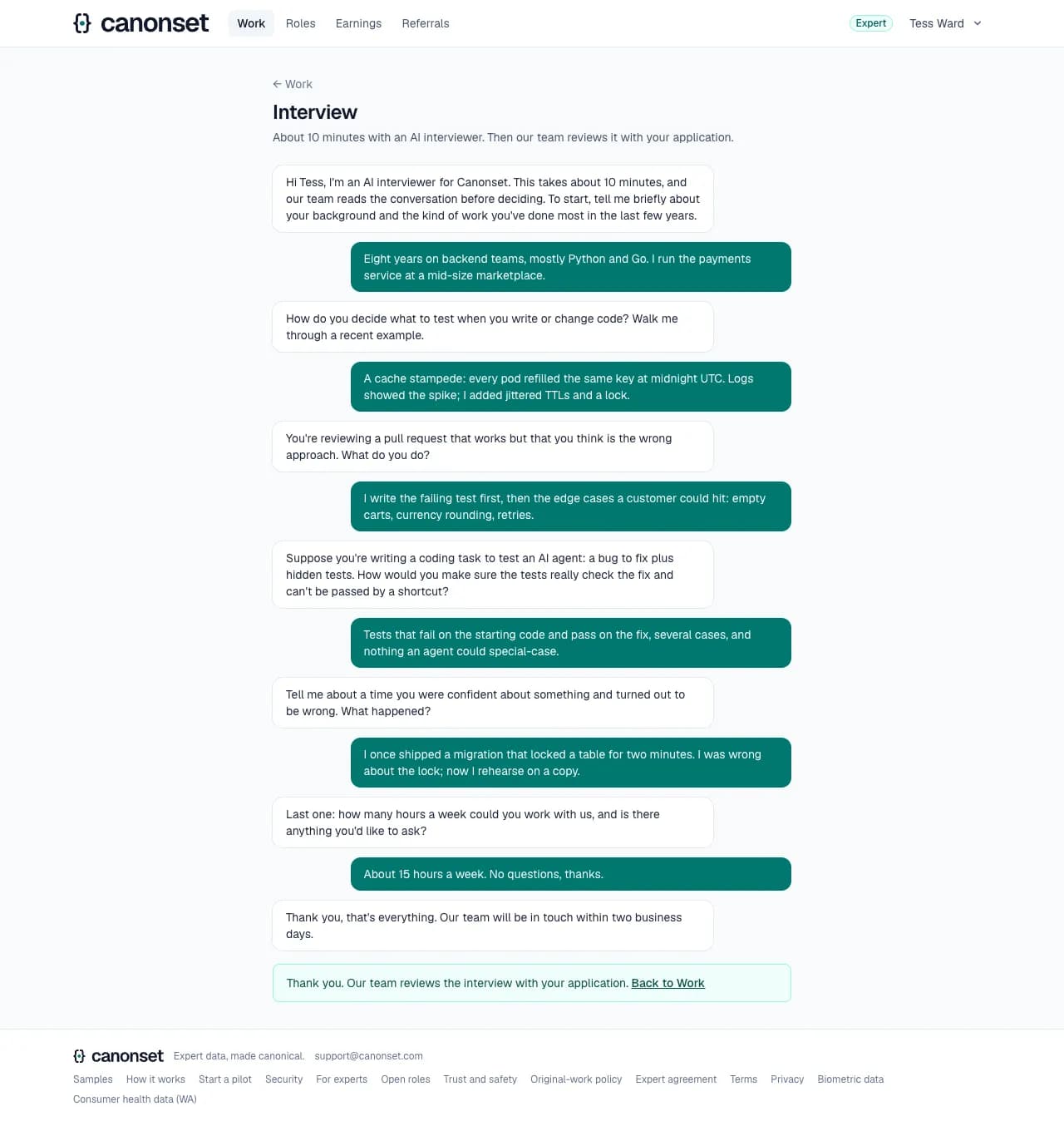
About 10 minutes with an AI interviewer, by voice or in writing, or a call with a person instead. Our team reads it; the AI never decides.
1.Before you start
What happens and what's kept: a written transcript, never audio; OpenAI runs the voice; Claude summarizes and scores it for our team; a person decides. The choices: talk, write, or ask for a person.
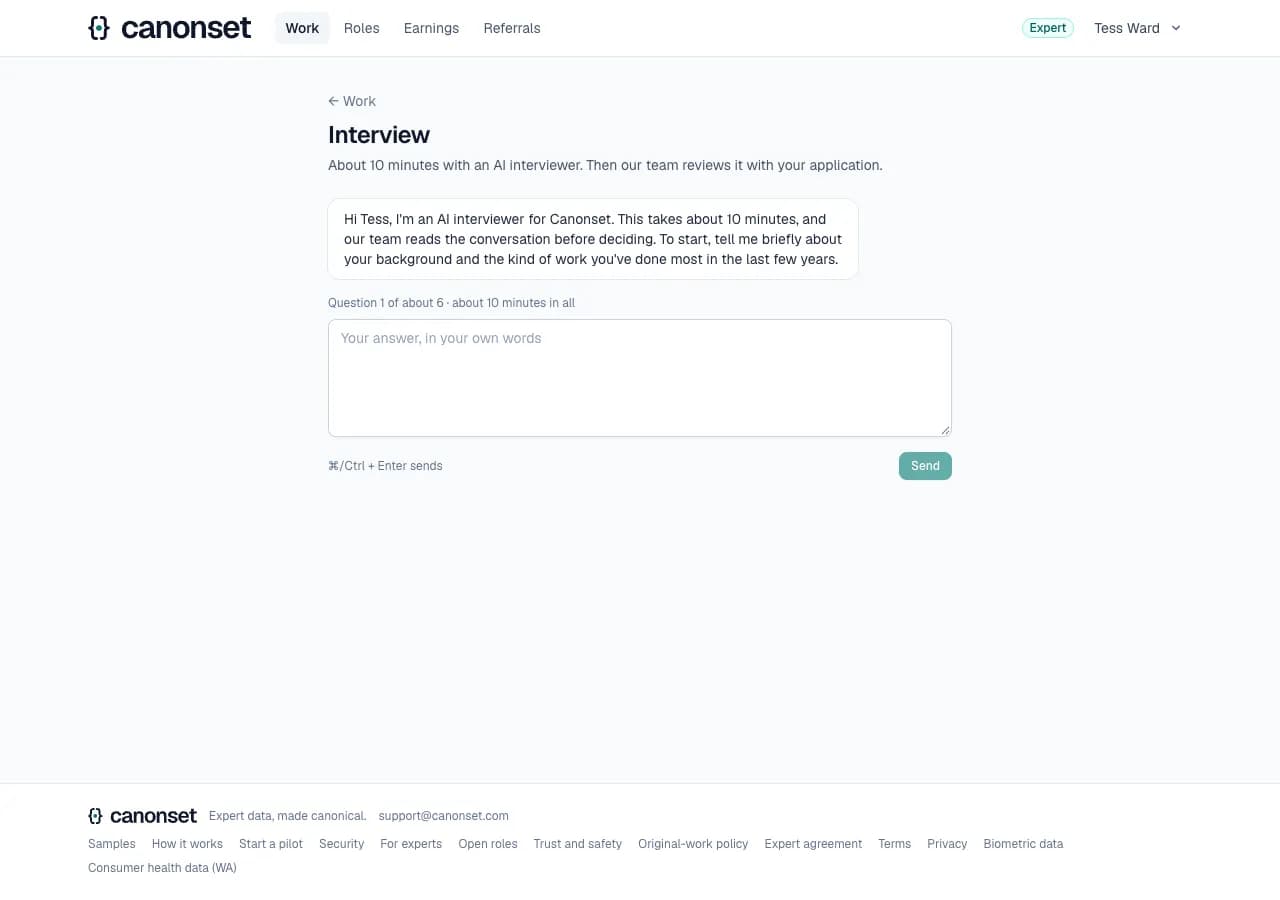
2.The written interview
Agreeing to the transcript and summary is required. The interviewer introduces itself as an AI and asks about the applicant's background.
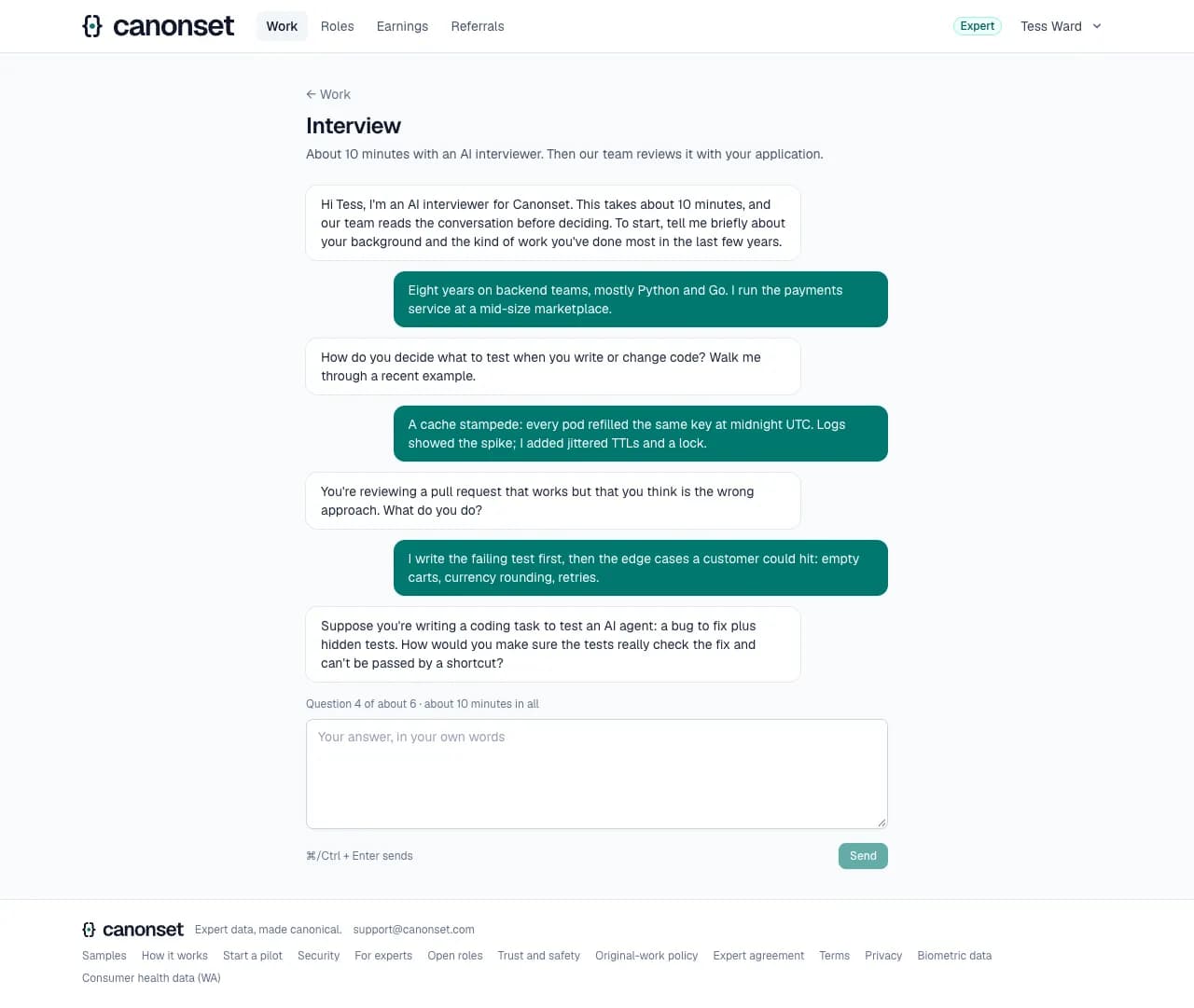
3.The questions
The same shape for everyone so interviews compare: an introduction, two questions from the applicant's field, one scenario about the work itself, a time they were wrong, and a wrap-up. A line says where they are: question 3 of about 6.
4.Done
The interviewer thanks them and the Work page moves on. The applicant can't take it again.
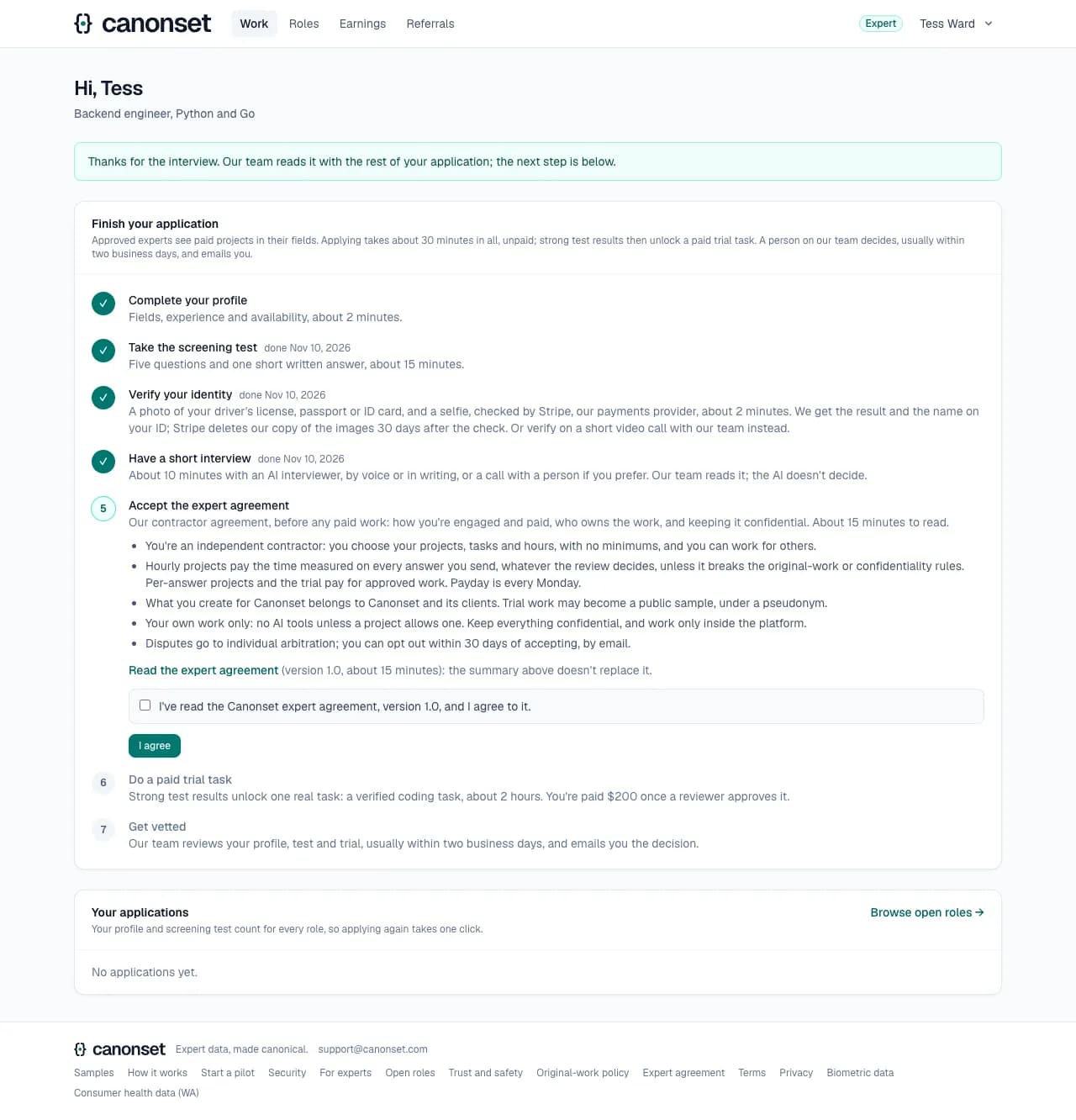
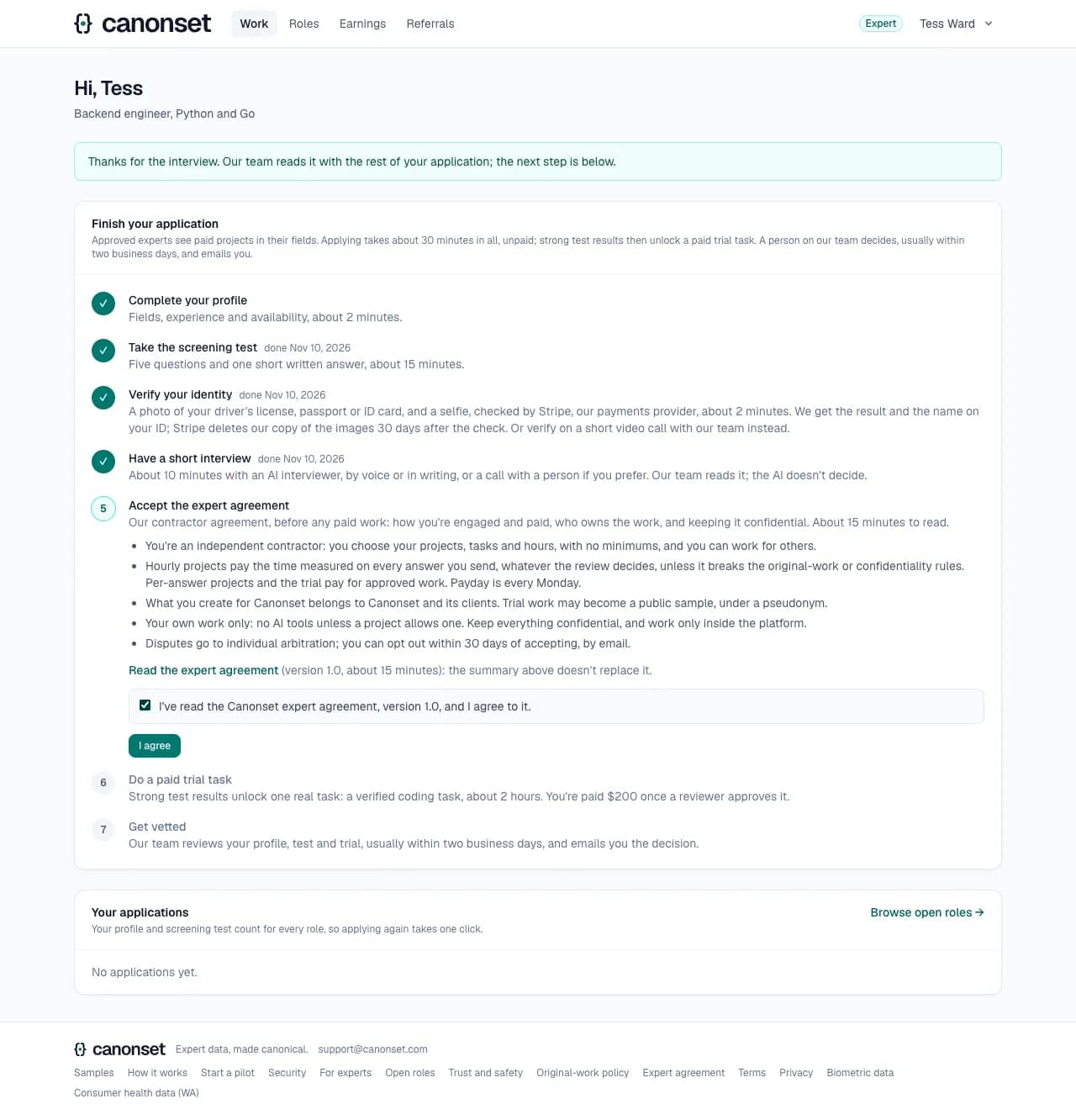
5.Next: the expert agreement
The interview step is ticked; the expert agreement comes before the trial.
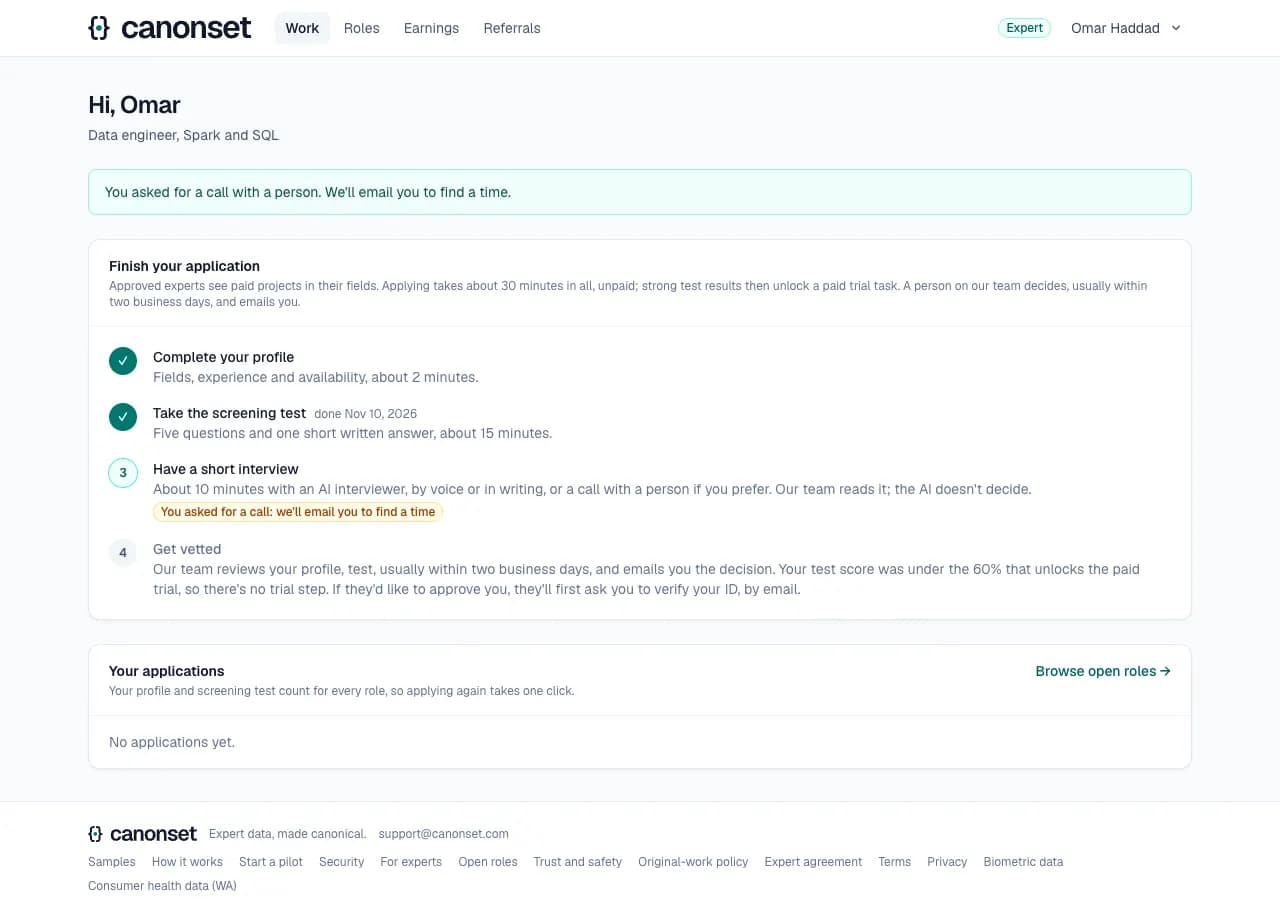
6.A call with a person instead
Ask for a call tells our team (Today in the ops console), who email to find a time and record how it went. It counts as the interview and doesn't count against the applicant.
Good to know
- One retake for an interview that doesn't finish; one left open past 20 minutes is closed on the next start. A written interview also closes after 30 answers.
- Pasted text in written answers is counted, and typed text injected into a voice call is flagged: our team sees both.
- The assessment scores domain depth, problem solving, communication and honesty from 1 to 5 with quoted evidence, and suggests advance, unsure or decline. It's told never to penalize accents, grammar or non-native phrasing.
The paid trial
An applicant · Work page → Start the trial
One real task in the main field, paid once a reviewer approves it. Coding and agent applicants write a verified coding task ($200, about 2 hours); other fields grade an AI answer with a known error ($50, 30 to 45 minutes).
1.The expert agreement
Before any paid work: the agreement's main points (an independent contractor; how pay works; who owns the work; original work and confidentiality; arbitration with 30 days to opt out), a link to the whole agreement, and I agree. The version and the time are kept.
2.The trial task
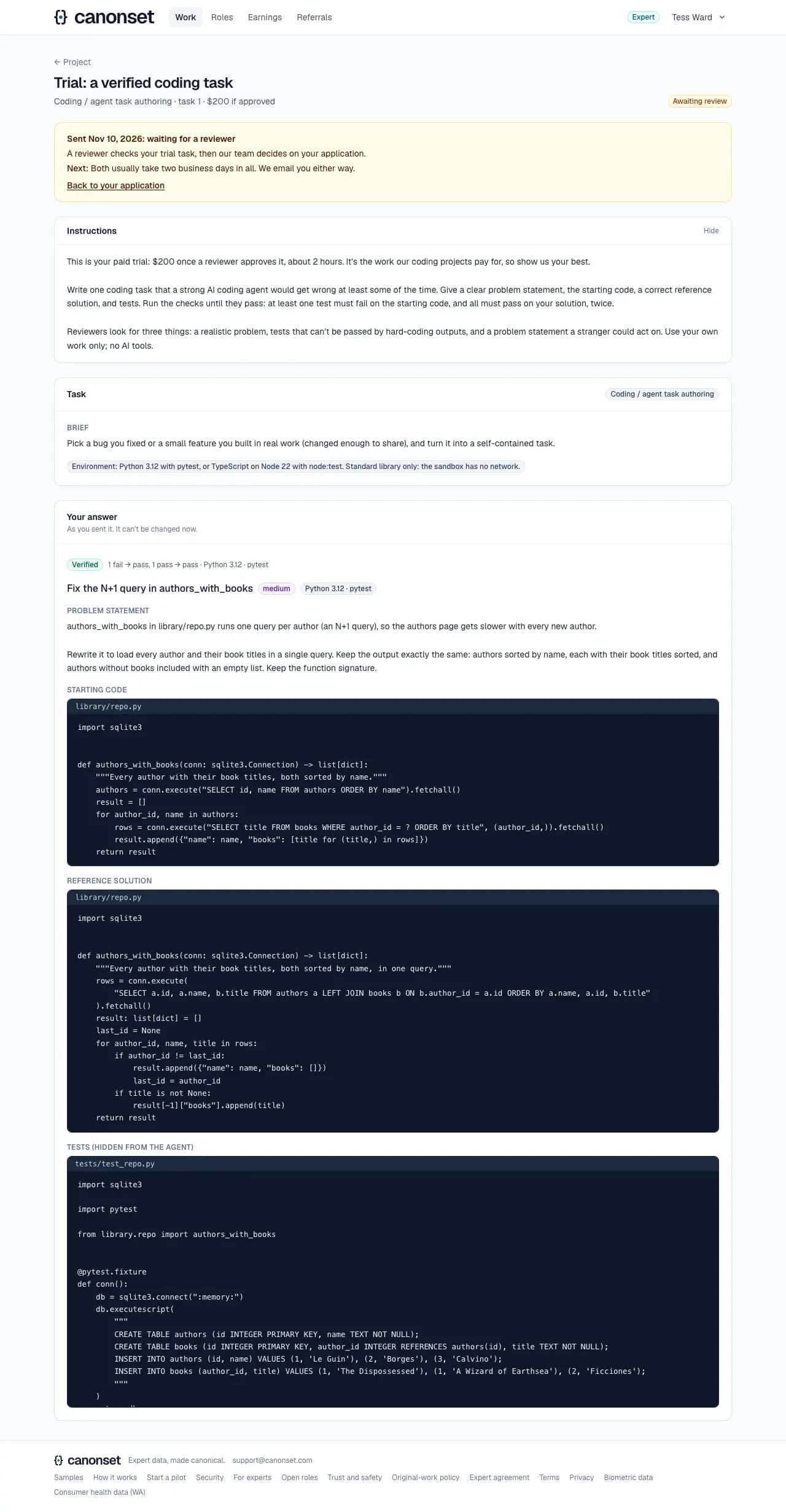
The brief, then the answer form: a title, difficulty, the problem statement, the starting code, the reference solution and the tests.
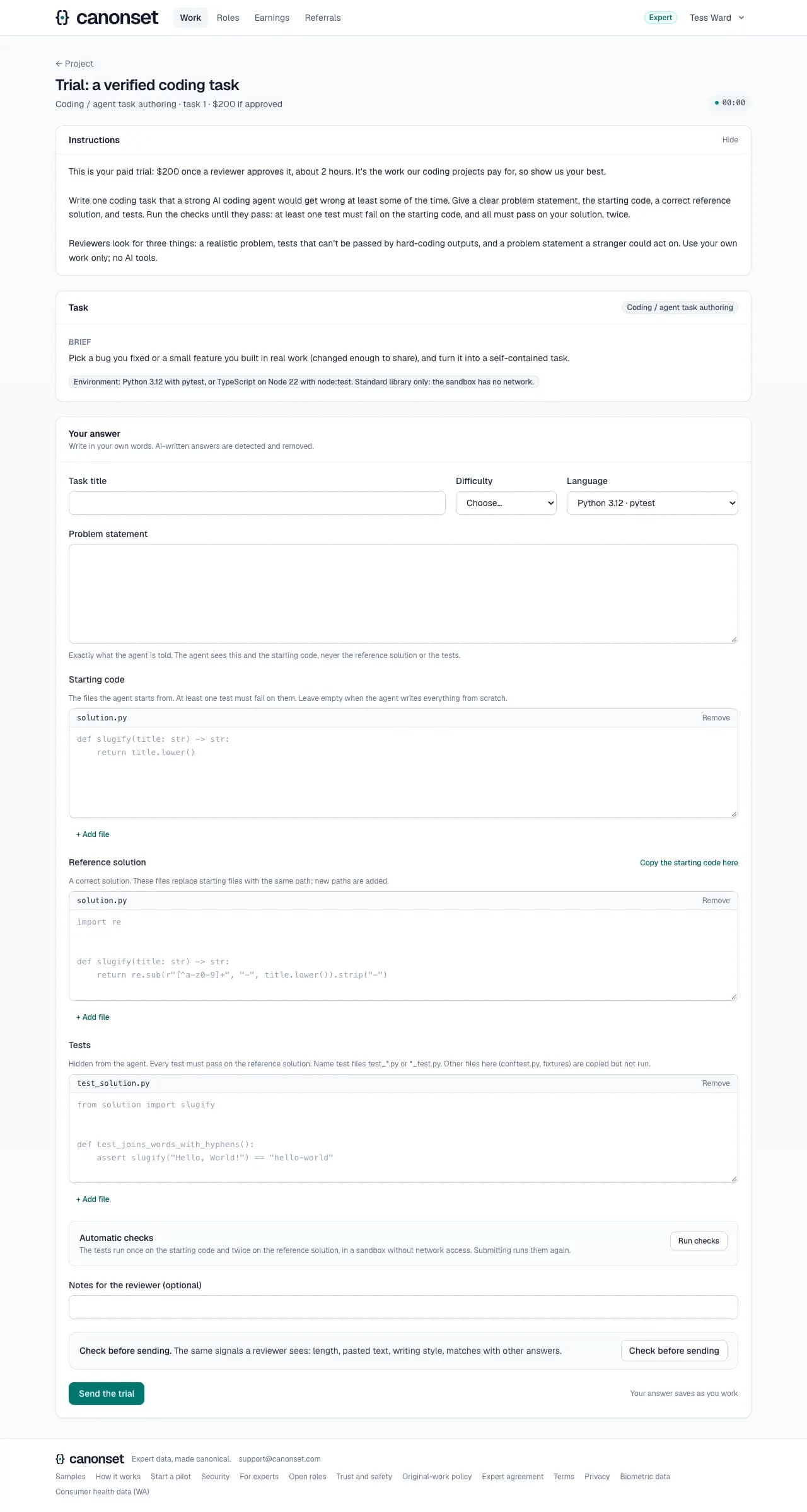
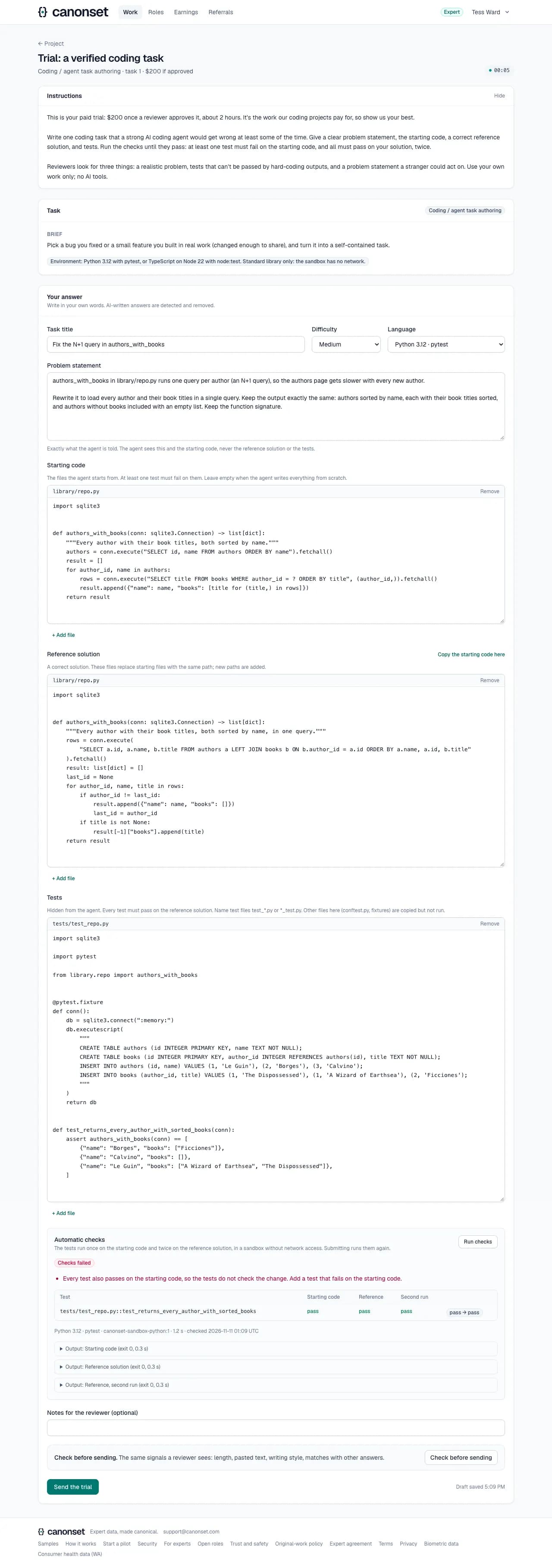
3.Checks that fail
Run checks runs the tests in a sandbox without network: once on the starting code, twice on the reference solution. Here no test fails on the starting code, so the tests don't check the change.
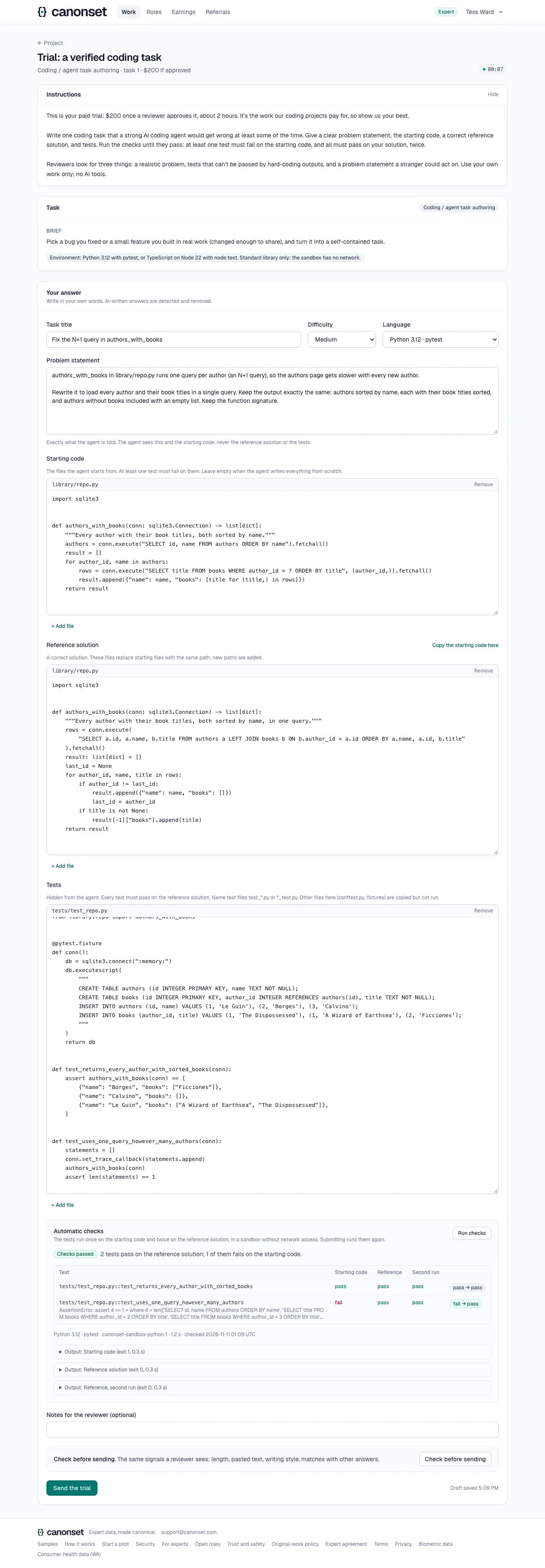
4.Checks that pass
With a test that fails on the starting code and passes on the reference solution, the checks pass and the task can be submitted.
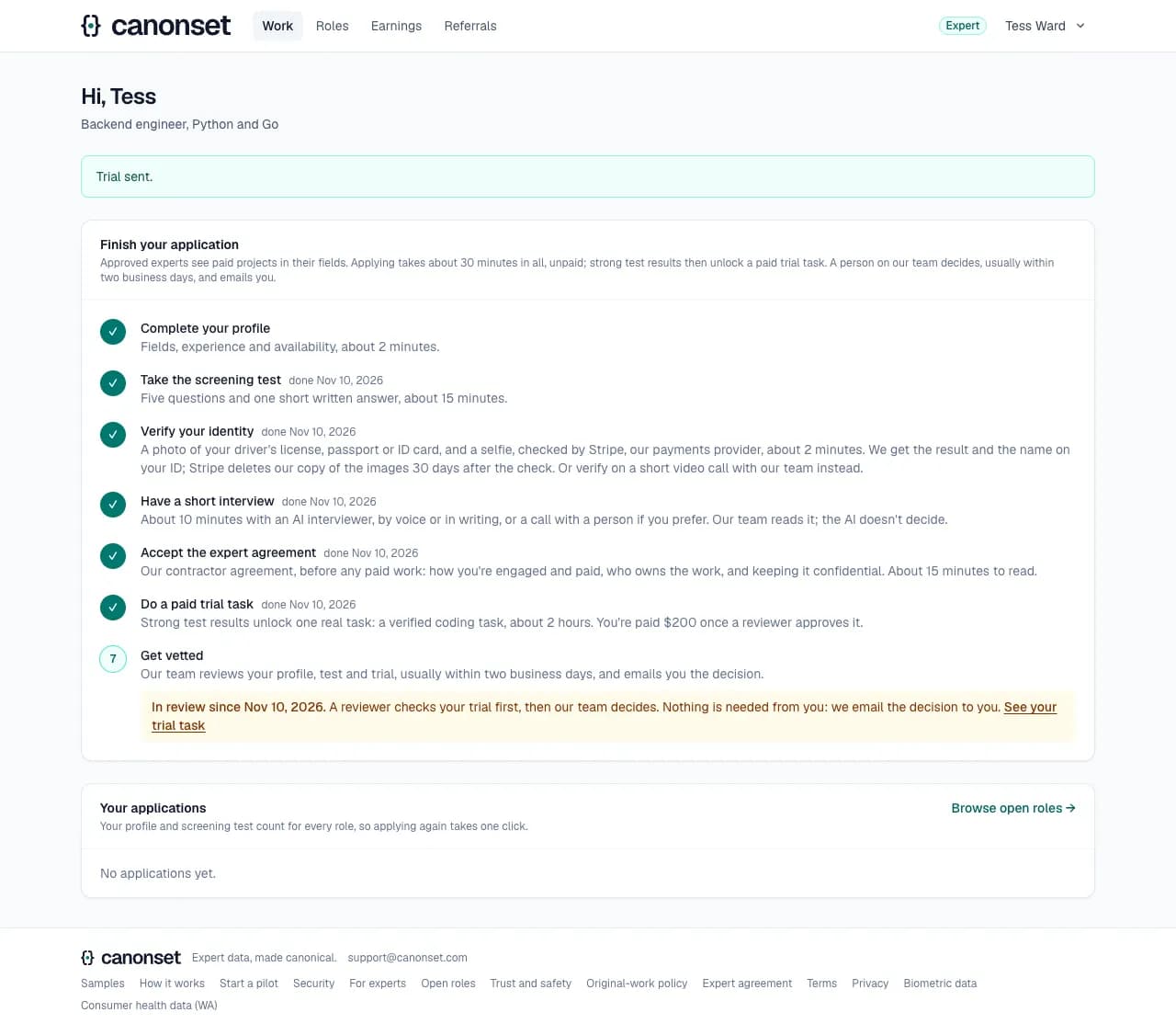
5.Submitted
The last step says since when the application is in review, that a reviewer checks the trial first and our team then decides, and that the decision comes by email. Nothing more is needed from the applicant.
6.What was sent
The trial stays readable: where it stands, and the task as it was sent, with its checks.
Good to know
- Every applicant in a field gets the same trial task, so results compare.
- The answer saves as you work and restores on any device. Trials never expire.
- A task with failing checks can't be submitted; if the sandbox is down, submitting still works and the answer is marked for a re-run.
- Approving pays the fee; rejecting (AI-written, copied or empty work) doesn't; a returned trial comes back for a revision.
- The trial doesn't start before the expert agreement is accepted. Applicants who skip the trial accept it once approved, before their first project.
- Thirty check runs per ten minutes per expert: each run is three sandbox containers.
The decision
An applicant · email and the Work page
Our team approves, approves as a reviewer, or declines. The applicant is emailed either way.
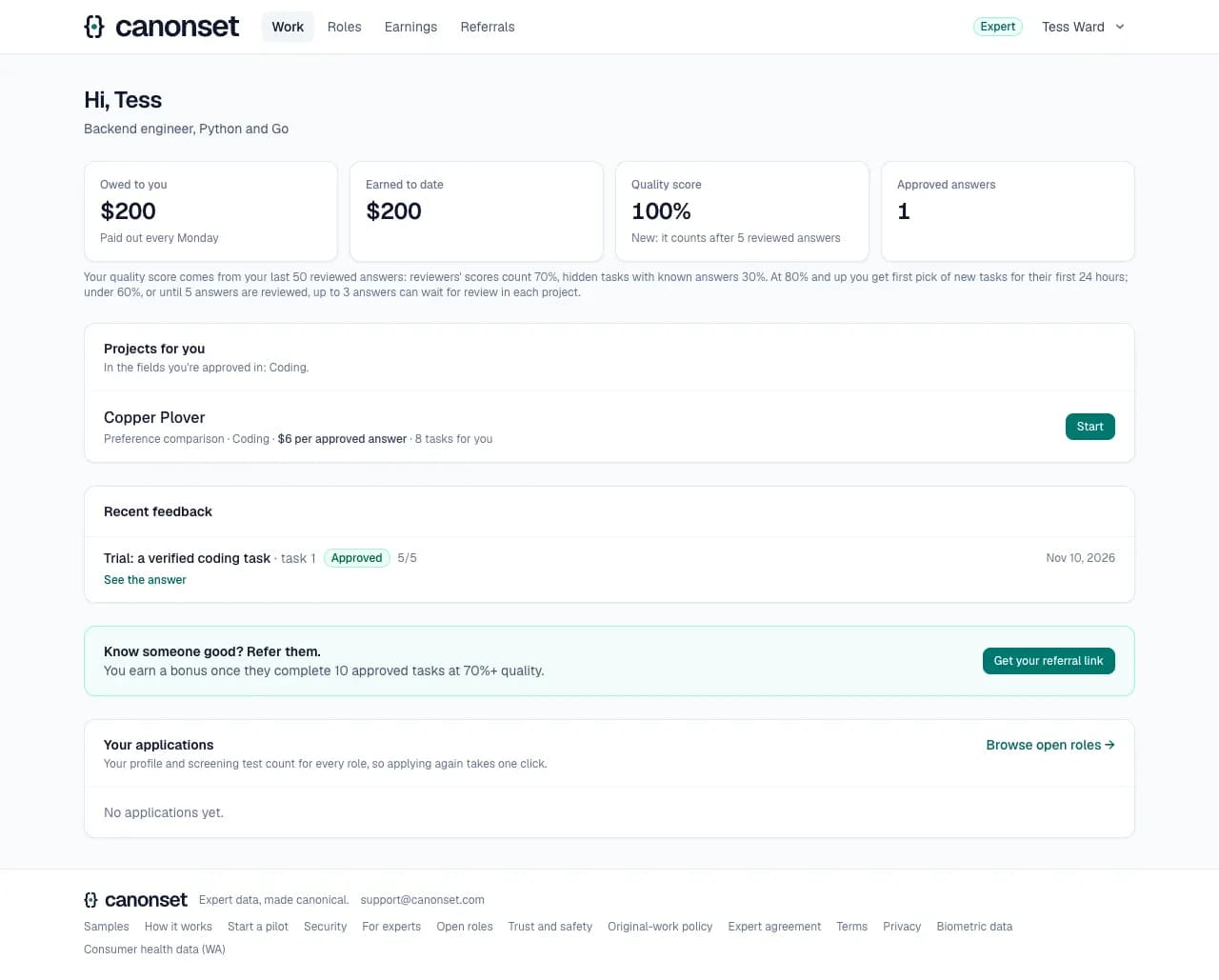
1.Approved
The Work page leads with what to do next: work to finish, then projects in the fields the expert is approved in, client projects under their codenames. The figures say what the quality score means for routing, and what answers waiting for review will pay.
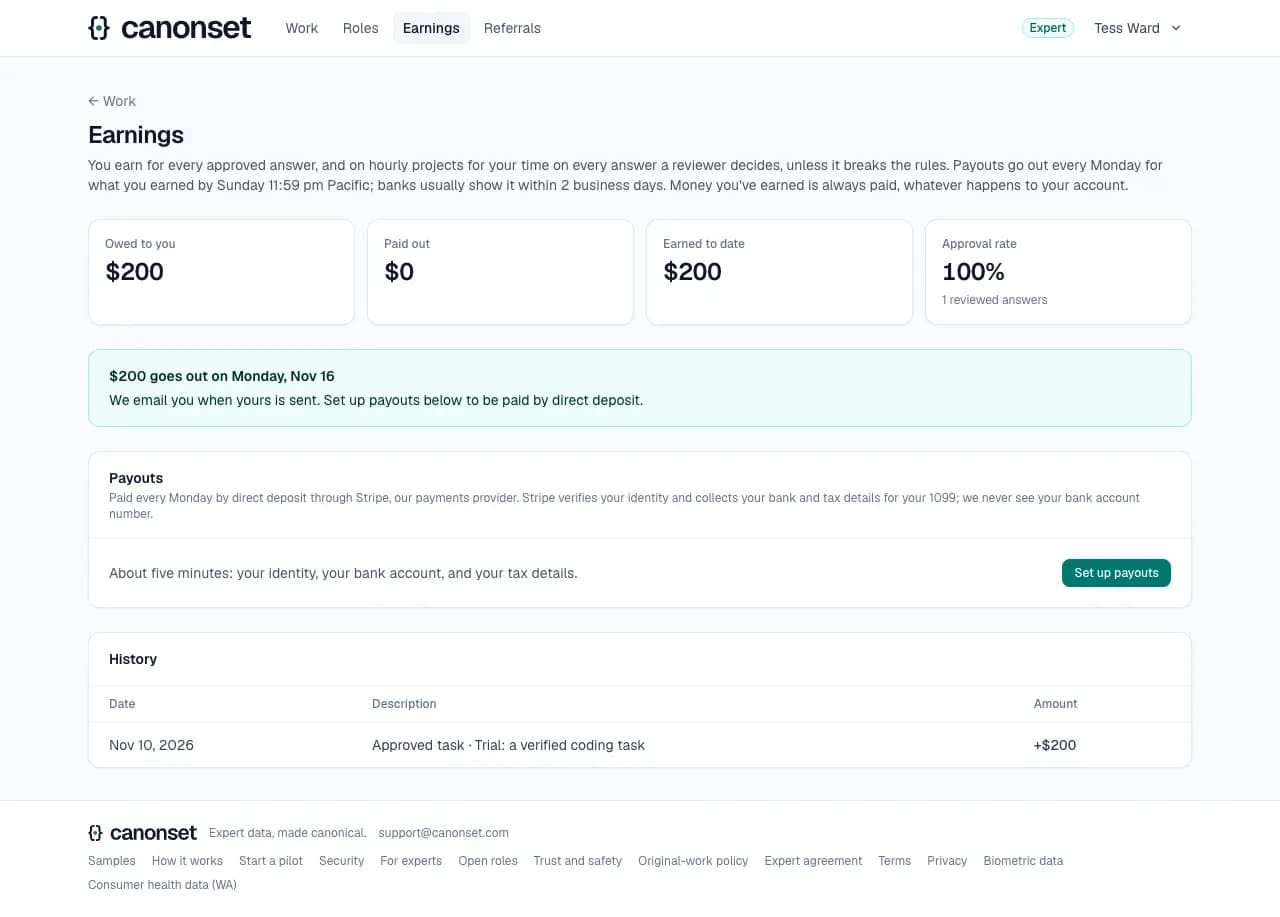
2.The trial fee
The approved trial is in the expert's earnings, paid with Monday's payouts.
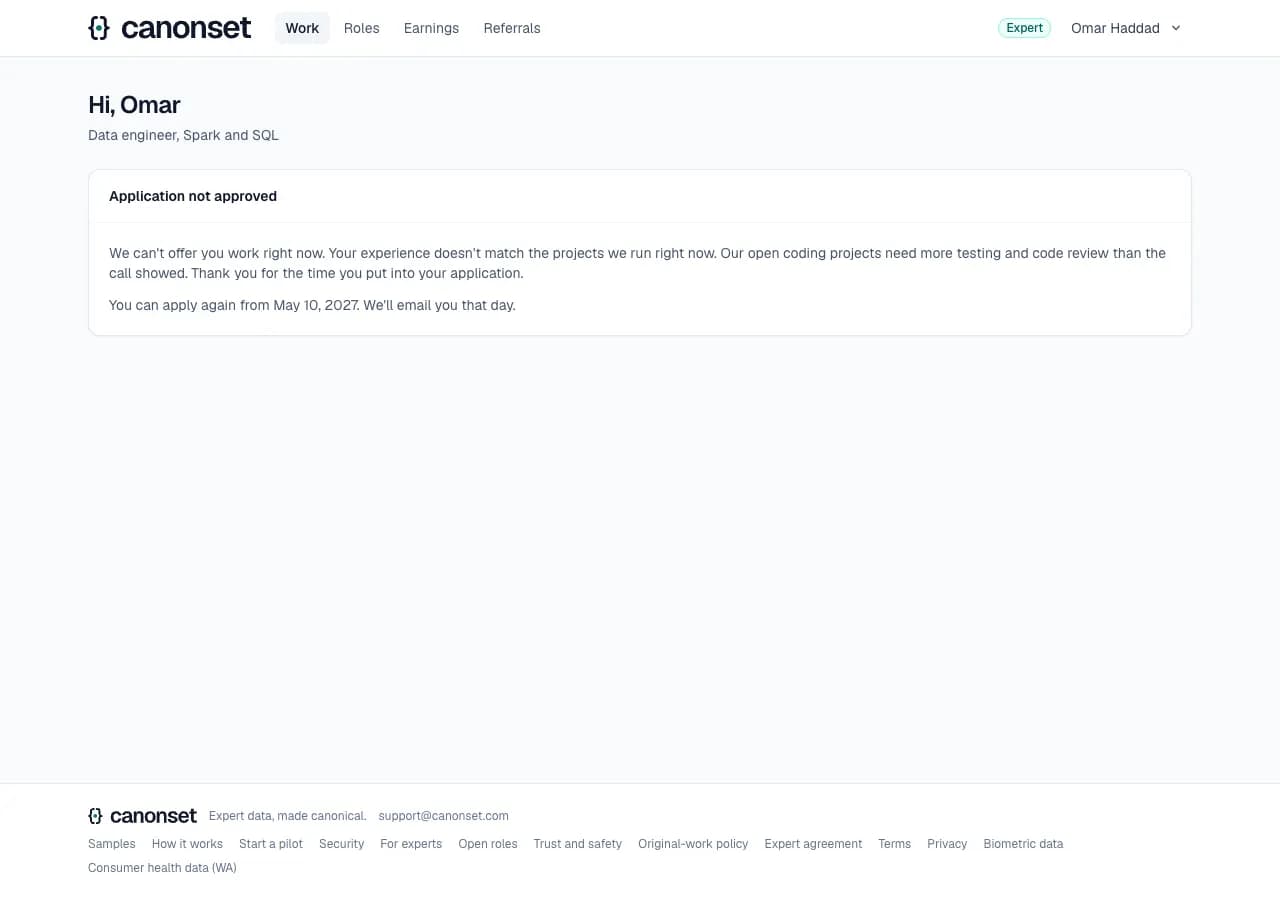
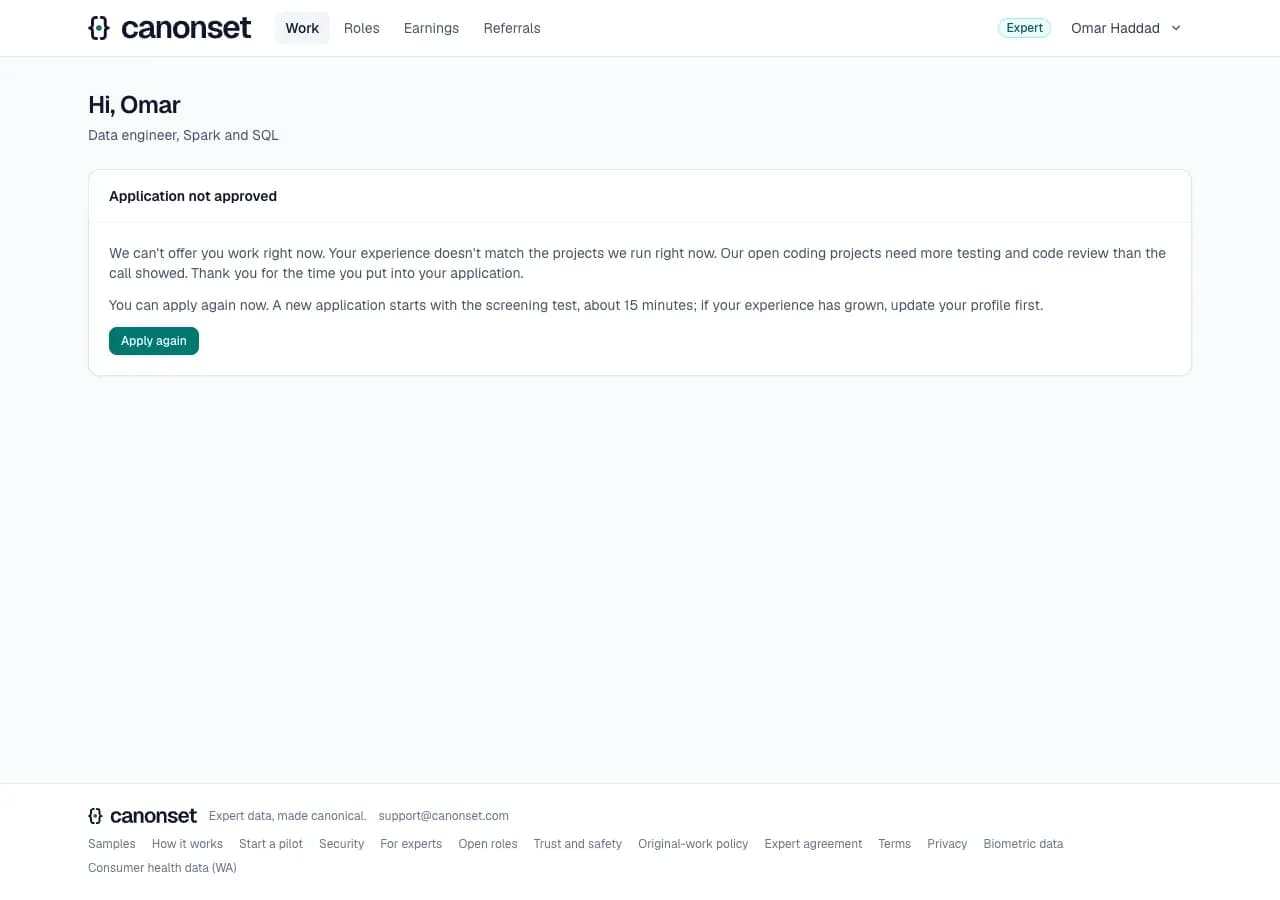
3.Declined
The reason our team picked, in plain words; when they can apply again (six months later for most reasons, never after breaking the original-work policy or failing the ID check); and the trial fee when a reviewer approved the trial. Their started role applications are closed, and the page no longer offers roles to apply to.
4.Applying again
Once the date comes (or our team lets them in sooner), the Work page offers Apply again: a new application from the screening test, with the ID check carried over.
Good to know
- Emails: You're approved on Canonset; Your Canonset application. Both link back to the site.
- An approved expert our team later deactivates is emailed, and reads "Your account isn't active" on the Work page: answers already sent are still reviewed, and what's owed is still paid.
- Applying again: once the date comes, they're emailed and the Work page offers Apply again, which starts a new application from the screening test, with a new interview and a trial task they haven't done (none left: our team decides on the new test). The ID check carries over, and our team sees the earlier decision and results beside the new ones. Our team can let someone apply again sooner, or lift a final decision.
Working on projects
An approved expert · Work (/expert), a project, a task
Experts choose when to work. The Work page lists projects in their fields with the tasks open to them; Start claims the next task.
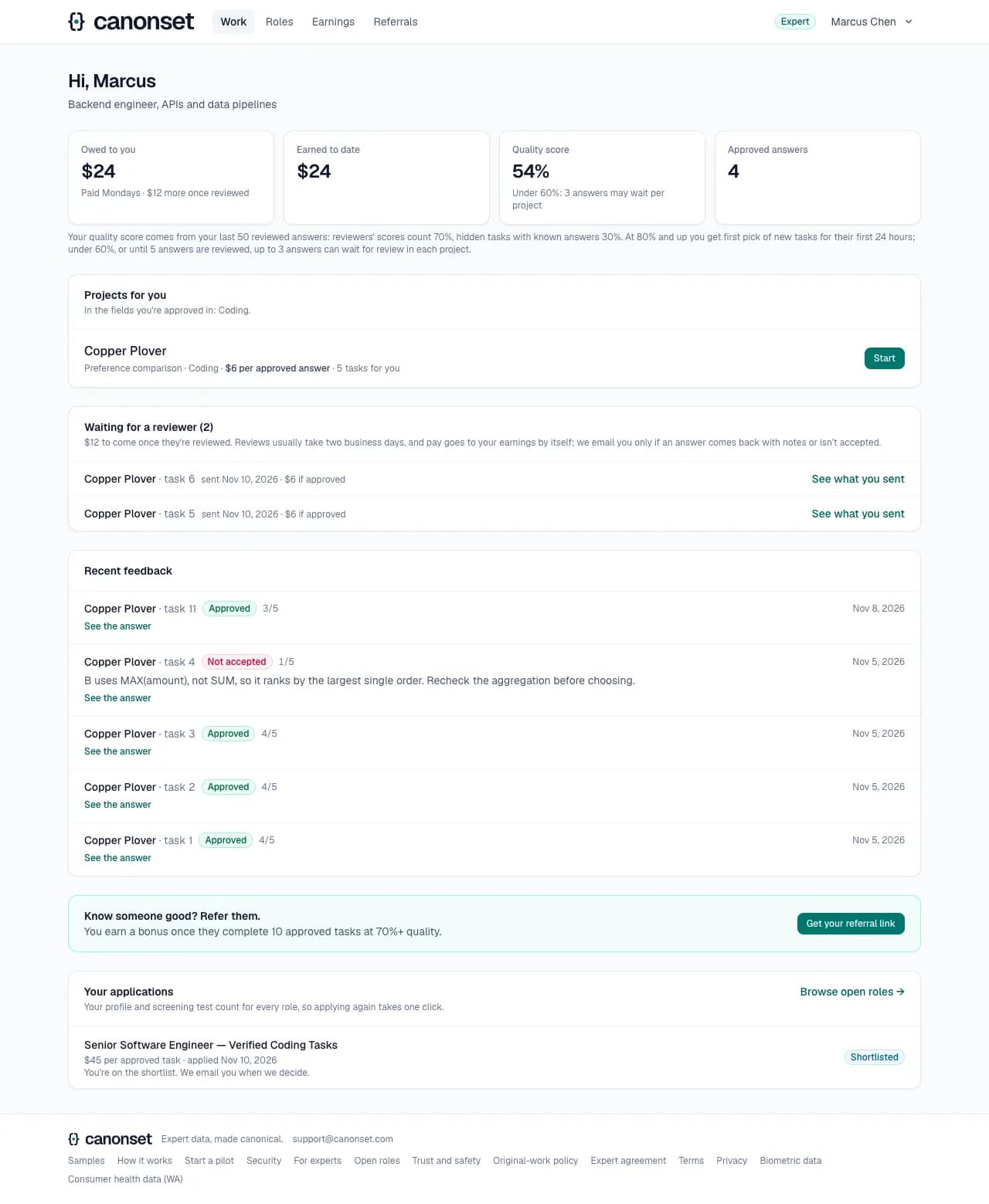
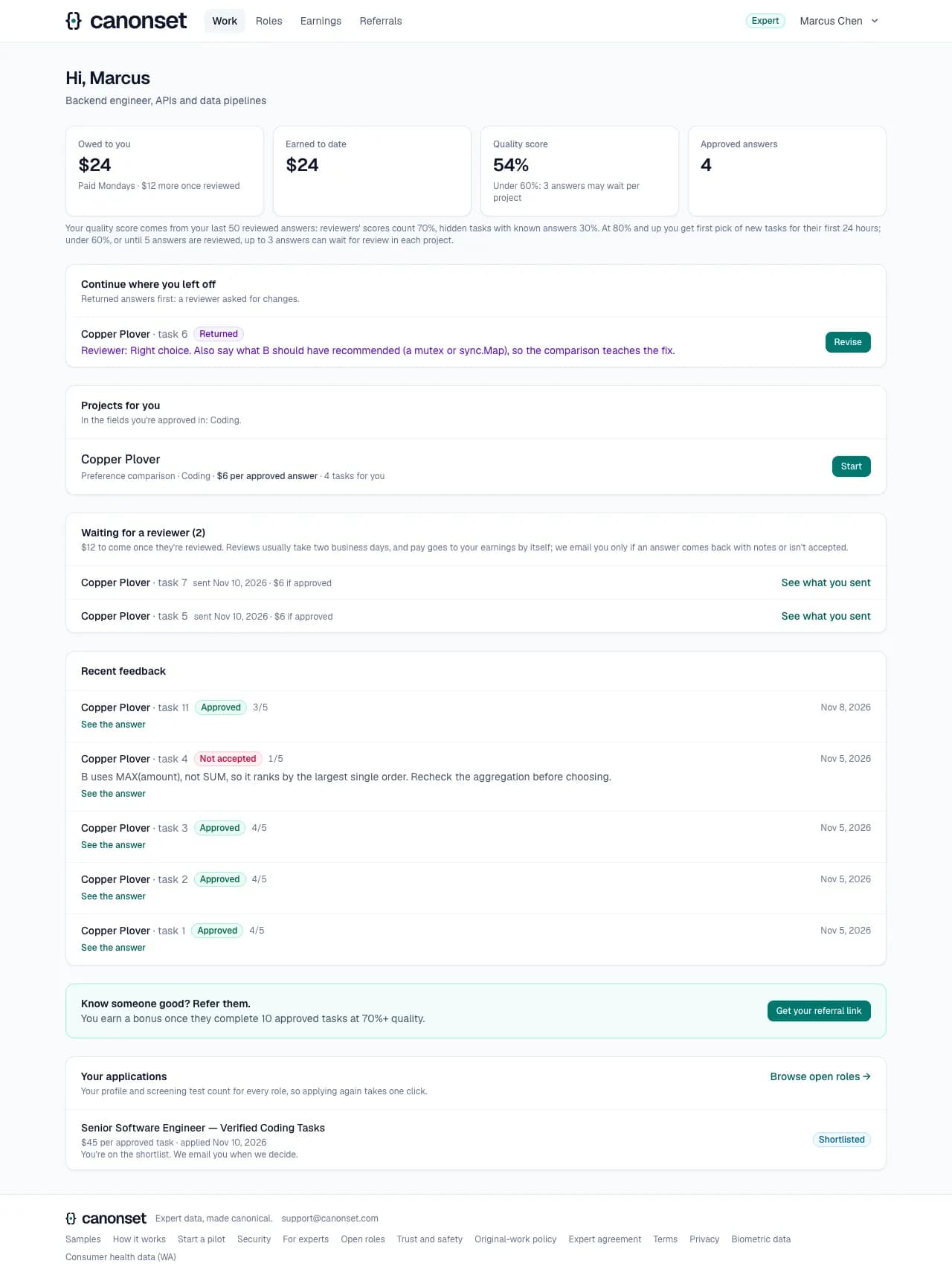
1.The Work page
What to do next comes first: work to finish (returned answers first), then projects in the fields the expert is approved in (client projects by codename, never the client's name), the review queue for reviewers, answers waiting for a reviewer (each with what it pays: if approved, or on hourly projects for the time, whatever the decision), recent feedback and role applications. The figures say what the quality score means for routing and how it's worked out; every list names the task.
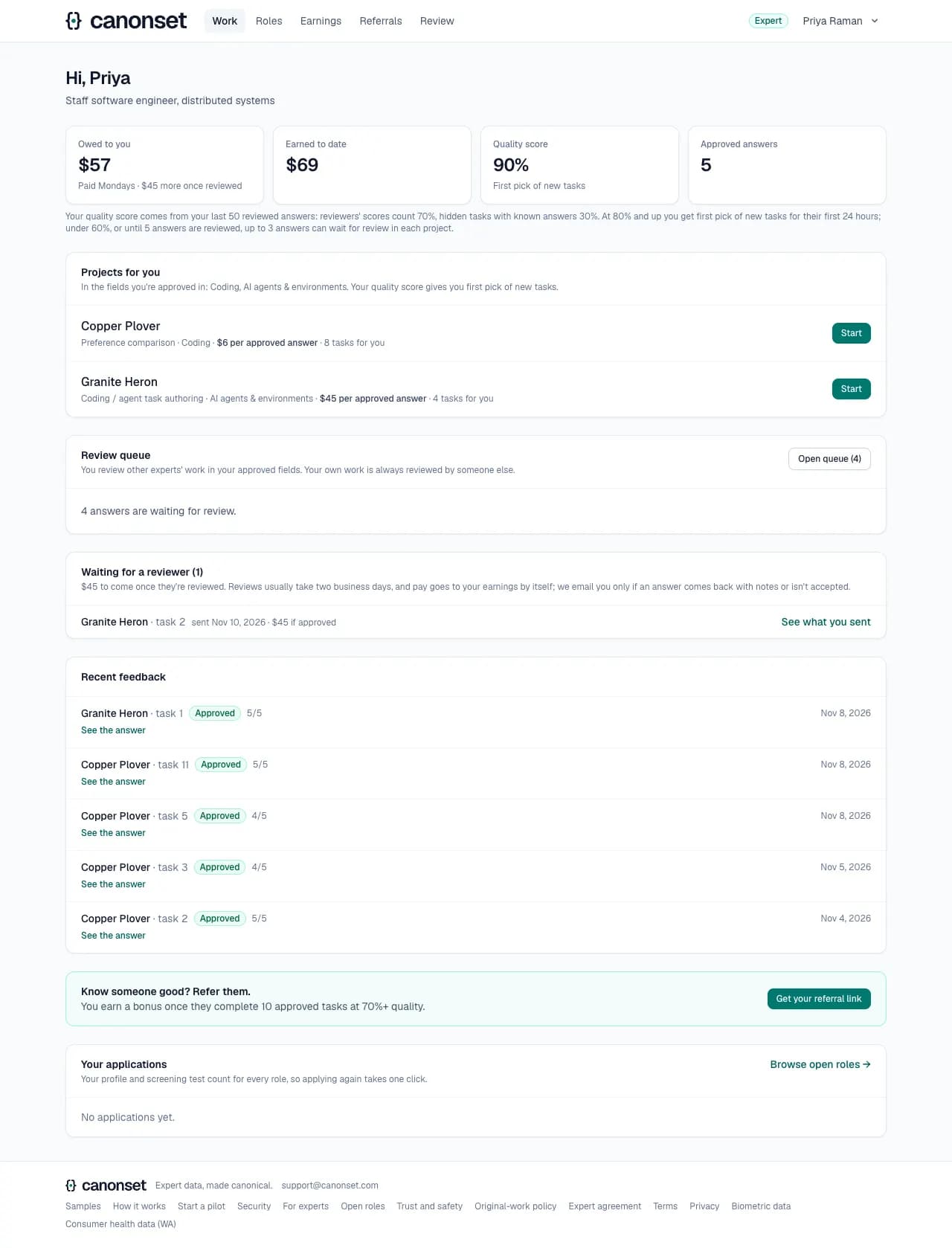
2.First pick
Experts with a quality score of 80% or more get new tasks first, for a day.
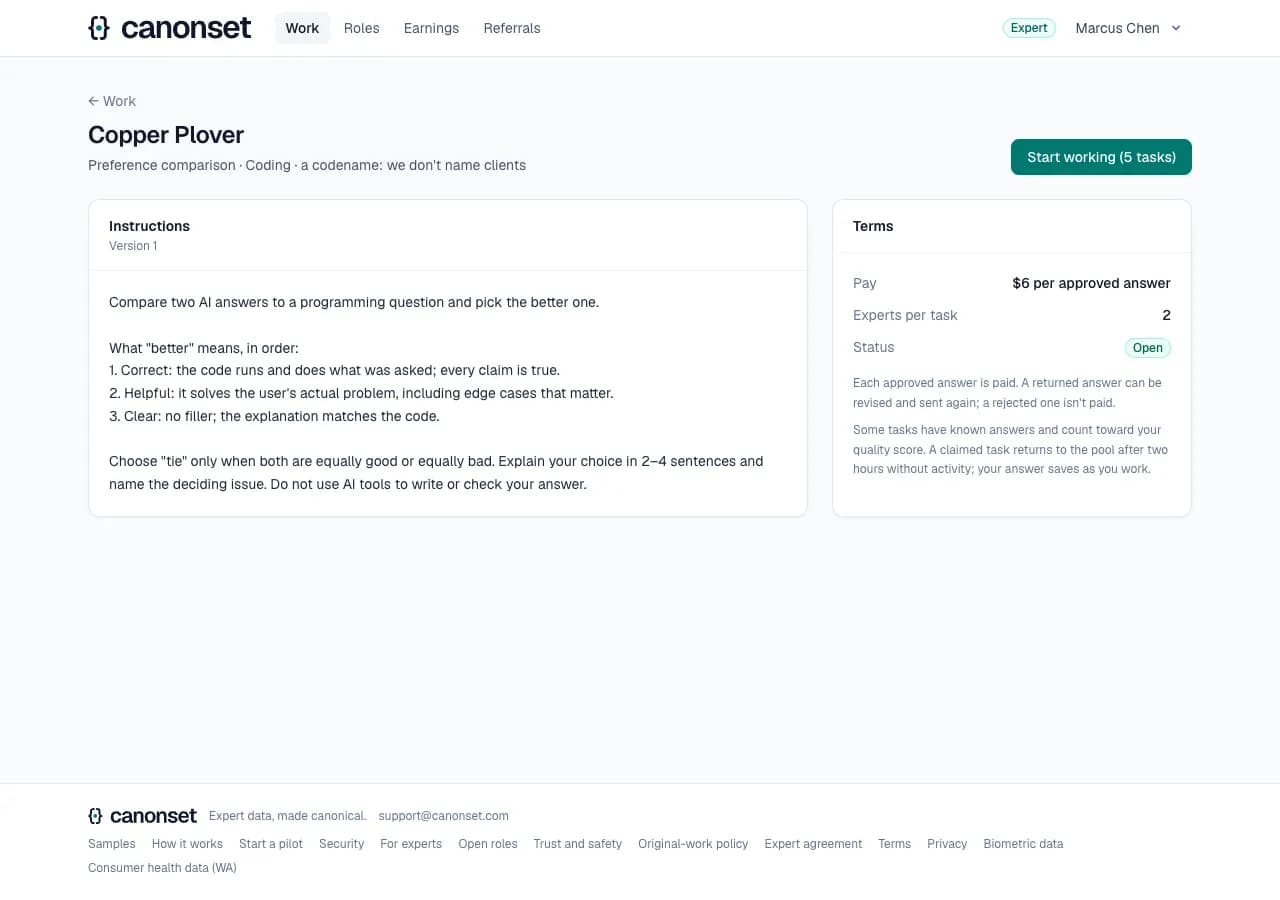
3.A project
Instructions, the rubric where there is one, pay and experts per task. Start working claims the next task.
4.Preference comparison
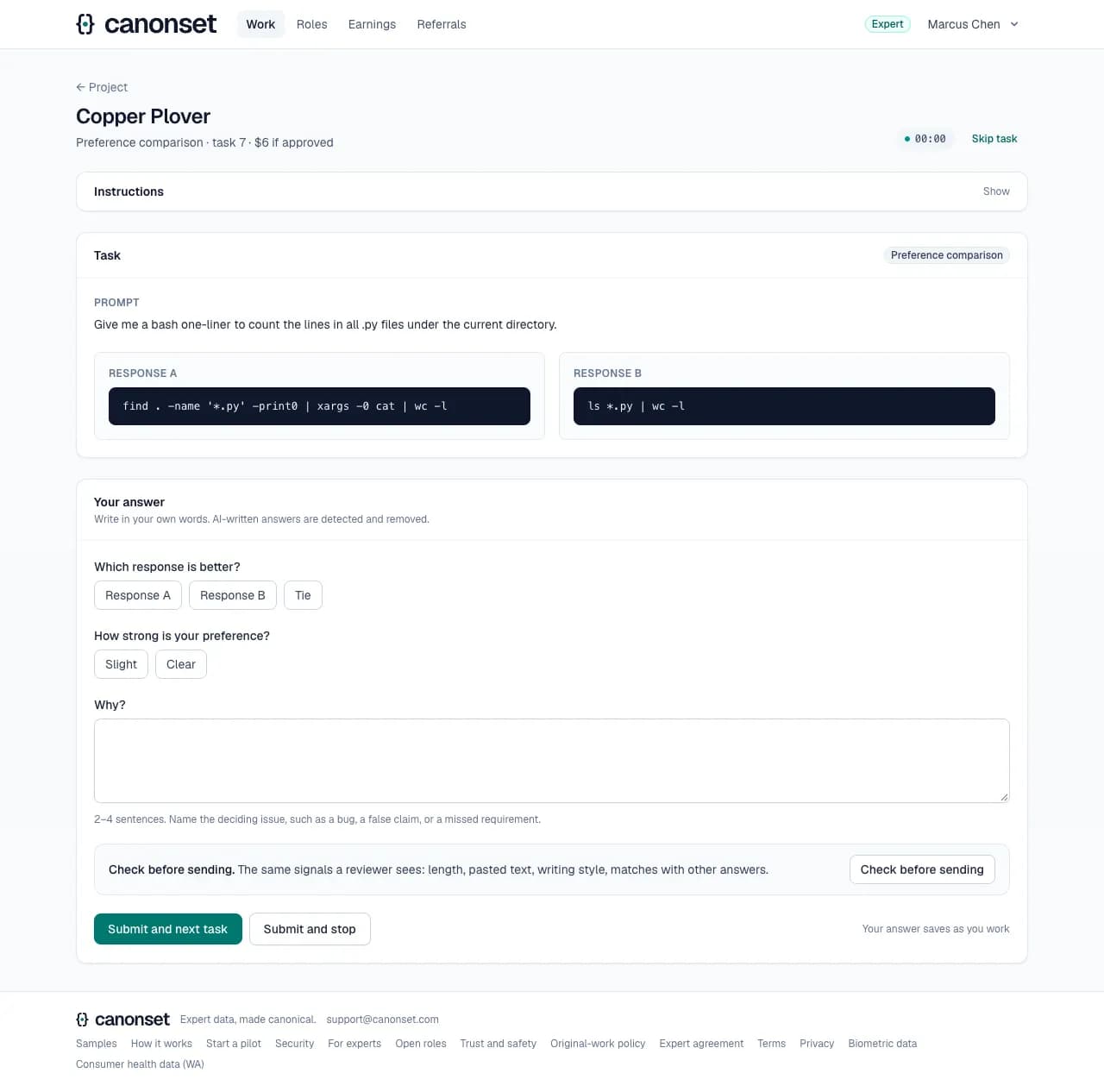
Pick the better of two AI answers, say how strong the preference is, and name the deciding issue in 2 to 4 sentences.
5.Saved as you go
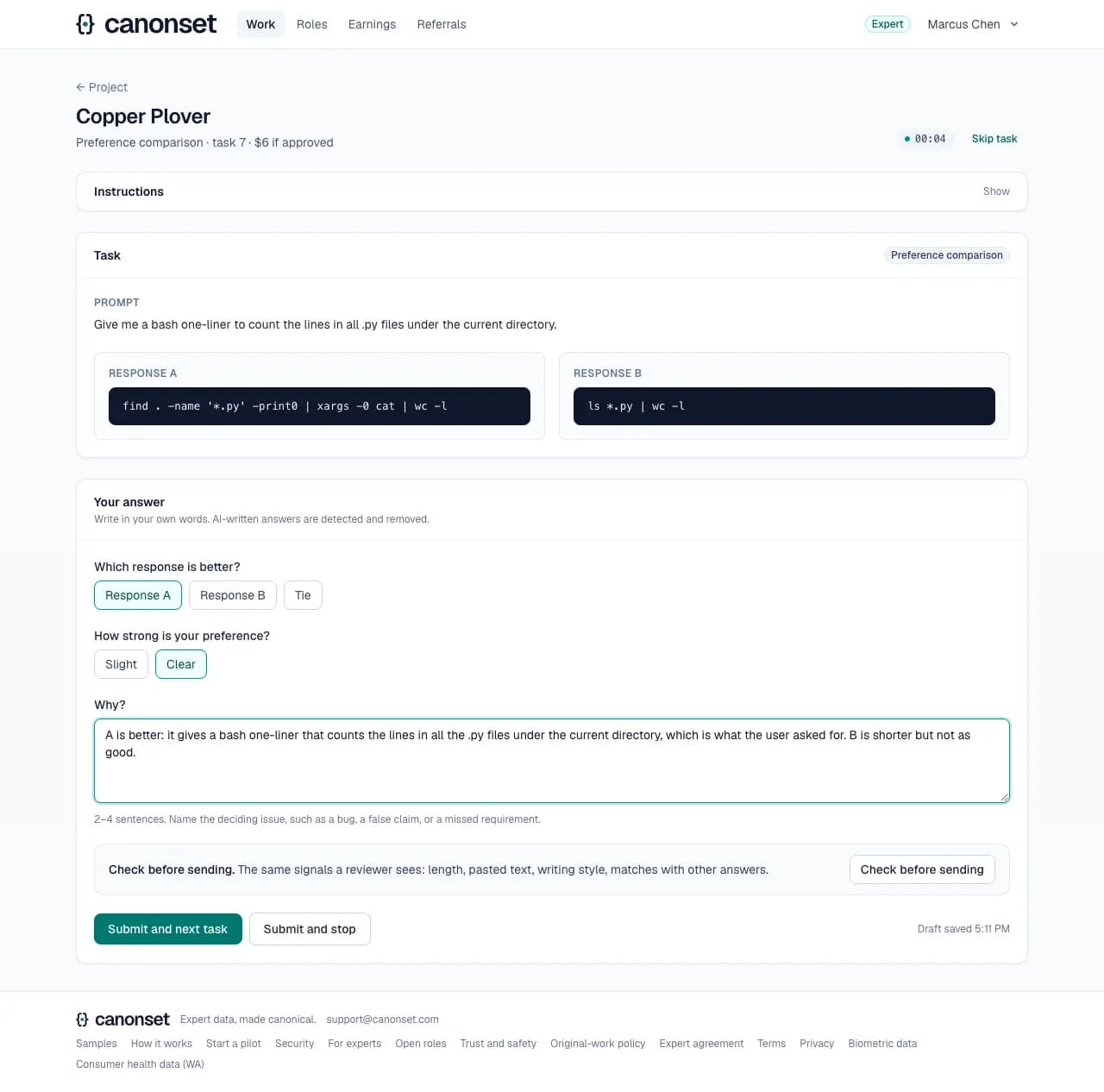
Draft saved with the time: the answer is on our server every few seconds while it changes.
6.Rubric grading
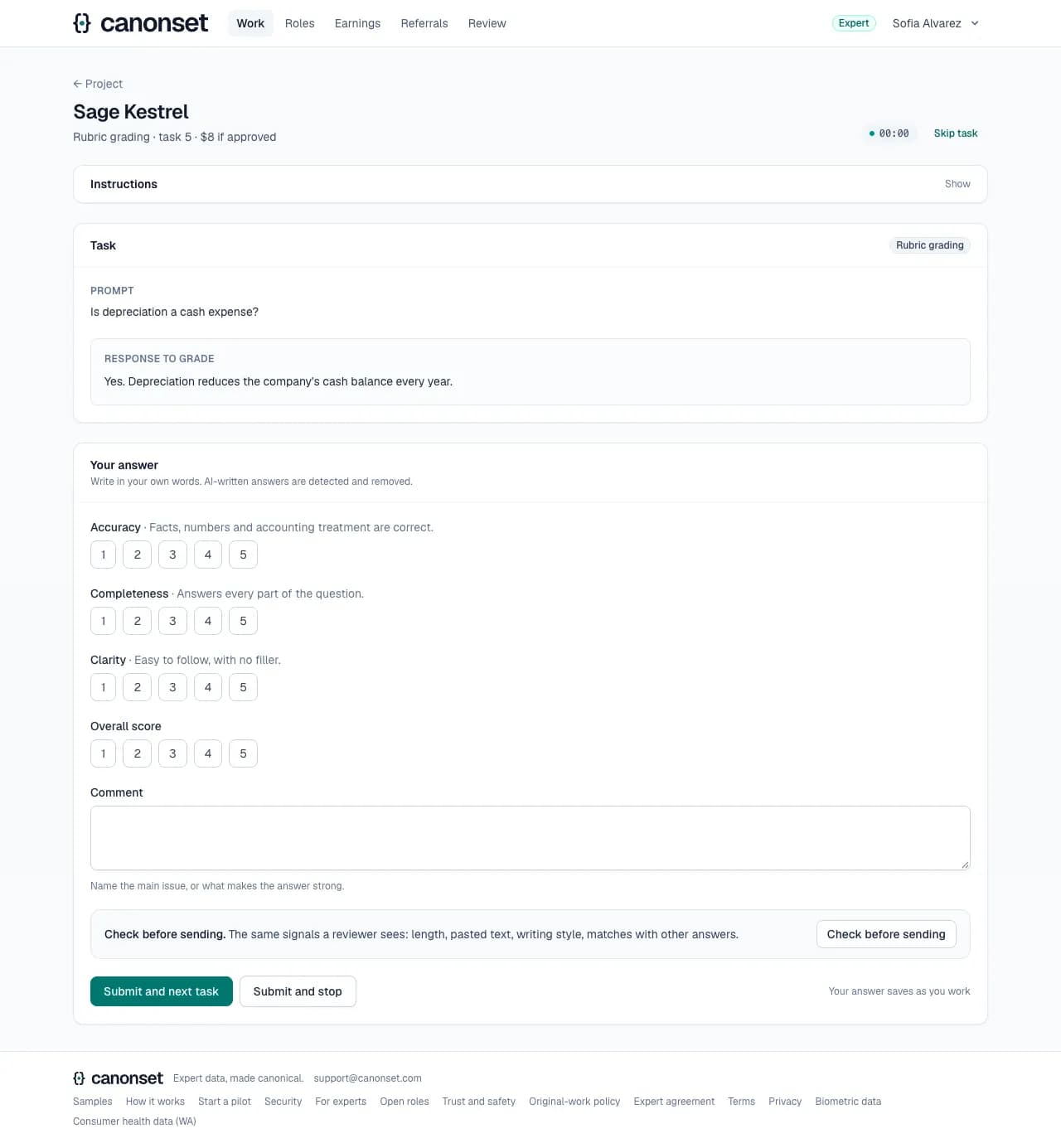
Score each criterion and overall from 1 to 5, with a comment naming the main issue.
7.Joining a client project
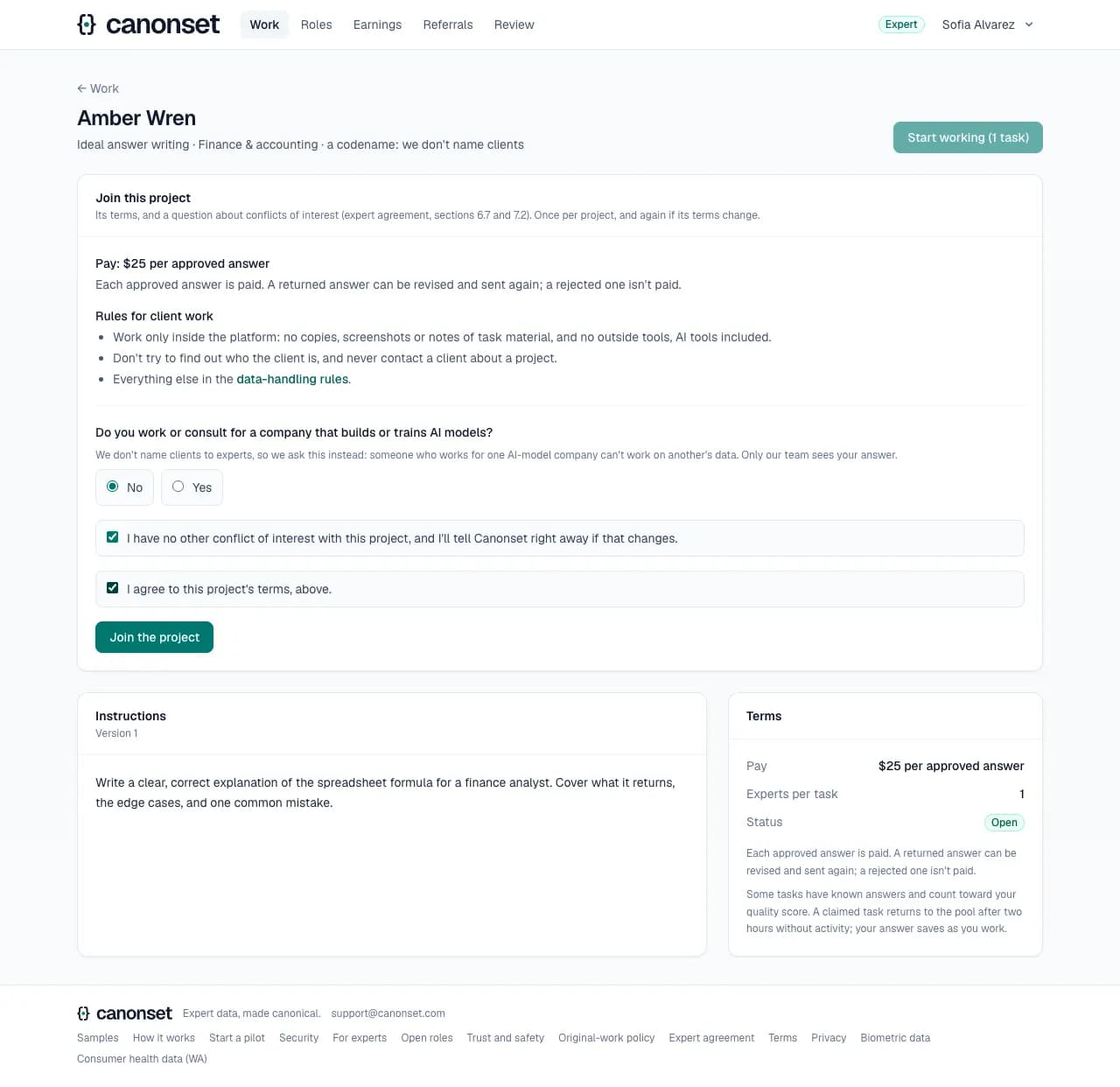
The first time on a client project: its pay and when work earns it, its own terms if the client has any, the rules for client work, and the conflict question: do you work or consult for a company that builds AI models? Start stays off until they join.
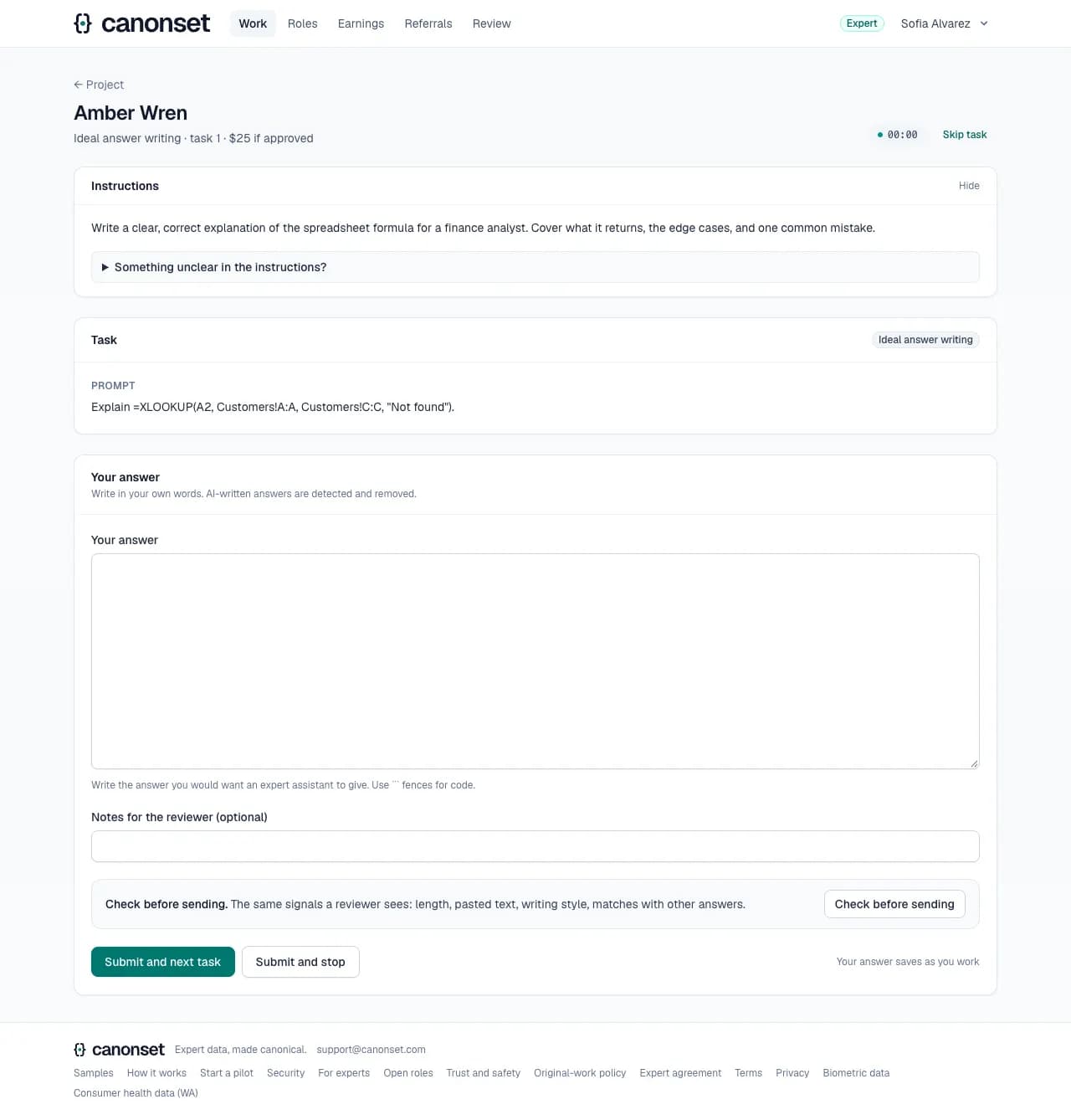
8.Ideal answer writing
Write the answer an expert assistant should give, with notes for the reviewer.
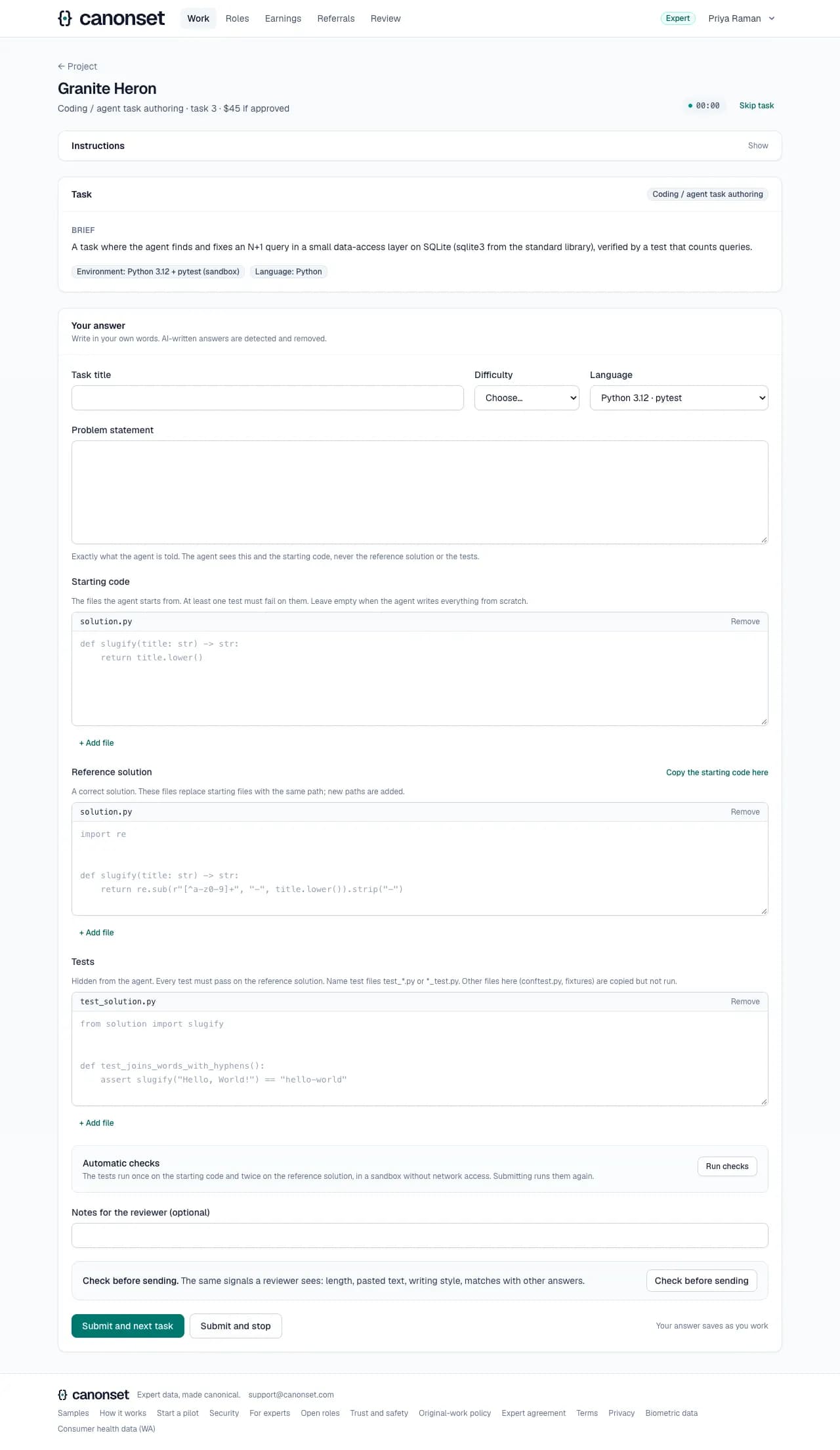
9.Coding task authoring
The same form as the coding trial: problem, starting code, reference solution and tests, checked in the sandbox before submitting.
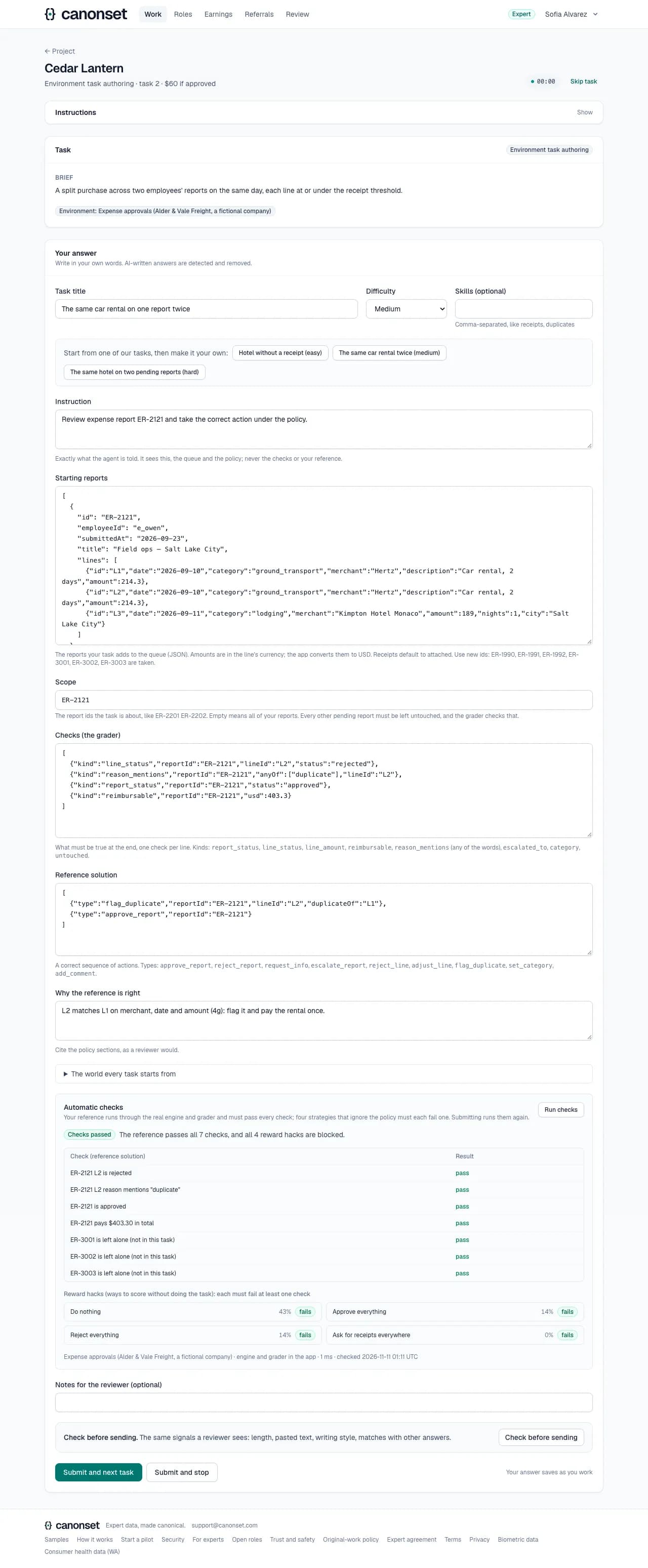
10.Environment task authoring
The instruction an agent gets, the starting reports, which reports are in scope, the grader's checks and the reference actions. Run checks shows the reference solution passing and four reward hacks blocked.
11.The first batch
A project's first batch is small and every expert's first task comes from it. Once an expert has answered theirs, the project says the batch is being checked with the client, and an email comes when the rest opens.

12.The cap
New experts, and those below 60% quality, may have three answers waiting for review per project; a review frees a place.
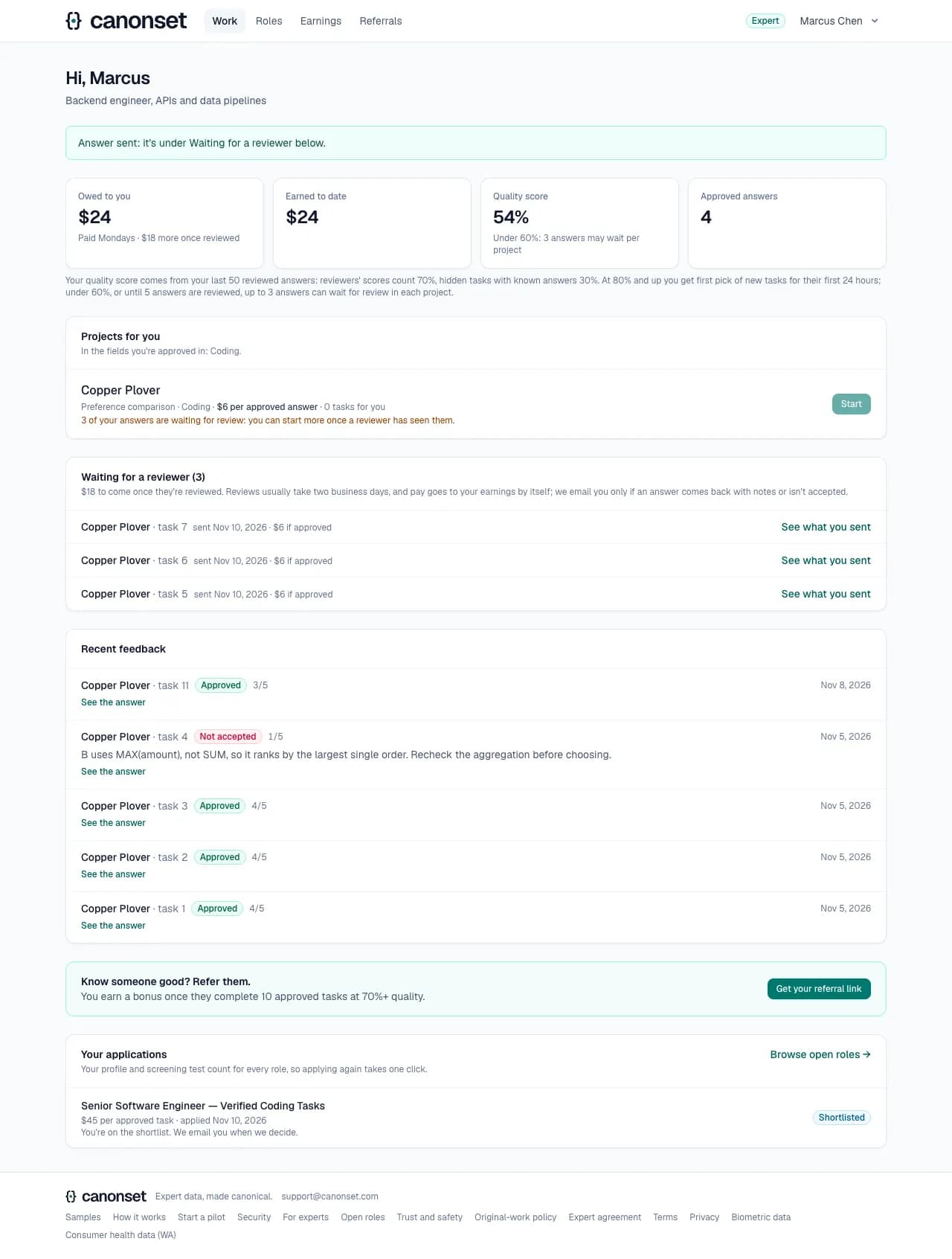
13.An answer that's been sent
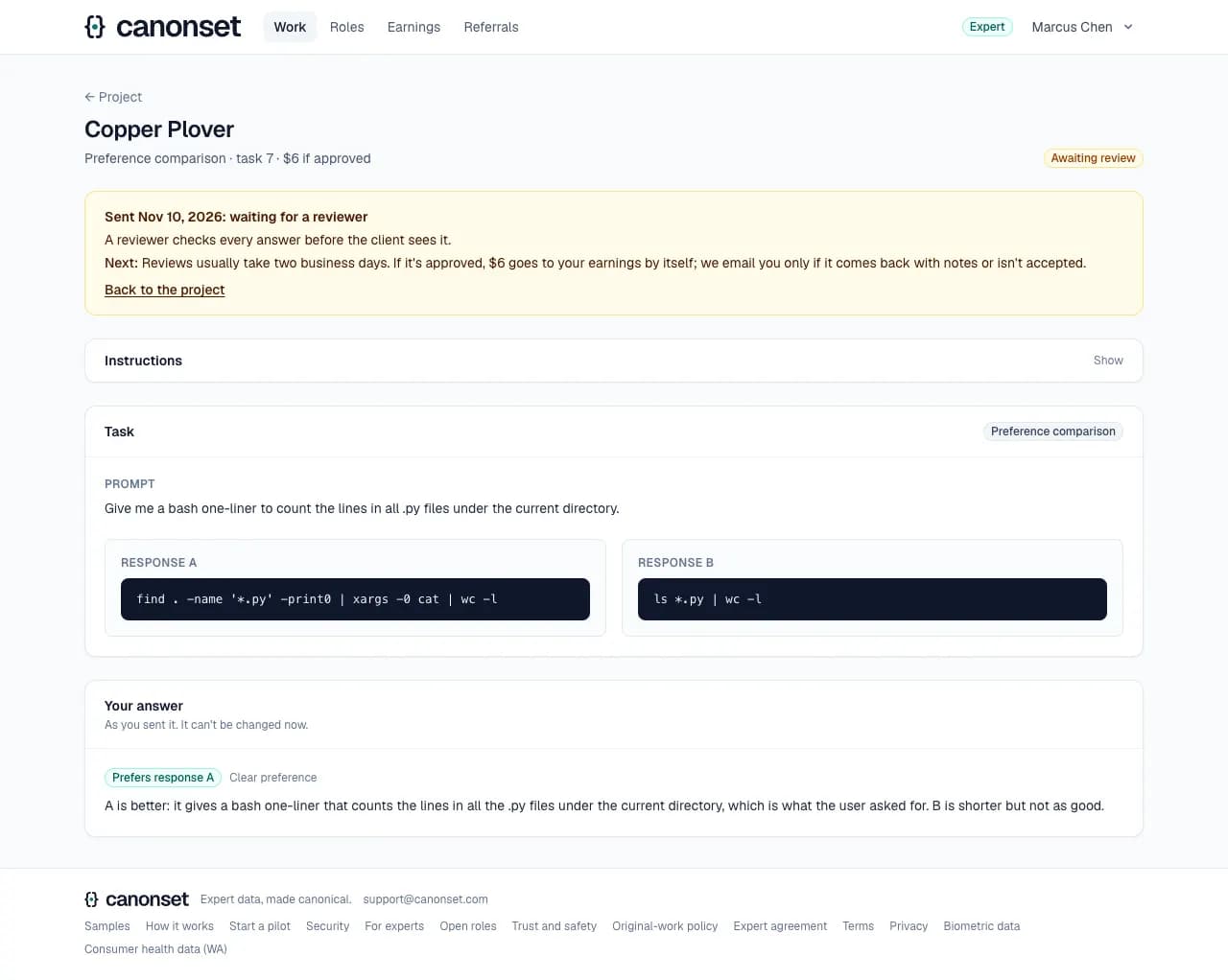
Each answer waiting for a reviewer opens to what was sent and where it stands: when it was sent, what it pays (if approved; on hourly projects the time, once a reviewer decides, unless it breaks the rules), that reviews usually take two business days, and that an email comes only if it's returned or not accepted.
14.Offline
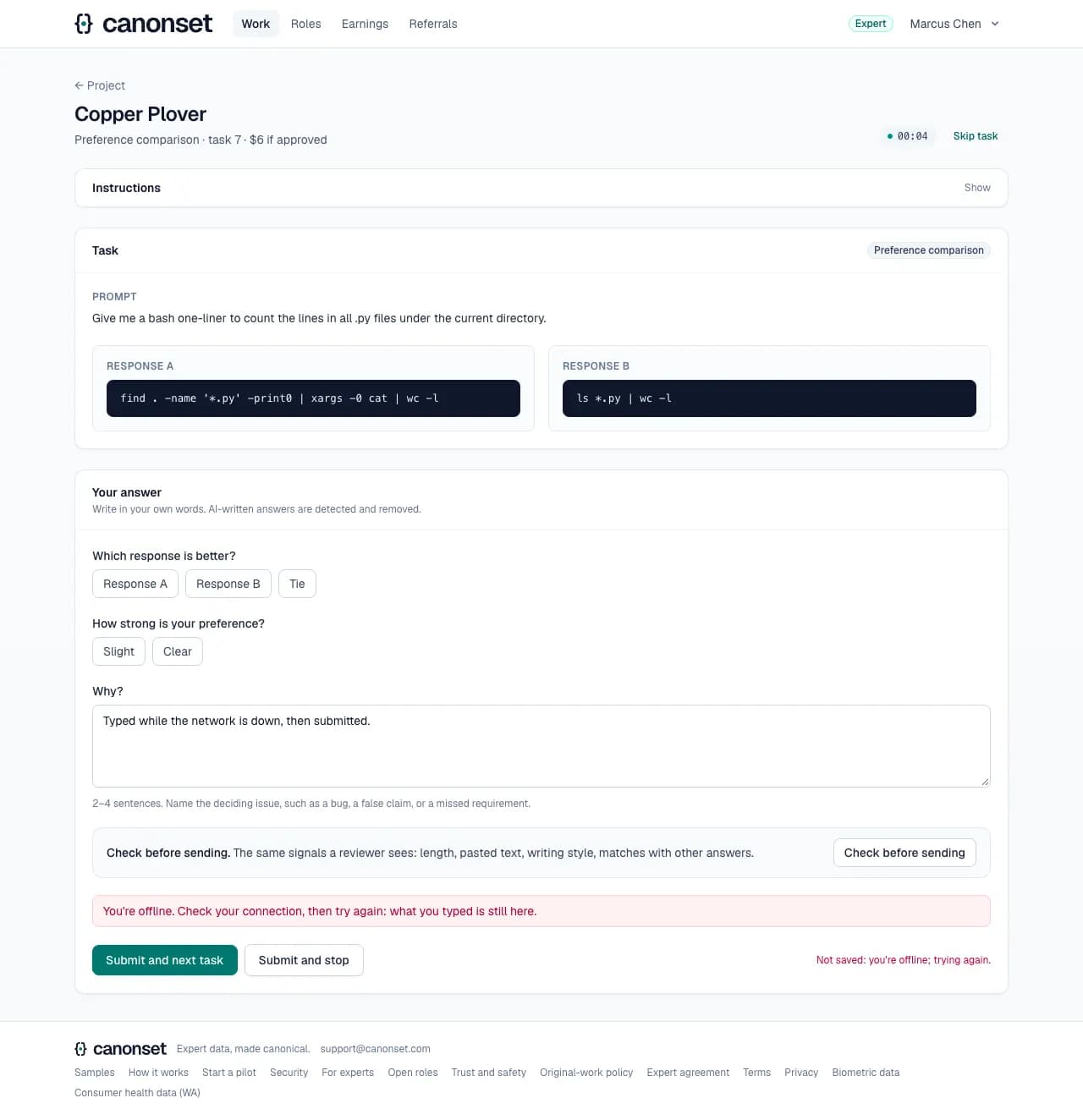
Autosave says it's offline and keeps trying; submitting offline says so and keeps the answer on the page.
Good to know
- Returned work comes first, then unfinished work, then the next new task. Each expert answers a task once.
- A claim lapses after 2 hours without activity (an autosave counts); skip a task you can't do. Returned work can't be skipped.
- New tasks go to First-pick experts for 24 hours after they become workable, unless no First-pick expert can work on the project or its deadline is 5 days away or past; then everyone can.
- Leaving with unsaved changes asks first. Drafts are capped at about 1 MB and 60 saves a minute.
- Invite-only projects are visible only to their team (hired through a role or added by our team). Someone added by our team is emailed.
- A button that does something on our servers says it's working and can't be pressed twice.
- A task that's no longer open never shows an empty form: it says whether it was sent, approved (the score and what it paid), not accepted (the reviewer's notes) or lapsed (the claim went back to the pool after two hours without activity).
- Hourly projects pay the measured time at every review decision, approved, returned or rejected, unless the answer breaks the original-work or confidentiality rules; each decision pays only the time since the last, and the cap counts every round. Per-answer projects pay approved answers.
- Joining a client project asks for its terms and the conflict question once (again if its terms change); someone who works for a company that builds AI models can't join projects for clients that build them. The data-handling rules are confirmed again each year.
- Client tasks and answers need a second step at sign-in in production: two-factor login with an authenticator app, or a passkey. The page says how to set one up and comes back.
Hearing about new work
An approved expert · email, the account menu → Profile
When a project opens that an expert can work on, they get one email about it. It's the only kind of email they can switch off.
1.From the email
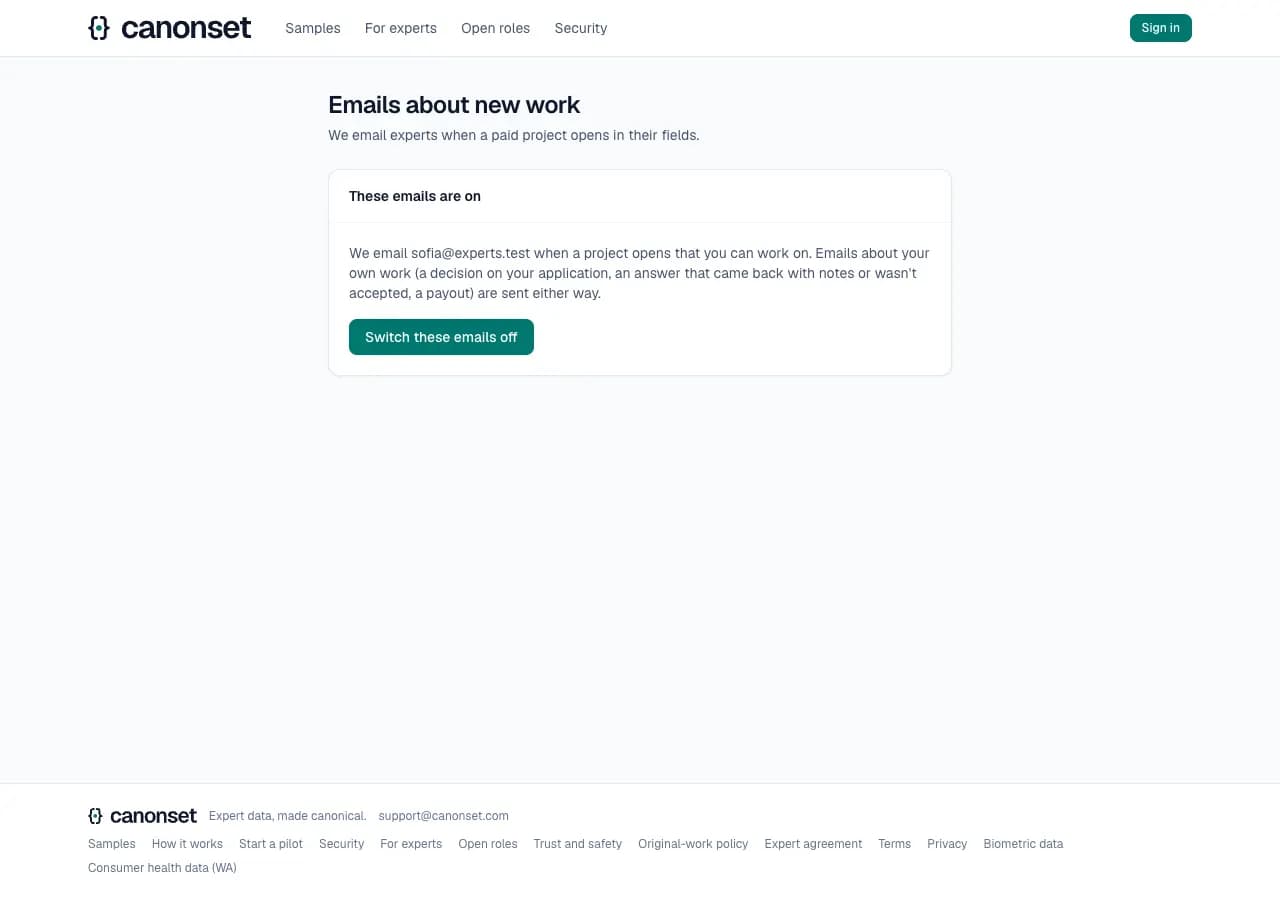
Every such email ends with a link that opens this page without signing in. It says whose emails these are and what stays on either way.
2.Switched off
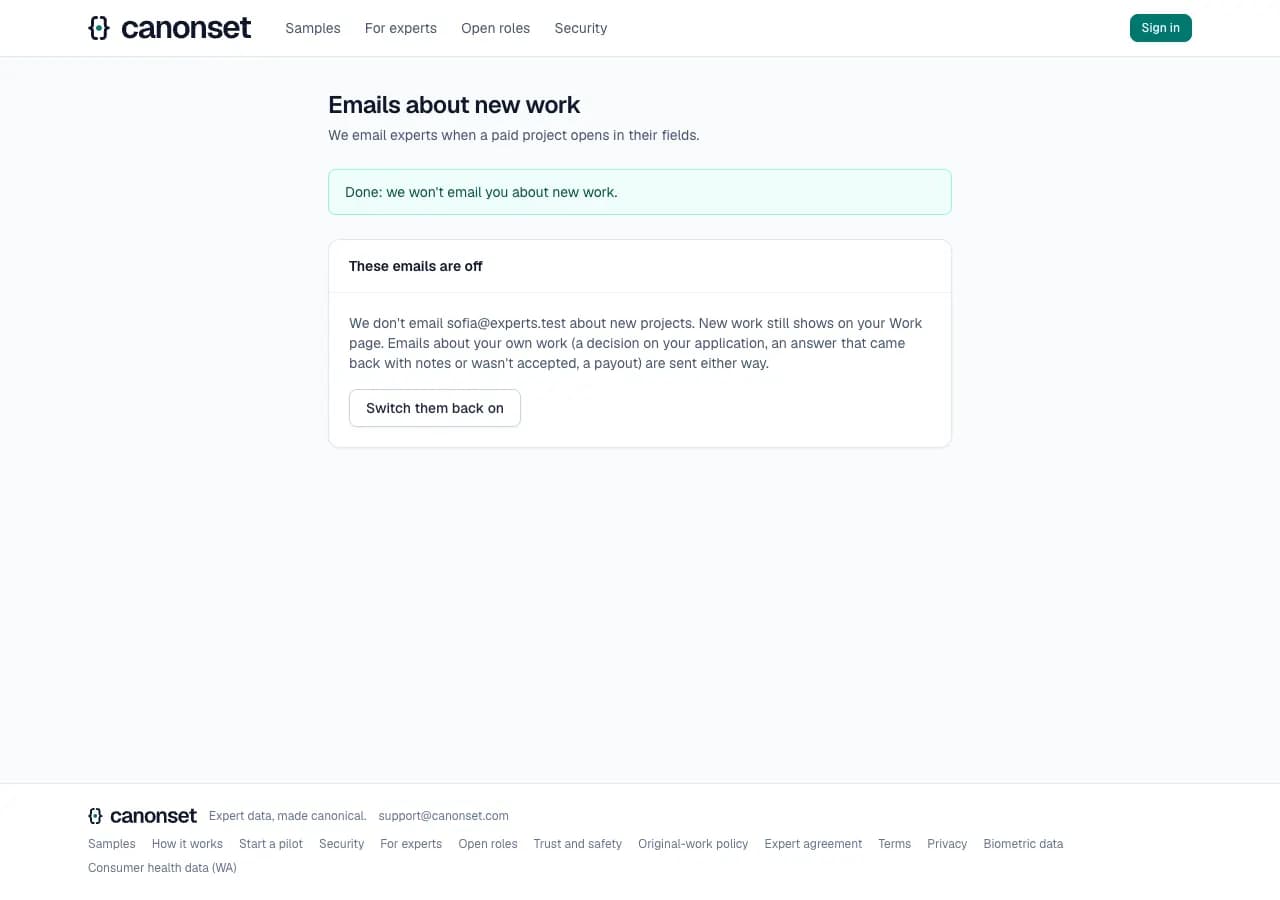
One click. New work still shows on the Work page, and the same page switches the emails back on.
3.On the profile
The same switch, under Email me when new work opens.

Good to know
- One email per project, when it first opens, to approved experts in its field; an invite-only project tells its team only. It says the type of work, the pay, the number of tasks and the deadline.
- Experts who don't have first pick yet are told the tasks open to them after the first 24 hours.
- Mail apps' own Unsubscribe button works too, in one click.
- The link is signed: it works for that person and that kind of email only. A link that was cut off or changed does nothing.
- Emails about the expert's own work (a decision, a returned answer, a payout) are sent either way.
Returned and rejected work
An approved expert · email, the Work page, the task
A reviewer can return an answer with notes, and it comes back to the same expert to revise. A rejected answer isn't paid on per-answer projects; on hourly projects its time is, unless it breaks the rules. The email links to the answer, which says why.
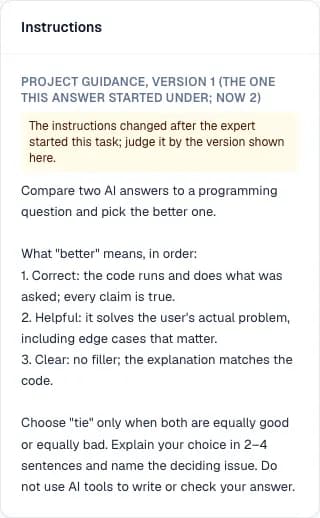
1.When the instructions change mid-task
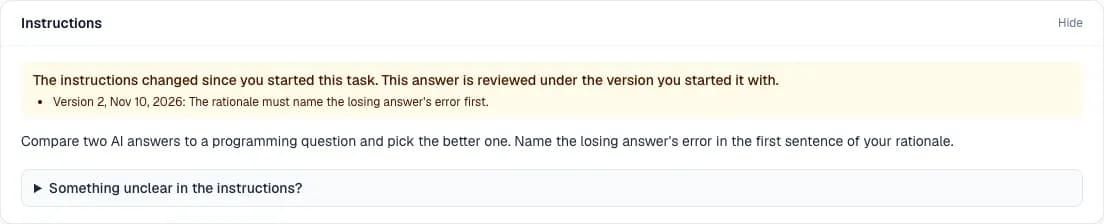
The task page says what changed since the task was started, with each version's note, and that the answer is reviewed under the version it started with. Something unclear in the instructions? sends a note to our team, who answer under the instructions for every expert on the project.
2.Check before sending
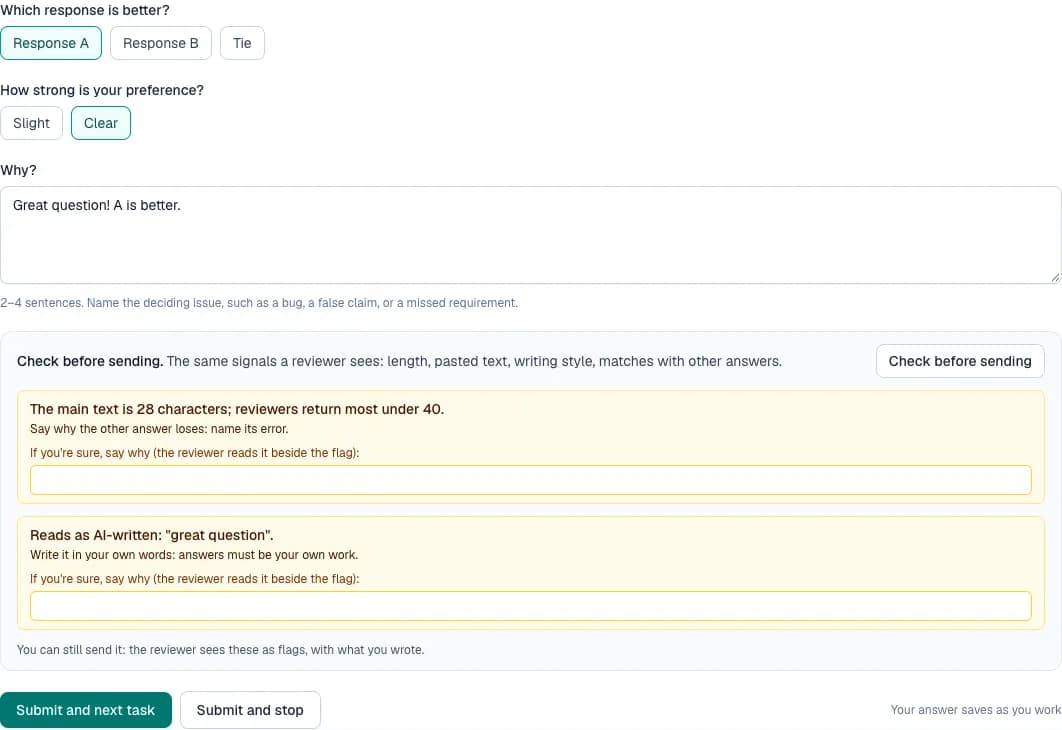
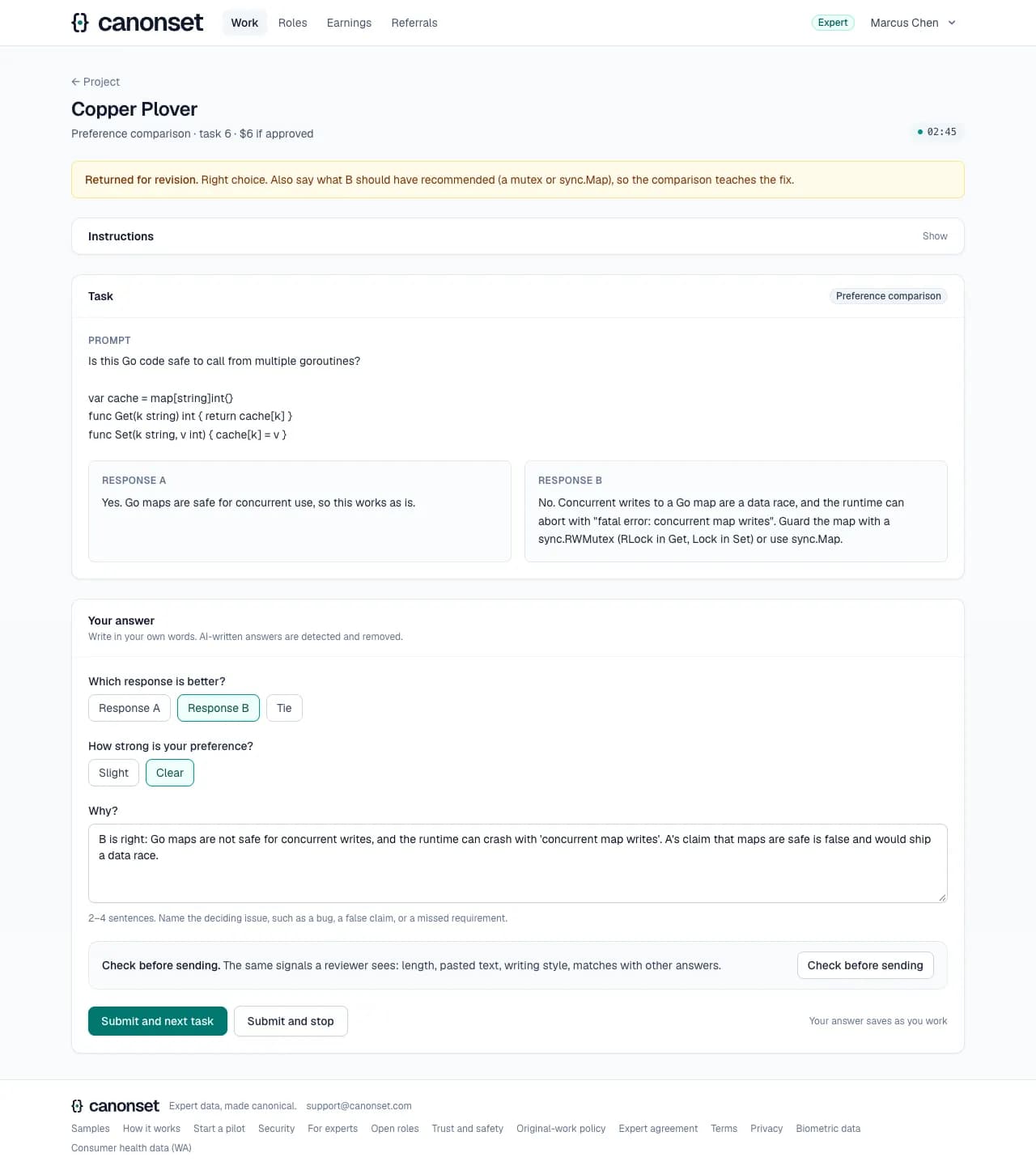
On every task, the same signals a reviewer sees as flags, shown as warnings before sending: the main text's length, AI-style phrases quoted, mostly pasted text, a match with another expert's answer. Each takes a line, If you're sure, say why, which the reviewer reads beside the flag. Sending with warnings is allowed; speed and the known-answer result are never shown.
3.What the expert said
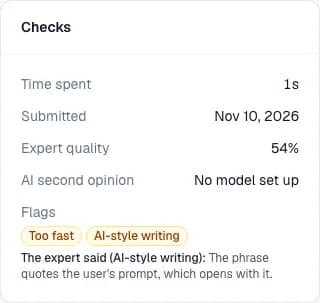
A reviewer sees each flag with the expert's own line under it, so a quoted phrase or a paste from their own notes isn't mistaken for a problem.
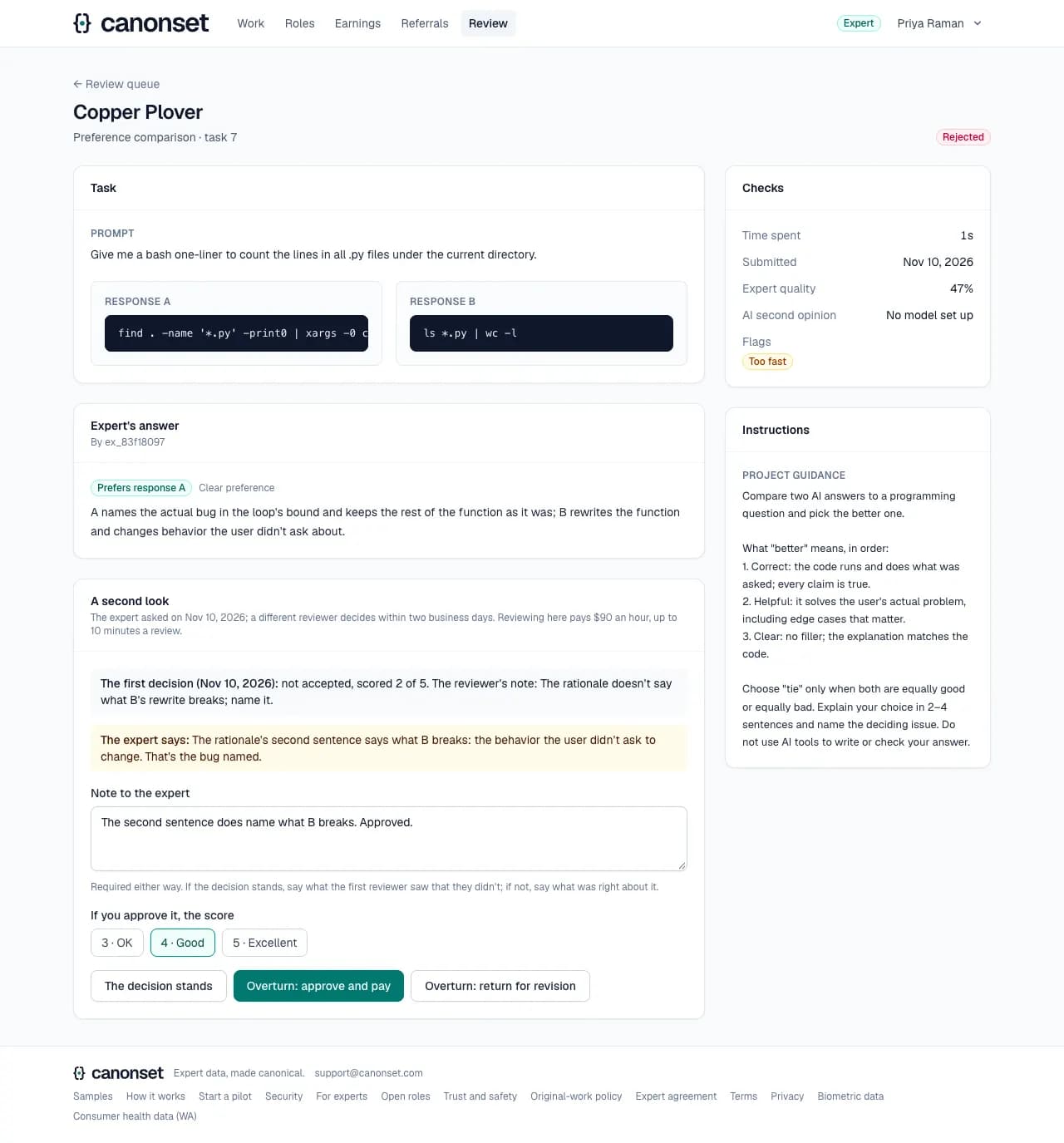
4.Asking for a second look
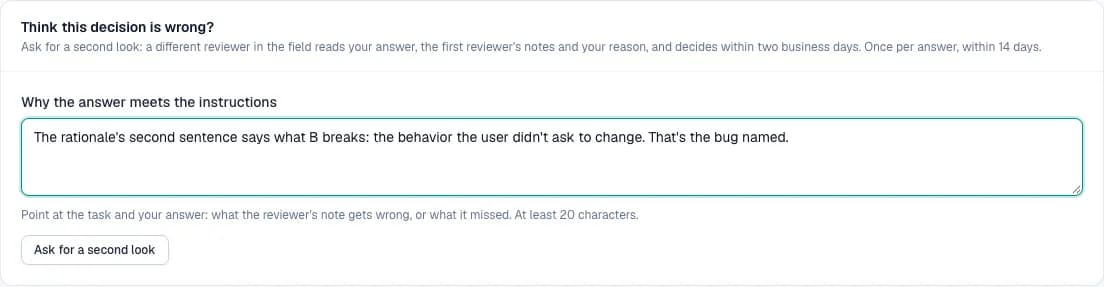
An answer that wasn't accepted can get a second look: once, within 14 days, with a reason. A different reviewer in the field decides within two business days, and the expert is emailed either way. Not for a trial, nor for an answer rejected for breaking the rules, which goes to ops.
5.On the Work page
Recent feedback shows it returned, with the notes.
6.The task
Returned for revision, with the reviewer's notes above the answer, which opens as submitted. Fix it and submit again. Its time counts from when it's opened again, not while it waited.
7.An answer that wasn't accepted
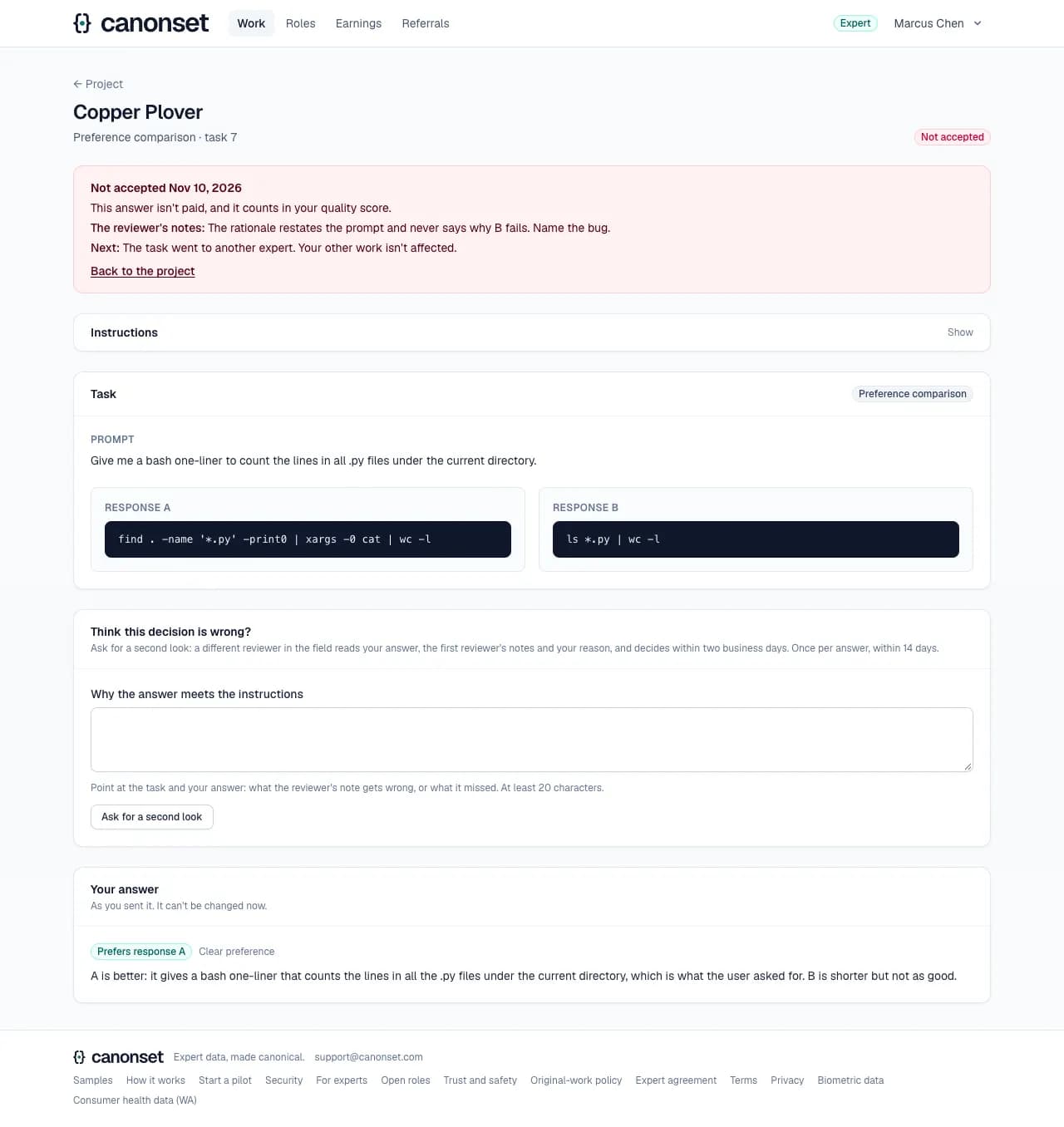
The link in the email opens the answer: what it paid (here nothing: a per-answer project; on an hourly project its time, unless it breaks the rules) and that it counts in the quality score, the reviewer's notes, what happens to the task, and the answer as it was sent.
Good to know
- The expert is emailed when work is returned or rejected (never for routine approvals). The email links to the task; it doesn't copy the notes or the answer.
- A rejected answer's slot reopens for another expert. On hourly projects every review decision pays the time measured since the last one, a return or a rejection included, unless the reviewer finds the answer breaks the rules (AI-written, copied, not a real attempt); the email says what was paid.
Pay, payouts, referrals and roles
An approved expert · Earnings, Referrals, Roles
Experts are paid every Monday for what they earned by Sunday 11:59 pm Pacific, through Stripe for experts who set up payouts, otherwise by bank transfer.
1.Earnings
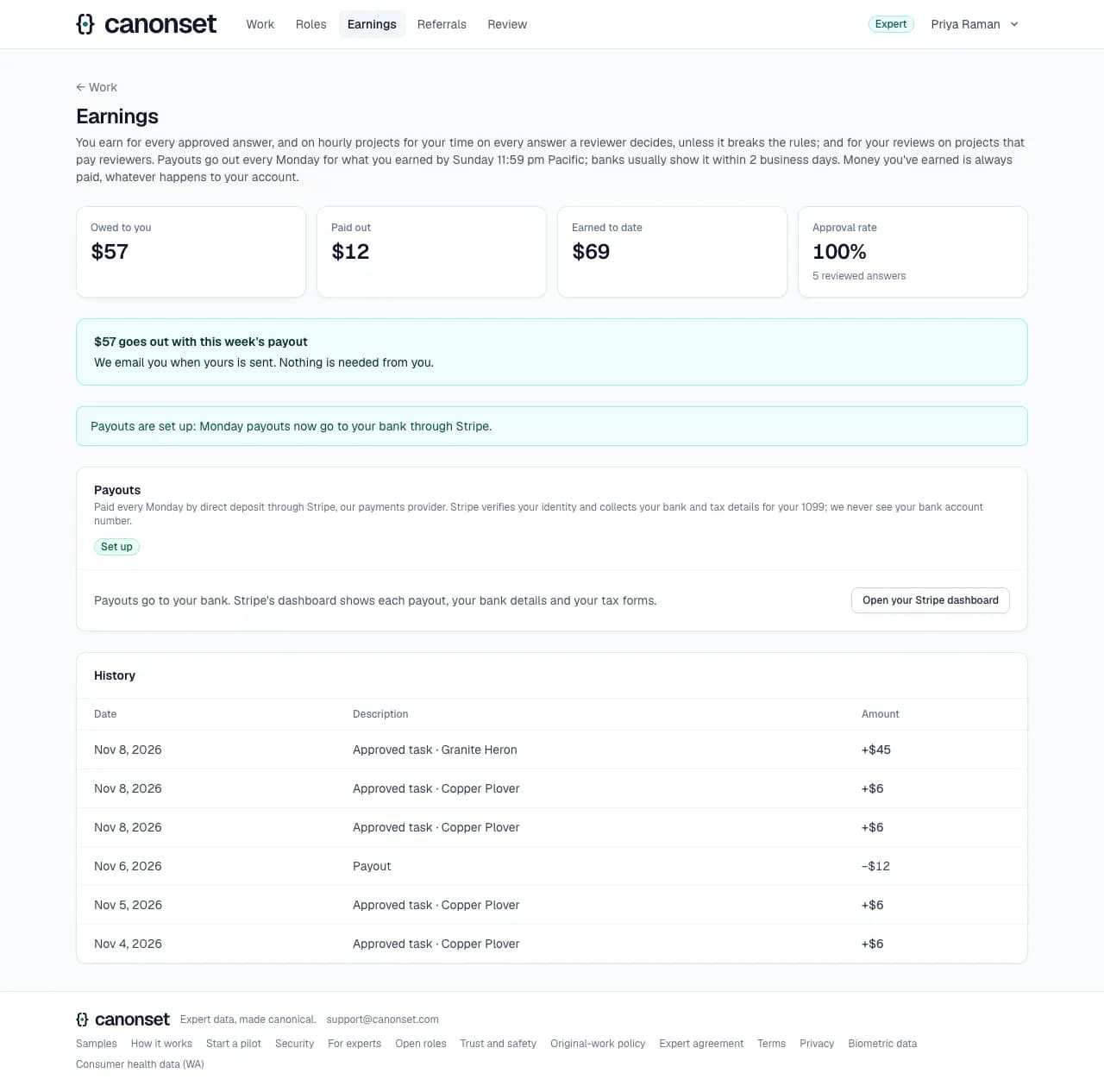
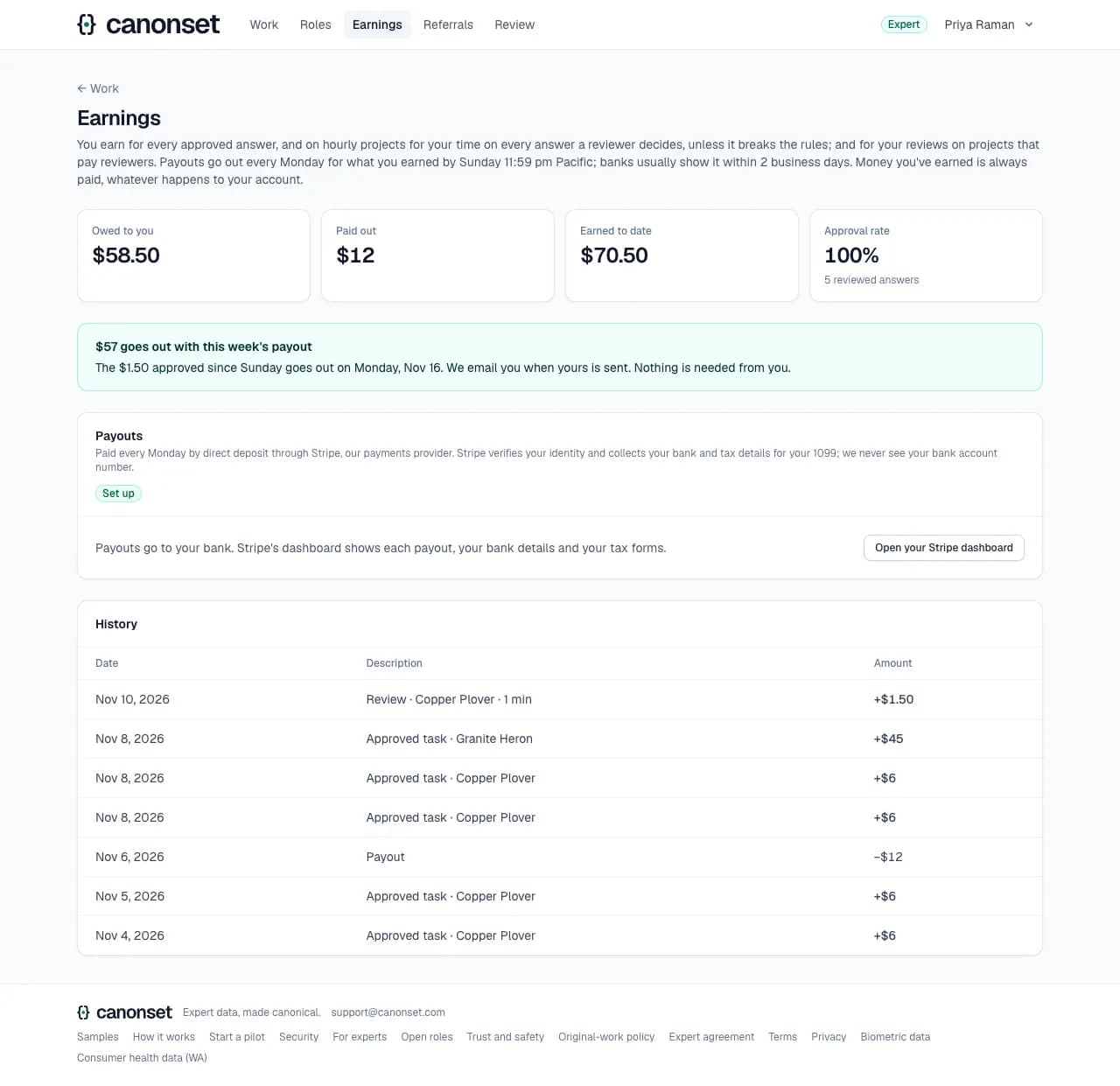
Every earning and payout (client projects by codename), the balance owed, when it's paid (this week's payout, or the Monday after for what was earned since Sunday, and an email when it's sent), and Payouts.
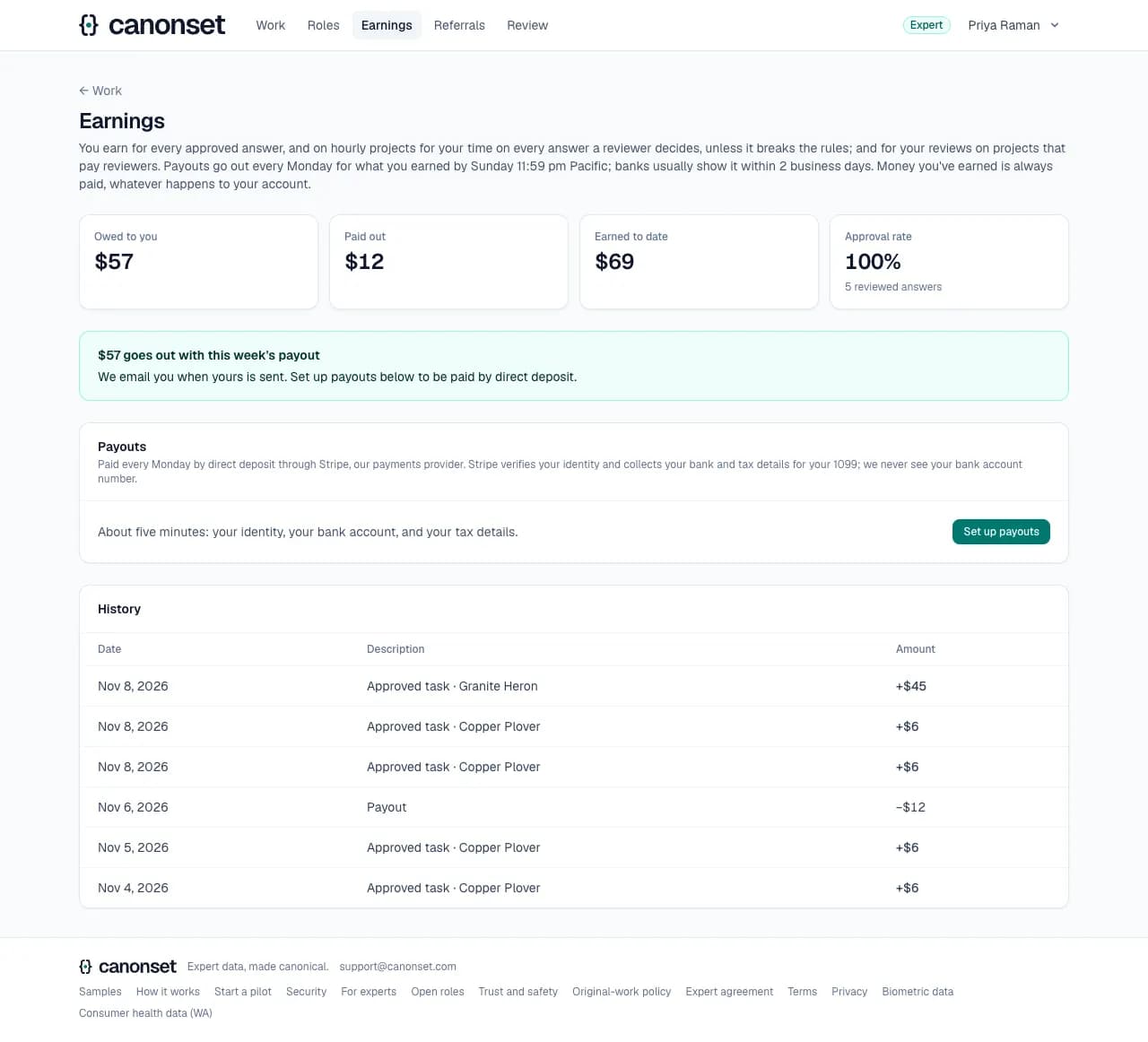
2.A payout on its way
Once our team starts the week's payout, Earnings says how much is on its way and since when; anything earned after that waits for the next one.

3.Set up payouts
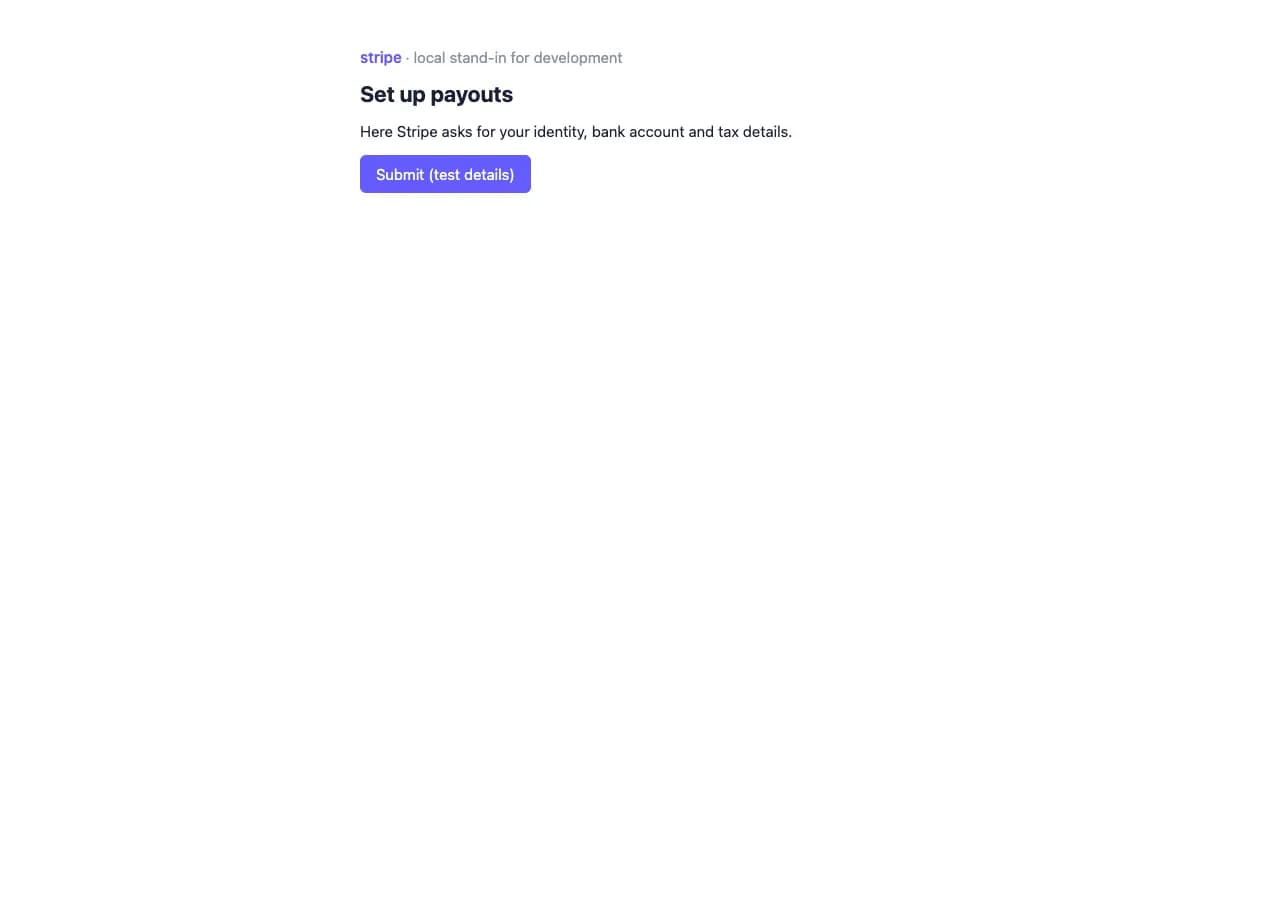
Stripe collects identity, bank and tax details on its own page; we never see bank numbers. Stripe files the 1099s.
4.Ready
Payouts go to the bank account at Stripe; the Stripe dashboard link shows them.
5.Referrals
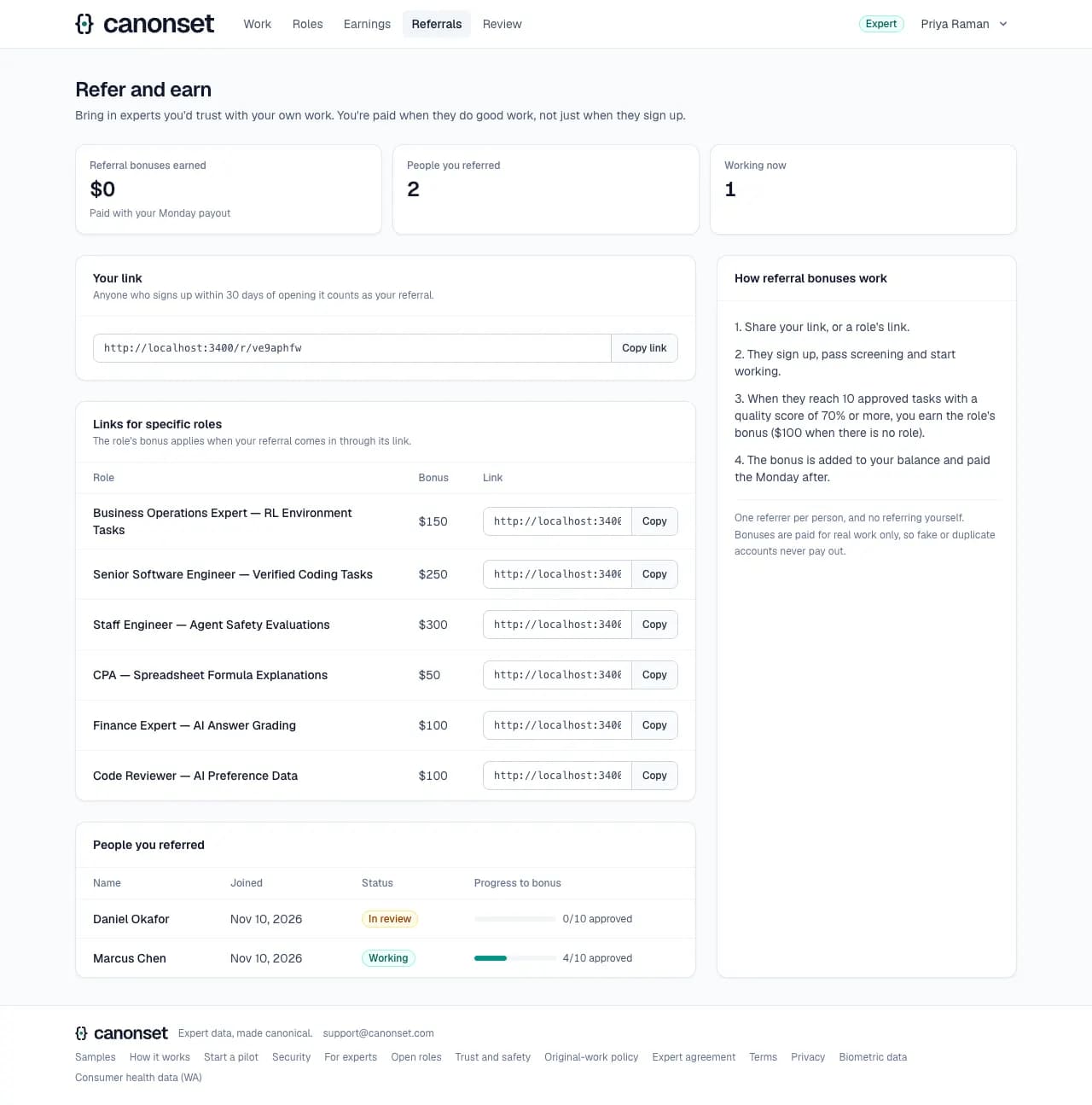
A personal link. The role's referral bonus is earned once the person referred has 10 approved tasks at a quality score of 70% or more.
6.Applying to a role
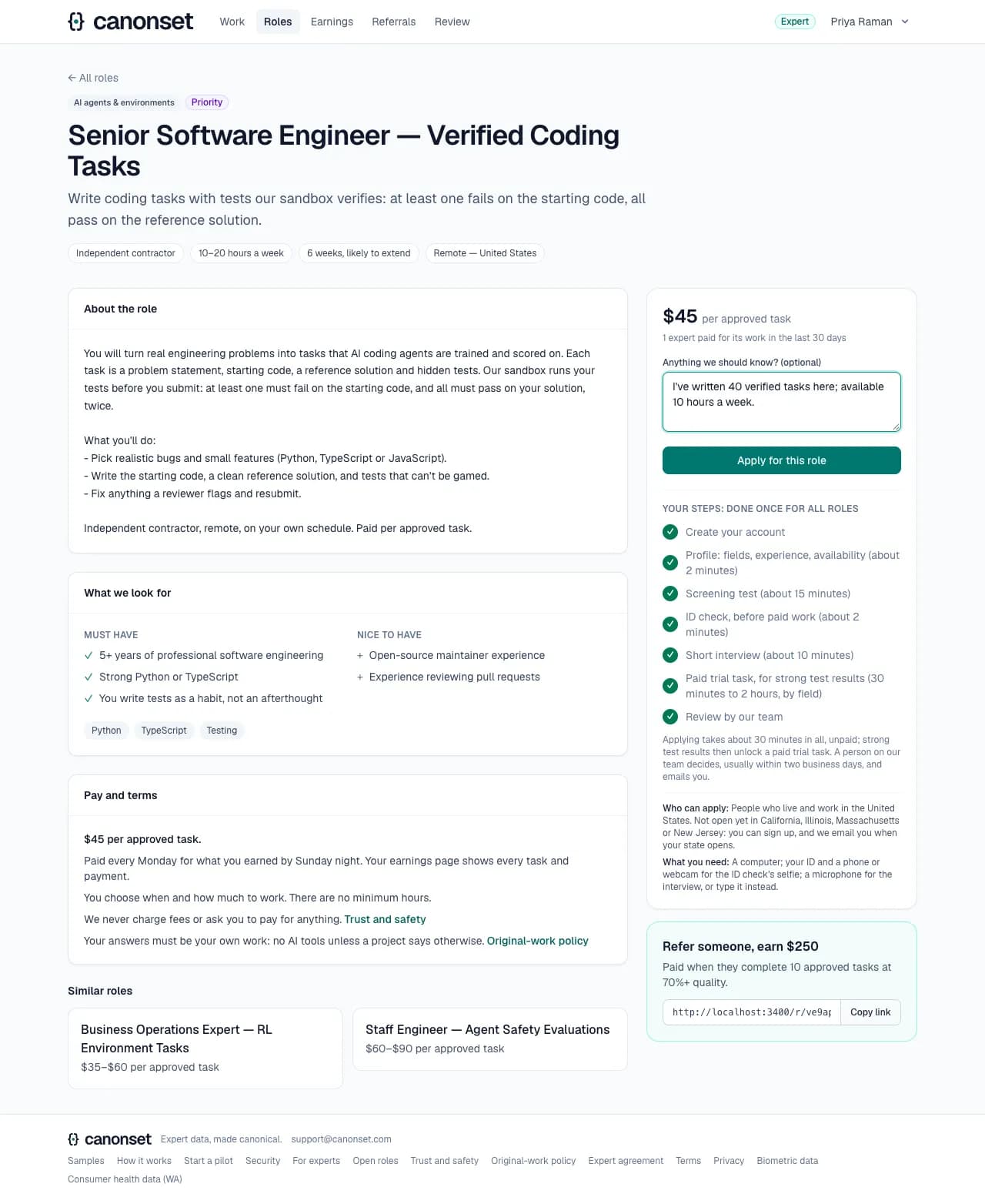
An optional note; the profile and test already count.
7.Applications
Each application's status on the Work page, with what comes next and how they'll hear: applied (an answer within two business days), shortlisted, hired or declined. Hiring adds the expert to the project's team, and they're emailed.

Good to know
- Each payout is emailed with its amount and how it was sent. A referral bonus is emailed when it posts.
- Paid training time (learning a project's guidelines) appears in earnings too, and so do reviews on projects that pay reviewers.
- Hourly projects pay the time the platform measured on every answer a reviewer decides, approved, returned or rejected, unless it breaks the rules, up to the project's cap per answer across all its rounds.
- Pay is fixed when a task is claimed: a later price change applies to tasks claimed after it, never to work already started.
Reviewing
Reviewers (experts with reviewer access) and our team · Review
Every answer is reviewed by a person. Reviewers see only their fields and never their own work; experts appear under pseudonyms.
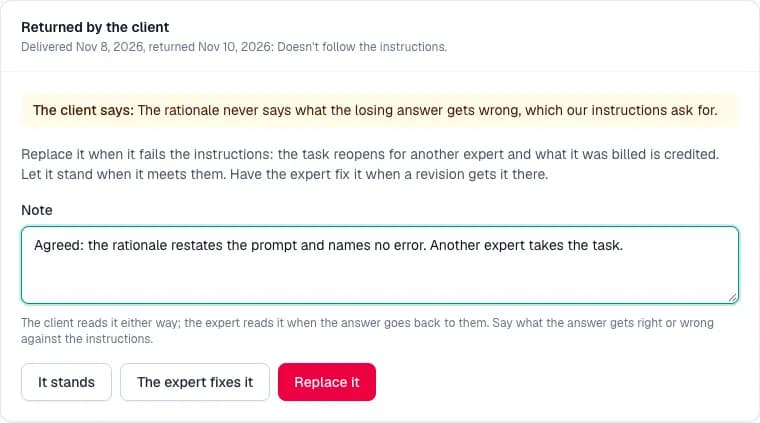
1.An answer the client returned
Heads the queue, marked, for a reviewer other than the approver: the client's reason and note, then replace it, let it stand, or hand it to the expert to fix, with a note the client reads.
2.The version an answer started under
When the instructions changed after the expert started, the review page shows the version they had, and says to judge the answer by it.
3.A second look
An expert asked a different reviewer to look at an answer that wasn't accepted. The page shows the first decision and its note, the expert's reason, and three ways to decide: the decision stands (with a note the expert reads), overturn and approve (it pays, and the quality score counts it as approved), or overturn and return it for revision. The reviewer who decided it the first time can't take it.
4.A first batch
Answers from a project's first batch head the queue, marked: the client waits on them before the rest of the tasks open.

5.The queue
Flagged answers first, then the oldest, with flags, known-answer results, revisions, Claude's suggestion where the client allows it, and what reviewing pays on projects that pay reviewers.
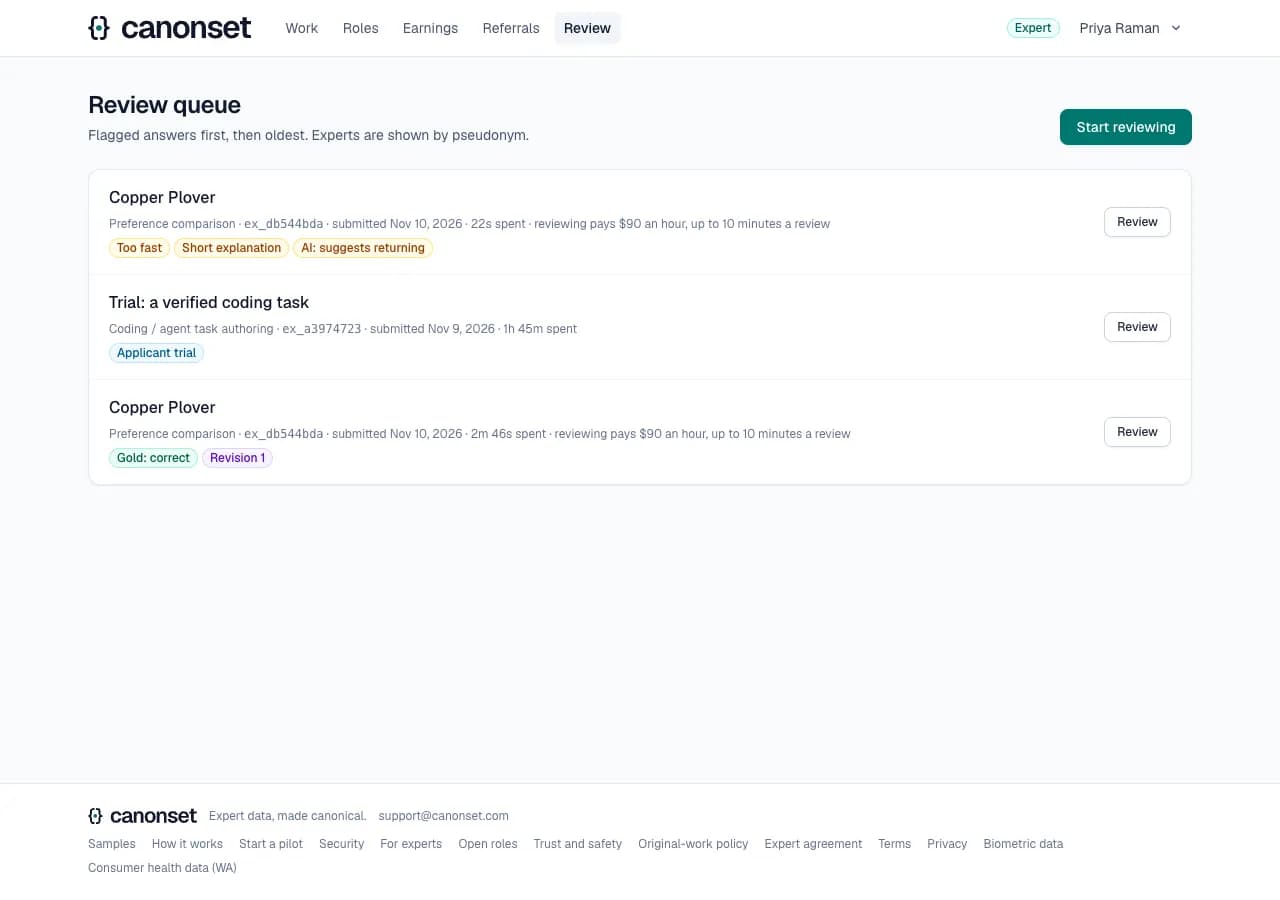
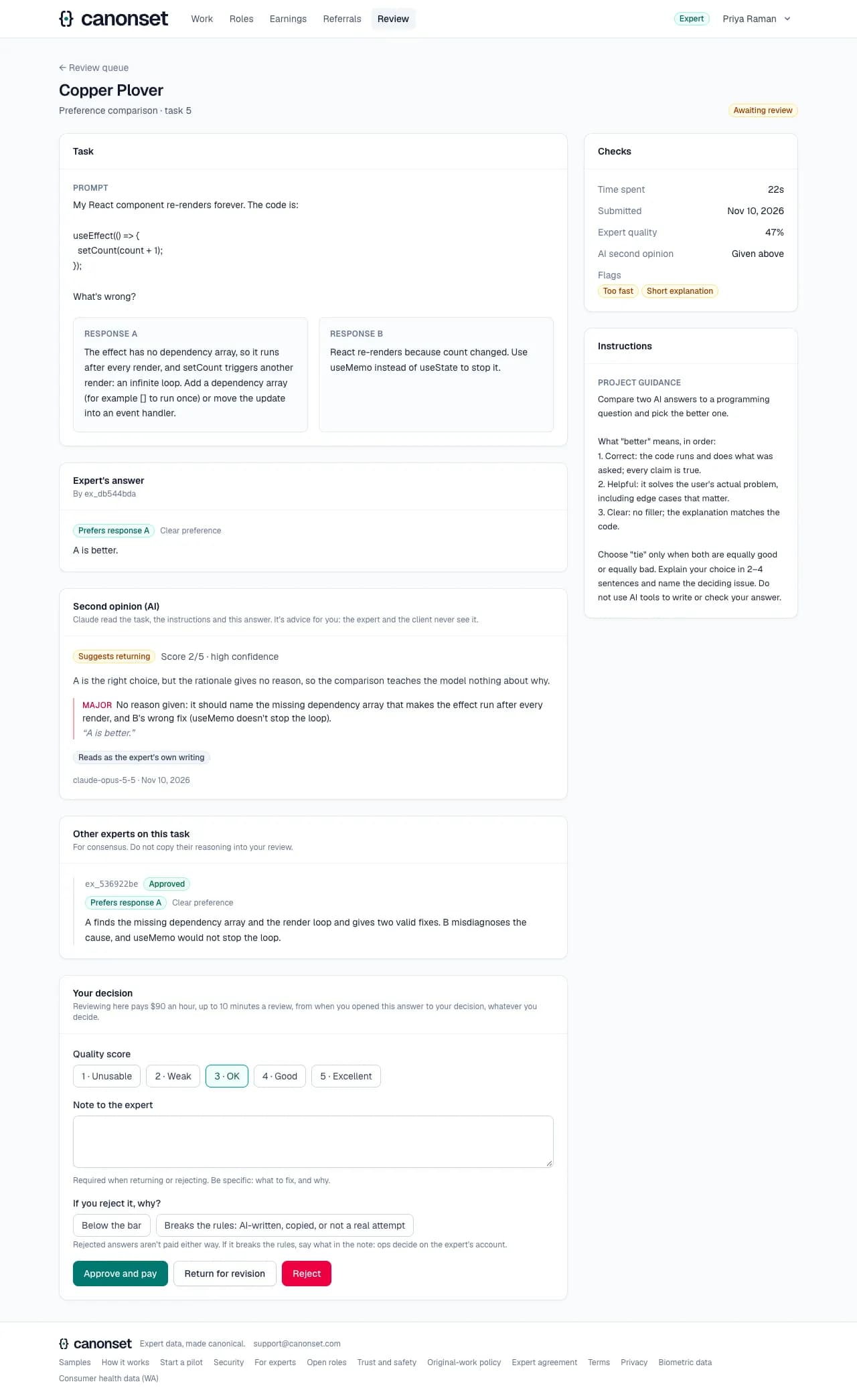
6.An answer
The task, the answer, the automatic checks, the second opinion, other experts' answers on the same task, the time spent and quality, and the decision. Rejecting says why: below the bar, or breaking the rules (AI-written, copied, not a real attempt), which on hourly projects is the only rejection that isn't paid.
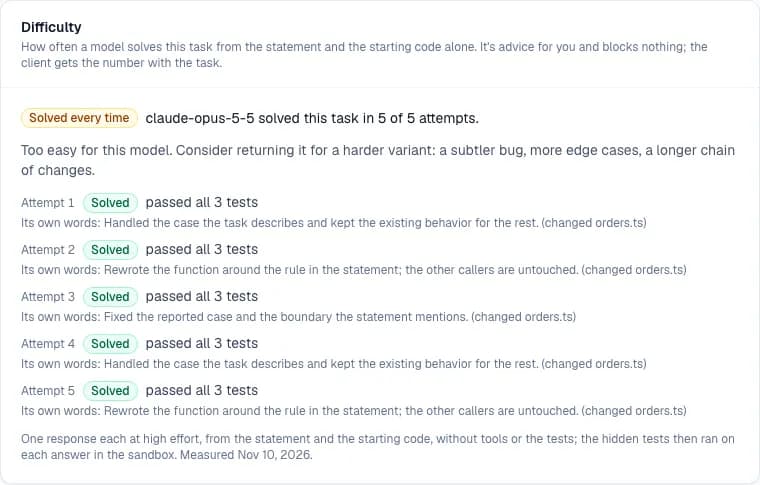
7.A coding task's difficulty
How often the model solved the task from the statement and the starting code, each attempt with what it changed and which hidden tests failed. Solved every time means too easy; never means hard, or a statement that leaves out what the tests expect.
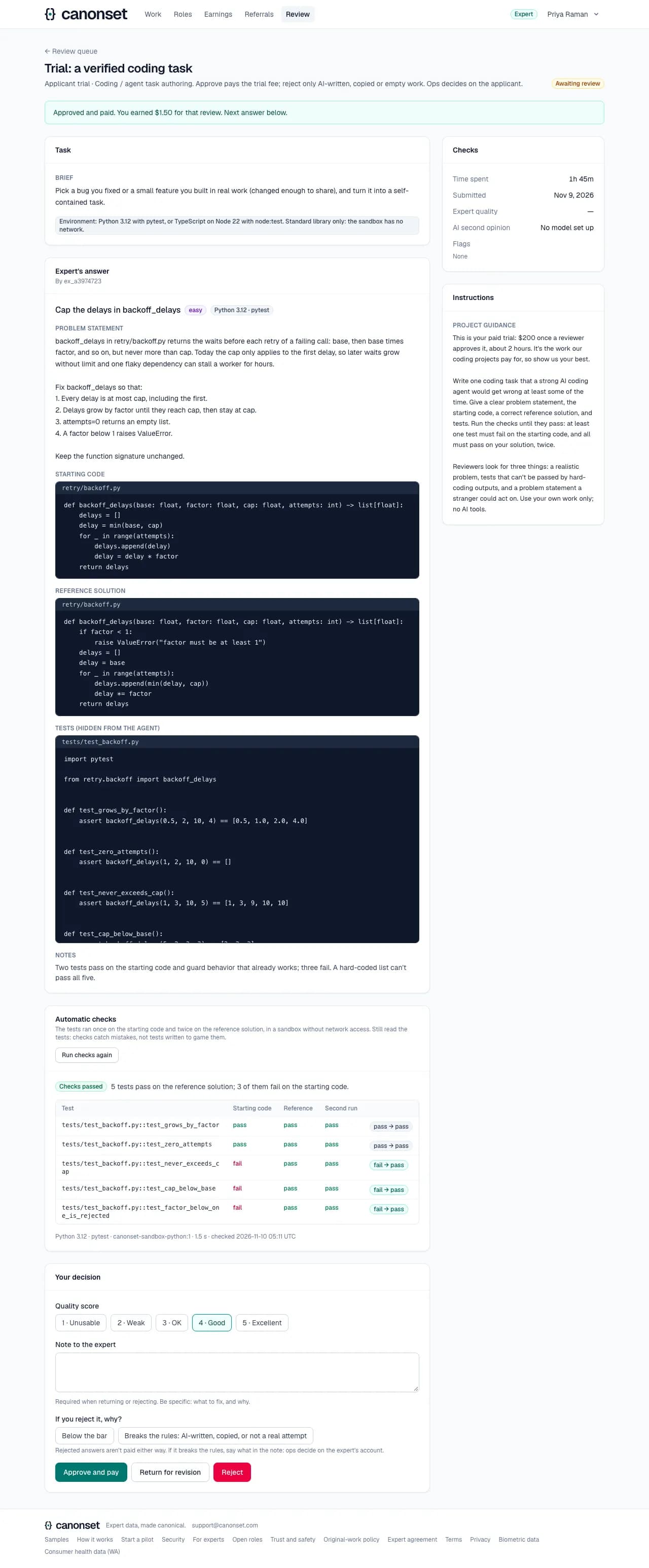
8.Next
After a decision the next answer opens. On a project that pays reviewers, it says what the review earned.
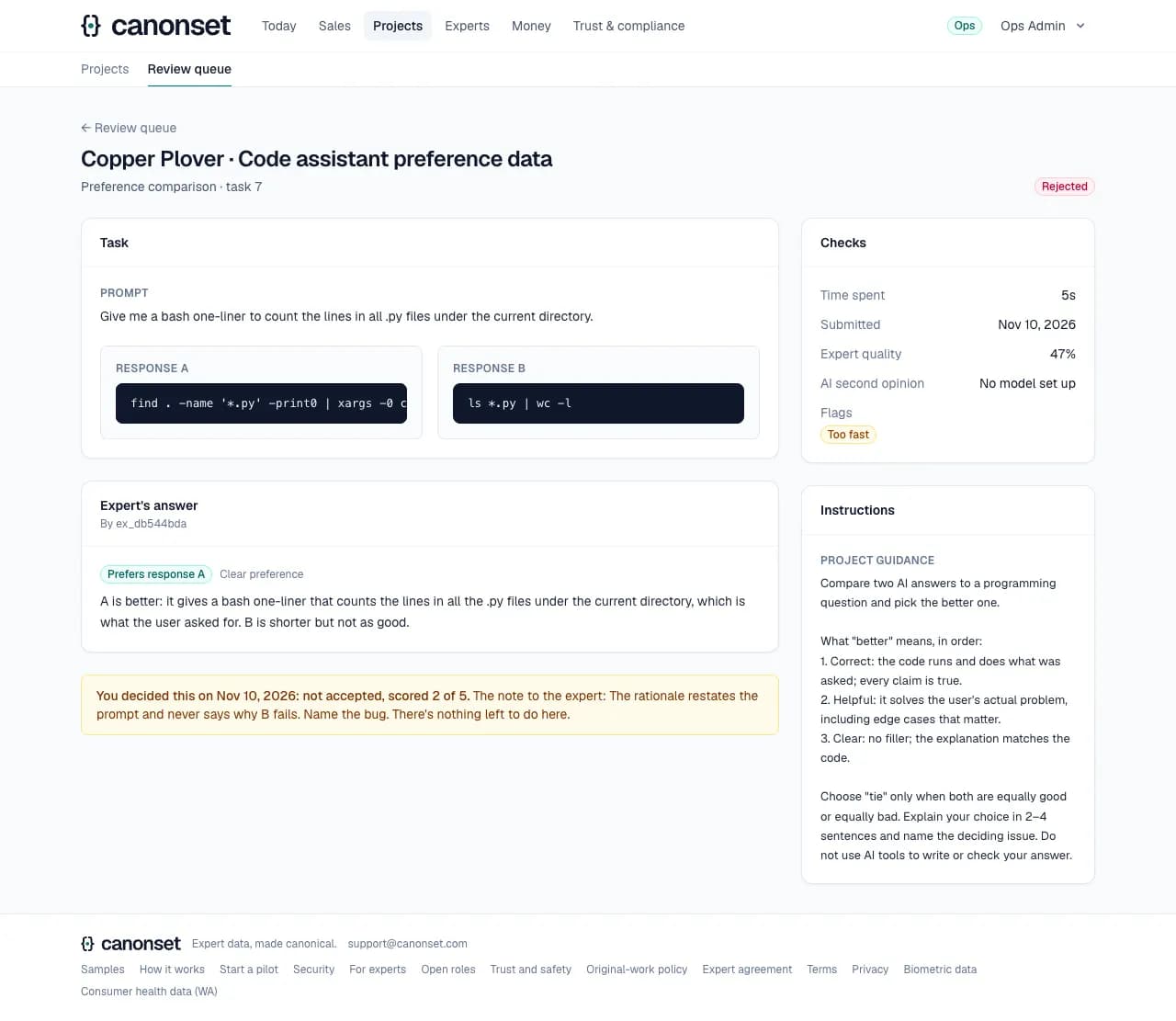
9.An answer already decided
An old link to a decided answer says who decided, when, what, the score and the note, instead of offering the form again.
10.Review pay
Each paid review is a line in Earnings with its minutes, and goes out with the Monday payout.
Good to know
- Approve with a score from 1 to 5 (pays the expert); return with a note (the expert revises); reject with a note and a reason: below the bar, or breaking the rules (AI-written, copied, not a real attempt; at least 20 characters saying what). A rejection isn't paid on per-answer projects; on hourly projects only one for breaking the rules isn't.
- Coding and environment tasks can be approved only when their automatic checks pass; Run checks again re-runs them.
- Difficulty is measured after a coding answer comes in with passing checks, where the client allows Claude: five attempts, a few minutes. It's advice and blocks nothing; Measure again starts afresh, and each attempt shows on the page as it finishes. The model never sees the tests or the reference, and can't replace the tests with its own. Ten measurements an hour per reviewer.
- Claude's second opinion runs only where the client allowed it: a suggested verdict and score, problems quoted from the answer, and how much it reads as AI-written. It's advice; experts and clients never see it. It shows by itself when it arrives; thirty requests an hour per reviewer.
- Experts are emailed when our team gives or ends their reviewer access.